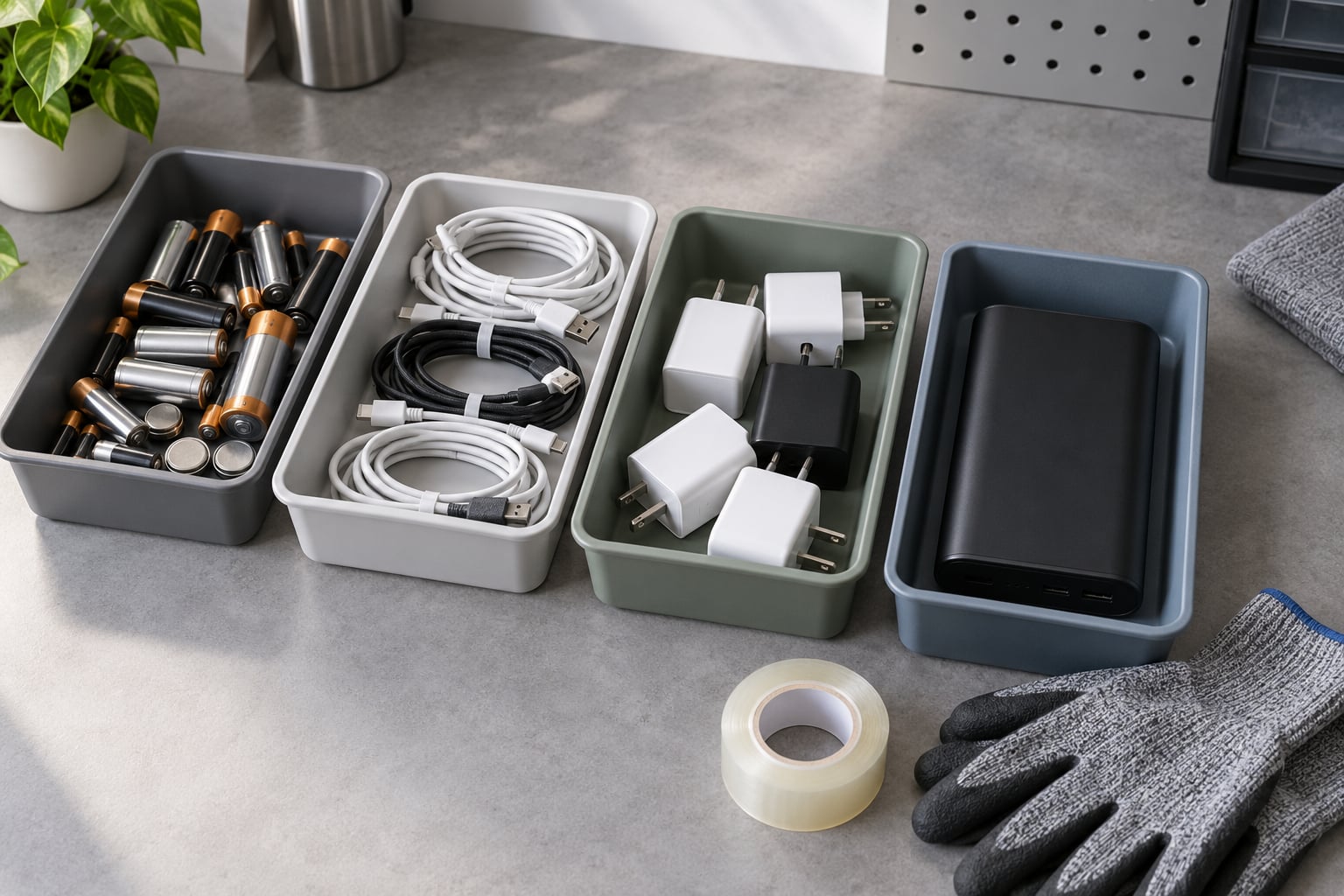
To know how to recycle old batteries and chargers without causing a fire or breaking the law, sort them into separate streams, cover every exposed terminal with clear tape, and take each stream to an approved drop-off point rather than the household bin. Batteries go to battery or household hazardous waste programs. Chargers, cables and wall adapters go to e-waste collection. Most of the job is the sorting, and the part people skip is protecting the terminals.
It takes about twenty minutes once you know what you own, and the hardest part is usually admitting that a swollen battery in a bedside drawer has to move today. Lithium-ion cells do not fail quietly. A cracked, dented or puffy cell can ignite in a collection truck, a landfill or a pile of recycling, and most of those fires start with a battery that looked fine an hour earlier.
There are three streams here, and they are not interchangeable. Spent cells, charging hardware, and whole devices each have their own route, and a lot of recycling centres will not take all three at the same counter. This guide walks through the whole process, including the parts that get left out: what to do with a damaged pack, why sealed tool batteries often get refused, and why your council’s rules for 2026 may not match your neighbour’s.
Table of Contents
- What You Need
- Step-by-Step: How to Recycle Old Batteries and Chargers
- 1. Identify Every Battery and Electrical Item
- 2. Check the Device and Battery Instructions
- 3. Protect the Terminals and Prevent Fires
- 4. Separate the Recycling Streams
- 5. Find an Authorized Drop-Off Point
- 6. Recycle the Chargers and Cables Separately
- 7. Confirm Disposal and Keep Any Receipt
- Battery Type to Disposal Route
- Where to Take Batteries and Chargers
- Common Mistakes
- Frequently Asked Questions
- Can old batteries go in household recycling?
- What should I do with a swollen, leaking or damaged phone battery?
- Are phone chargers and USB cables recycled as e-waste?
- How should I transport loose lithium-ion batteries?
- Can I recycle power banks with old phone batteries?
- Are alkaline batteries handled differently from rechargeable ones?
- Conclusion
What You Need
You need less than most people expect. Gather it all in one place before you start sorting, because the work is mostly moving items from a drawer into labelled containers.
- Cut-resistant gloves — for leaking cells, corroded contacts and tool packs with sharp casing edges.
- Clear electrical tape or a pack of terminal covers — for taping both ends of every loose cell.
- Separate containers — a small rigid box, a sturdy jar, or a zip bag per stream. Label them.
- A clear plastic tub with a lid — for anything swollen, leaking or dented, kept apart from everything else.
- Your retired gear — devices, batteries, power banks, earbud cases, chargers, cables, wireless pads.
- Your local rules — the council or municipality waste page, plus the drop-off locations it lists.
Add a marker pen for labelling and your phone for photographing damaged cells, which helps when a facility asks you to describe what you are handing over. If you have a small fireproof container, use it for damaged batteries. If not, a metal cookie tin with a tight lid does the same job.
Step-by-Step: How to Recycle Old Batteries and Chargers
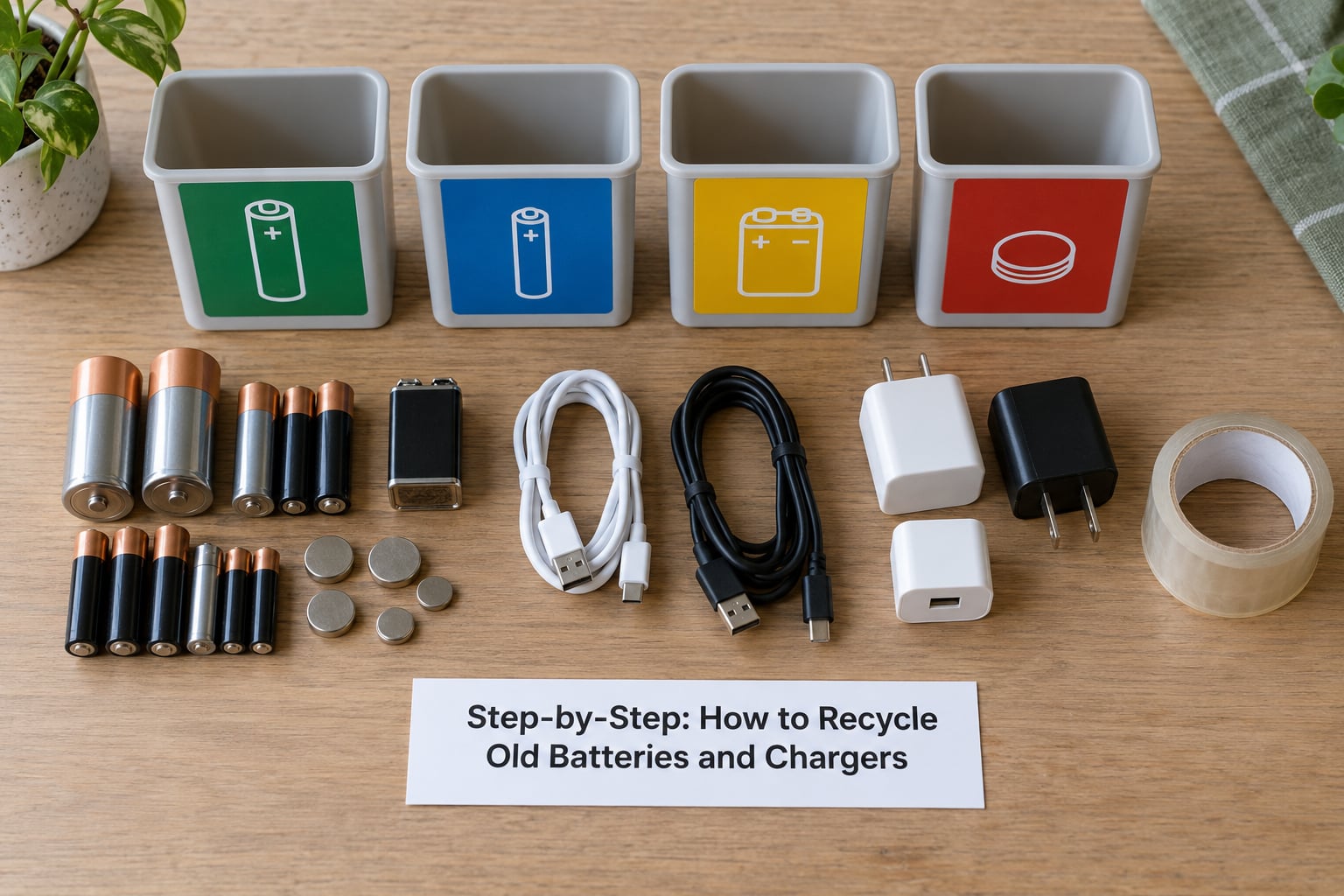
1. Identify Every Battery and Electrical Item
Start by emptying every place electronics hide: the kitchen drawer, the bedside table, the junk drawer, the bag you take to the gym, the glove box and the back of the TV stand. Old tech accumulates quietly and most people find more than they expected.
Make a list as you go. Common finds include phone and tablet batteries, power banks, earbud charging cases, smartwatch and fitness band docks, wireless charging pads, laptop batteries, cordless tool packs, camera and drone batteries, electric toothbrush and shaver chargers, car and bike light chargers, and a drawer full of wall adapters and USB cables nobody has used since a phone upgrade.
Then sort the problem items out immediately. Anything swollen, bent, leaking, rusted, punctured or emitting a chemical smell is not a normal battery. Put it in the lidded nonconductive container and do not put it back in a drawer. That is the single highest-risk item in any pile of old tech.
2. Check the Device and Battery Instructions
Before you open anything, look for the manufacturer’s removal and disposal instructions. Phone and laptop manuals usually have a battery or environmental section, and the maker’s support page usually covers removal without damaging the cell.
Do not pry a battery out of a phone, laptop, earbud case or power bank on your own. Cells are bonded, glued or tucked under flex cables, and a slip of a metal tool across the terminals is exactly how a short and a fire start. If you have never opened that device before, take the whole device to the collection point and let the facility handle it.
Some programs ask you to remove a built-in cell before drop-off, and some do it for you. That difference is a rule, not a preference, so confirm it with the facility before you arrive. For a Mi, Redmi or Poco handset, the official support pages describe battery removal and point to local recycling, which is the version of the instruction that applies to your exact model.
3. Protect the Terminals and Prevent Fires
Cover both ends of every loose cell with clear electrical tape. That is the whole trick. Tape blocks a loose cell from touching another one or a metal bin wall, which is how a short circuit starts a fire in a sorting facility or a truck.
Put each battery in its own container or zip bag after taping, and keep alkaline cells separate from lithium-ion and NiMH cells. Bag damaged or swollen batteries on their own inside a rigid lidded container, ideally with something non-flammable around them, and keep that container somewhere cool, ventilated and out of reach of children and pets while you arrange drop-off.
There is a short list of things you should never do with a battery. Do not use water to deal with a hissing or venting cell. Do not puncture, crush, bend, dismantle or burn it. Do not tape over a swollen cell’s casing as if the swelling will go away. Do not put a recalled or damaged lithium battery in ordinary waste, and do not mail it through a regular postal service. If a cell is actively smoking or venting, move people and pets away, do not carry it through the house, and call your local fire service for advice.
4. Separate the Recycling Streams
Collection programs are fussy about streams, and mixing them is the most common reason a drop-off gets refused. Sort before you leave, not at the counter.
- Loose alkaline cells (AA, AAA, 9V, coin and button cells) — often accepted at retail counters and grocery store battery bins, sometimes with a limit per person.
- Rechargeable NiMH cells and packs — the common AA and AAA rechargeables, plus older cordless tool packs. Retail counters and municipal programs usually take these.
- Built-in lithium-ion batteries — from phones, tablets, laptops and wearables. Usually accepted as part of the whole device, or as a removed pack when the program allows.
- Damaged or swollen lithium batteries — a specialist route. Household hazardous waste facilities and some retailer programs handle these, and they may ask you to call ahead.
- Power banks — treated as lithium batteries, not as small e-waste. They belong with the battery stream, in their own bag.
- Chargers, cables, wireless pads and wall adapters — the e-waste stream, which is a completely different counter at most facilities.
Batteries and chargers are not always accepted together. Plenty of municipal sites run a battery bay and an e-waste bay staffed by different contractors with different lists, so assume you will make two stops unless the site says otherwise.
5. Find an Authorized Drop-Off Point
Start with your council or municipality waste page. Most run a household hazardous waste or household waste program with a permanent drop-off site, and many add seasonal events for batteries, electronics and paint.
Retailers are the convenient option. In the United States, users on city and regional forums consistently name Home Depot and Lowe’s front-desk or outdoor bins as free drop-off points for household rechargeable batteries, Best Buy for electronics and batteries, and Staples for small electronics and cables. Pharmacies and supermarkets with in-store battery or prescription drop-off counters take button cells and small alkaline batteries. In the UK and EU, the law works the other way round: retailers take back old electricals by law, and a household recycling centre is the usual destination for the rest.
Battery manufacturers run recovery programmes of their own, and a mail-back kit with a pre-paid, hazard-rated shipping box is the answer when you have nothing within driving distance. Never assemble your own box and never post a damaged cell through ordinary mail.
Check before you go, every time. Users on recycling forums say they phone stores precisely because the rules move and vary by location: one branch takes tool batteries, the next does not, and the bin may be outside by the garden centre rather than at the till. Ask three things. Do you accept my battery type, is it free, and do you accept sealed packs or do I have to open the housing myself?
6. Recycle the Chargers and Cables Separately
Chargers, USB cables, wall adapters, wireless charging pads, car chargers and laptop bricks are e-waste, not household waste. Municipal pages that publish exclusion lists routinely name chargers and cables as items that cannot go in the general bin or in curbside collection.
Bundle small items together so they do not scatter: a cable tie, a paper bag, or a box of cables taped shut. Winding a cable around the adapter body instead of knotting it keeps the plug and strain relief intact for whoever dismantles it. Take off any case, strap or personal accessory attached to the item before it goes.
Look at each one before you pack it. A charger that is discoloured, cracked at the plug or smells burnt has taken a heat event, and it belongs with a facility that handles damaged electricals rather than in a mixed electronics tub.
If the cable or adapter still works, do not recycle it. Someone will use a spare USB-C cable, and a working charger is far better than a bag of e-waste. Pass it on, list it for sale, or keep it in a drawer labelled “spares” for the next phone that needs one.
7. Confirm Disposal and Keep Any Receipt
Ask the attendant to confirm what they are taking. A nod is not confirmation, and a battery left sitting in a general waste container is not a recycling attempt.
Ask for a receipt or stamped record where the facility issues one, and keep the details of the collection point, the date and the accepted item types. It takes ten seconds and it is the only way to show a council later that you did the right thing.
Note anything relevant while you are at the counter: a battery recall number on the label, a recycling programme the device maker funded, or a facility that specifically handles damaged cells. Keep that note with your receipt so the next batch of old tech goes faster.
Battery Type to Disposal Route
This list is the shortcut. Find your item, then take the route to the drop-off point that accepts it.
- Alkaline AA, AAA, 9V — retail battery bin, grocery or pharmacy drop-off, or municipal collection. Rules vary: many US sites accept alkaline in general waste, others do not.
- Button and coin cells — pharmacy or dedicated collection box, kept separate and out of reach of children. A swallowed coin cell is a medical emergency, so these are never mixed into general waste streams.
- NiMH rechargeable cells — retailer take-back bin or municipal battery program. Contains nickel, cadmium in older packs and metal hydride, all recoverable.
- Lithium-ion phone or tablet battery — hand in the whole device, or a removed pack where the program allows. Built-in cells should not be pried out by hand.
- Power bank — battery program, in its own bag, terminals taped. It is a lithium battery with a USB port, not small e-waste.
- Laptop battery pack — certified e-waste recycler or manufacturer mail-back kit. Sealed packs are frequently refused at general collection points.
- Power tool battery pack — retailer take-back or specialist battery recycler, often by weight. Many recycling depots turn away complete sealed tool packs.
- Swollen, leaking or punctured lithium cell — household hazardous waste facility, after calling ahead. Thermal runaway risk in a sorting line or collection truck.
- Wall charger, USB cable, wireless pad — e-waste collection point, retailer or manufacturer take-back. Municipal exclusion lists name chargers and cables as non-curbside items.
Notice the pattern. Nothing on this list belongs in a general waste container by default, and the rows people most often get wrong are power banks, tool packs and swollen cells.
Where to Take Batteries and Chargers
Four routes cover almost everyone: retailer take-back, municipal collection, household hazardous waste, and mail-back. Here is what people most commonly report when using each one, with the caveat that acceptance changes by location and by staff.
- Home Depot and Lowe’s front-desk or outdoor bins — household rechargeable batteries, AA and AAA rechargeables, alkaline cells. Free, and the most commonly recommended free drop-off in US forums. Bins are sometimes outside or near the front desk, so look before you ask.
- Best Buy — batteries, cables, adapters, small e-waste, whole devices. Free, and it handles the e-waste side of the trip in the same visit as the battery side.
- Staples — small electronics, cables, wall adapters, phones. Free, and useful for a drawer full of adapters rather than batteries.
- Pharmacy and grocery drop-off points — button cells, small alkaline batteries, prescription vials. Free, and often a small container on the counter.
- Municipal recycling or household waste centre — batteries, small e-waste, sometimes both at separate bays. Usually free, sometimes by appointment. Check the exclusion list first; sealed packs and UPS units are often refused.
- Household hazardous waste facility — damaged, swollen, leaking and recalled lithium cells. Free, by appointment or at an event. Call before travelling so they can tell you which container it goes in.
- Certified e-waste recycler (R2 or e-Stewards) — everything, including large packs, UPS units and tool batteries. Some charge a handling fee. This is the only reliable answer for sealed packs and storm backup batteries that depots turn away.
- Manufacturer mail-back kit — that maker’s own batteries and accessories, pre-paid and sometimes with a credit. Use the supplied hazard-rated box; never post a damaged cell yourself.
What happens next is worth knowing. A facility sorts the incoming stream, then a certified processor dismantles it, separates the metals and recovers lithium, cobalt, nickel, copper and aluminium from the cells, and routes plastics and steel into their own recycling streams. Battery recyclers commonly grind packs and pay by weight, which is why bulk tool batteries are economically recyclable even when a single pack seems worthless.
One last local tip. Council rules are the authority, not blog posts or a national generalisation, and they are rewritten regularly. Search your own council name with battery recycling, read the accepted list, and check the 2026 version of the page rather than a cached older one.
Common Mistakes
These are the errors that come up repeatedly, and most of them are avoidable in the ten minutes before you leave the house.
Throwing lithium-ion cells in the household bin. This is the big one, and it is illegal in many places as well as dangerous. A single damaged cell among ordinary rubbish can ignite in a collection truck.
Mixing chemistries in one bag. Alkaline, NiMH and lithium-ion can react with each other and with leaking electrolyte. Separate them, and give each one a label.
Carrying damaged cells loose in a bag or a pocket. A short against a key or a coin is enough. One battery per bag, terminals taped, rigid container for anything damaged.
Opening a sealed pack because someone told you to. Residents on recycling forums report the opposite advice almost as often: depots hand back sealed drill batteries and storm backup units and tell you to dismantle them yourself. Confirm the rule by phone before you start prying a casing open.
Assuming chargers go in a bottle bank or the general bin. Municipal exclusion lists name chargers and cables specifically. They are e-waste and they go to an e-waste stream.
Trusting a store counter without asking. Acceptance rules vary by branch and by battery type, and users say they call ahead for exactly this reason. Ask whether it is free, what types they take, and whether sealed packs are accepted.
Hoarding everything “until there is a convenient day”. A drawer of old cells is a fire risk that never gets dealt with. Recycle one category a month and the pile never builds.
Before you finish, a last safety pass. Every loose cell is taped. Damaged cells are isolated in a lidded container. Nothing swollen is in a drawer, a car or a pocket. And the phone you are about to hand over has been wiped, not just factory reset, if it still holds your accounts.
Frequently Asked Questions
Can old batteries go in household recycling?
Rarely, and only for alkaline cells in some places. Most curbside programs and bottle banks explicitly exclude batteries because loose cells can short-circuit in the sorting machinery and start a fire. Lithium-ion, NiMH, power banks and tool packs should never go in household recycling. Check your council’s accepted list, and use a retailer battery bin or household hazardous waste site for anything rechargeable.
What should I do with a swollen, leaking or damaged phone battery?
Stop using the device immediately and move it somewhere ventilated and away from anything flammable. Do not charge it, do not press the swelling flat, and do not puncture or open it. Put the device in a rigid, lidded, nonconductive container with loose material around it, then contact your local household hazardous waste facility before travelling, since not every site handles damaged cells. If it is venting or smoking, evacuate the room and call the fire service.
Are phone chargers and USB cables recycled as e-waste?
Yes, chargers, wall adapters, USB cables, wireless pads and laptop bricks are all e-waste, not household waste. Municipal exclusion lists routinely name them as items that cannot go in the general bin or curbside collection. Bundle them together, check for heat damage such as burnt smell or cracked plugs, and take them to an e-waste collection point, a retailer that takes small electronics, or a certified recycler. Working ones are worth passing on rather than recycling.
How should I transport loose lithium-ion batteries?
Tape both terminals of every cell with clear electrical tape, then place each one in its own bag or rigid container. Keep alkaline, NiMH and lithium cells in separate labelled containers so nothing can touch. Damaged or swollen batteries go in a lidded nonconductive container, on the passenger seat or trunk floor rather than loose on a seat, and out of direct sun. Never post a damaged or recalled lithium cell through ordinary mail.
Can I recycle power banks with old phone batteries?
Yes, a power bank is a lithium-ion battery with USB ports built in, so it belongs in the battery stream, not with small e-waste. Tape the terminals and bag it on its own, because a swollen power bank is one of the most common items found in collections. Many retailer battery bins accept power banks, while e-waste counters often refuse them. If it is swollen, dented or will not charge, treat it as damaged and take it to a household hazardous waste facility.
Are alkaline batteries handled differently from rechargeable ones?
They are treated differently in most places. Alkaline AA and AAA cells are accepted by many grocery and pharmacy drop-off points and retail battery bins, and in some jurisdictions they may go in general waste under local rules. Rechargeable NiMH cells and all lithium-ion packs are excluded from household waste almost everywhere and belong in a dedicated battery program. If your council publishes a list, follow that list rather than general advice.
Conclusion
If you do one thing today, find the swollen or damaged battery you have been meaning to deal with. Stop using it, tape or cover the terminals, isolate it in a lidded container away from anything flammable, and check which nearby household hazardous waste site or retailer takes damaged cells before you drive over.
Then sort the rest while it is fresh: batteries in one stream with every terminal covered, power banks bagged on their own, and chargers and cables bundled for a separate e-waste trip. That is the whole of how to recycle old batteries and chargers without a fire risk or a fine, and it takes ten minutes instead of an afternoon.