GaN chargers are smaller because gallium nitride switches electricity much faster than the silicon used in older chargers, and that lets manufacturers shrink the transformers, inductors and heat sinks inside. You get the same wattage in a brick roughly the size of a deck of cards, and it runs cooler while doing it. Here is how that actually works, and what it changes for the charger you buy.
Table of Contents
- GaN Chargers Explained and Why They Are Smaller
- What Is GaN, or Gallium Nitride?
- Two properties that matter to a charger
- Why GaN Chargers Are Smaller Than Ordinary Chargers
- The short answer in plain words
- The chain, step by step
- GaN versus silicon at a glance
- GaN Chargers Explained Through Power and Heat
- Does a Smaller GaN Charger Mean Lower Power?
- What multi-port charging actually does
- How Charging Protocols Affect GaN Charger Compatibility
- What You Should Look for When Buying a GaN Charger
- Are GaN Chargers Hotter, Less Safe, or Less Durable?
- Frequently Asked Questions
- Are GaN chargers actually better than regular chargers?
- Do GaN chargers charge faster than regular chargers?
- What are the downsides of using a GaN charger?
- What is the smallest GaN charger available?
- Is a 65W GaN charger enough for a laptop?
- How long do GaN chargers last?
- Conclusion: What to Do First
GaN Chargers Explained and Why They Are Smaller
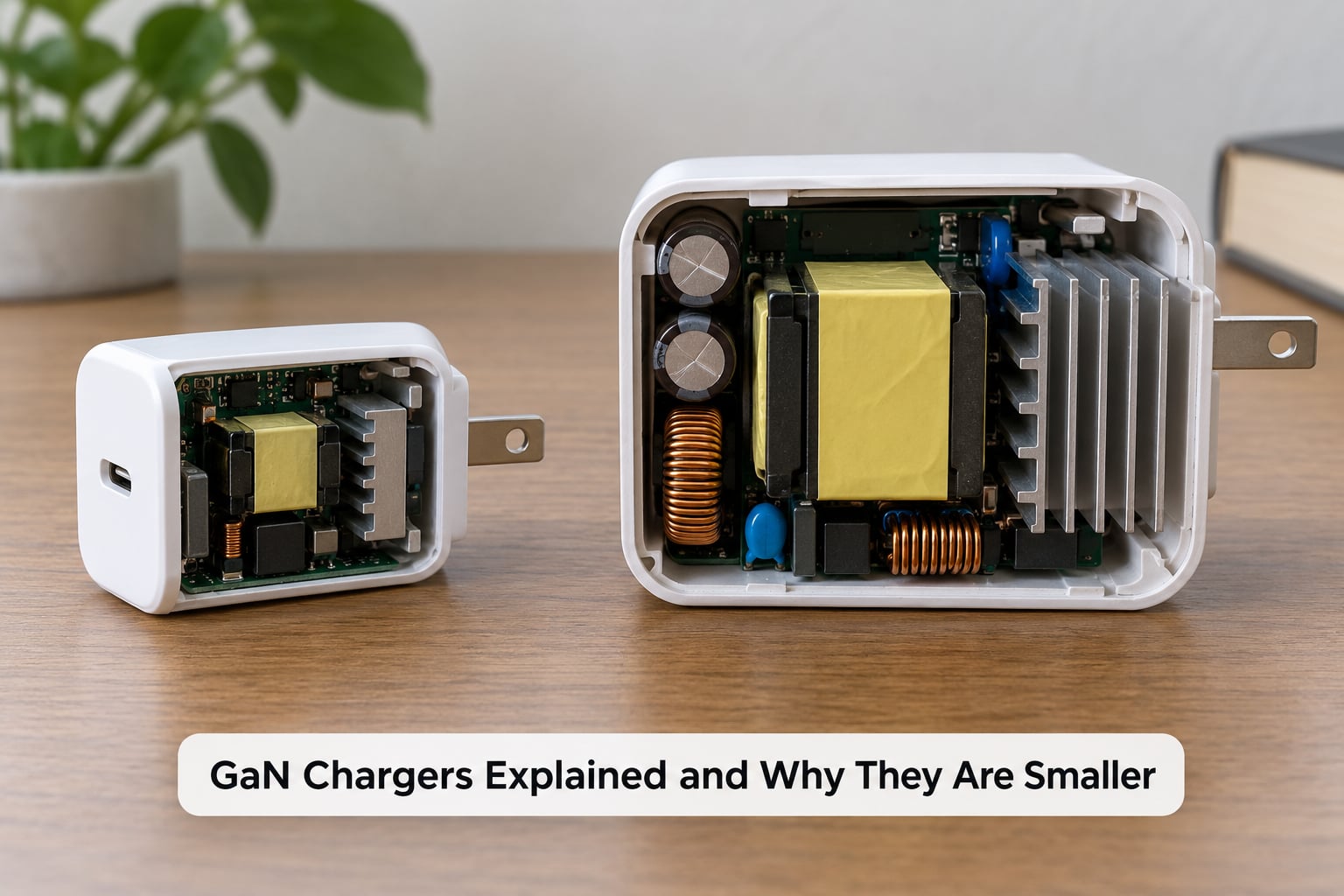
Short answer: gallium nitride is a wider-bandgap semiconductor, so the switches inside a charger can cycle far more often and waste less energy as heat. Faster switching lets engineers use smaller magnetic components, which means less bulk and less cooling hardware for the same output power.
Think of a road with two lanes versus one with six. A car covers the same distance either way, but on the wider road it arrives sooner with less effort spent changing lanes. Switching frequency works the same way for a charger.
The honest caveat: size still depends heavily on how much power you ask for. A 20W GaN charger is tiny because the job is small. A 140W GaN charger is compact by laptop-brick standards, but it is not the size of a matchbox.
What Is GaN, or Gallium Nitride?
Gallium nitride is a semiconductor material, grown as a crystal and etched into the tiny transistors that control power inside a charger. It is not a brand, a charging speed, or a connector type. That distinction trips up a lot of people, so it is worth being blunt about it.
GaN is the material. USB-C Power Delivery, Quick Charge and PPS are protocols, which are the languages your phone and charger use to negotiate how much power to send. A charger can be GaN or silicon and speak PD either way. Plenty of perfectly good PD chargers out there are still plain silicon.
Two properties that matter to a charger
Silicon has a bandgap of about 1.1 electron volts. Gallium nitride sits near 3.4 eV. A wider bandgap means the material can withstand a higher electric field before it breaks down, so a GaN transistor can be made smaller for the same job or push more voltage through itself without failing.
Second, electrons move through gallium nitride faster than through silicon, commonly cited around 30 percent faster for the saturated drift velocity in these devices. That is why a GaN switch can turn on and off hundreds of times more often per second than its silicon equivalent.
Neither number matters to you directly. What matters is the knock-on effect: switching faster lets the charger use physically smaller components, and smaller components lose less energy as heat. That is the whole reason GaN chargers shrank.
Why GaN Chargers Are Smaller Than Ordinary Chargers
The short answer in plain words
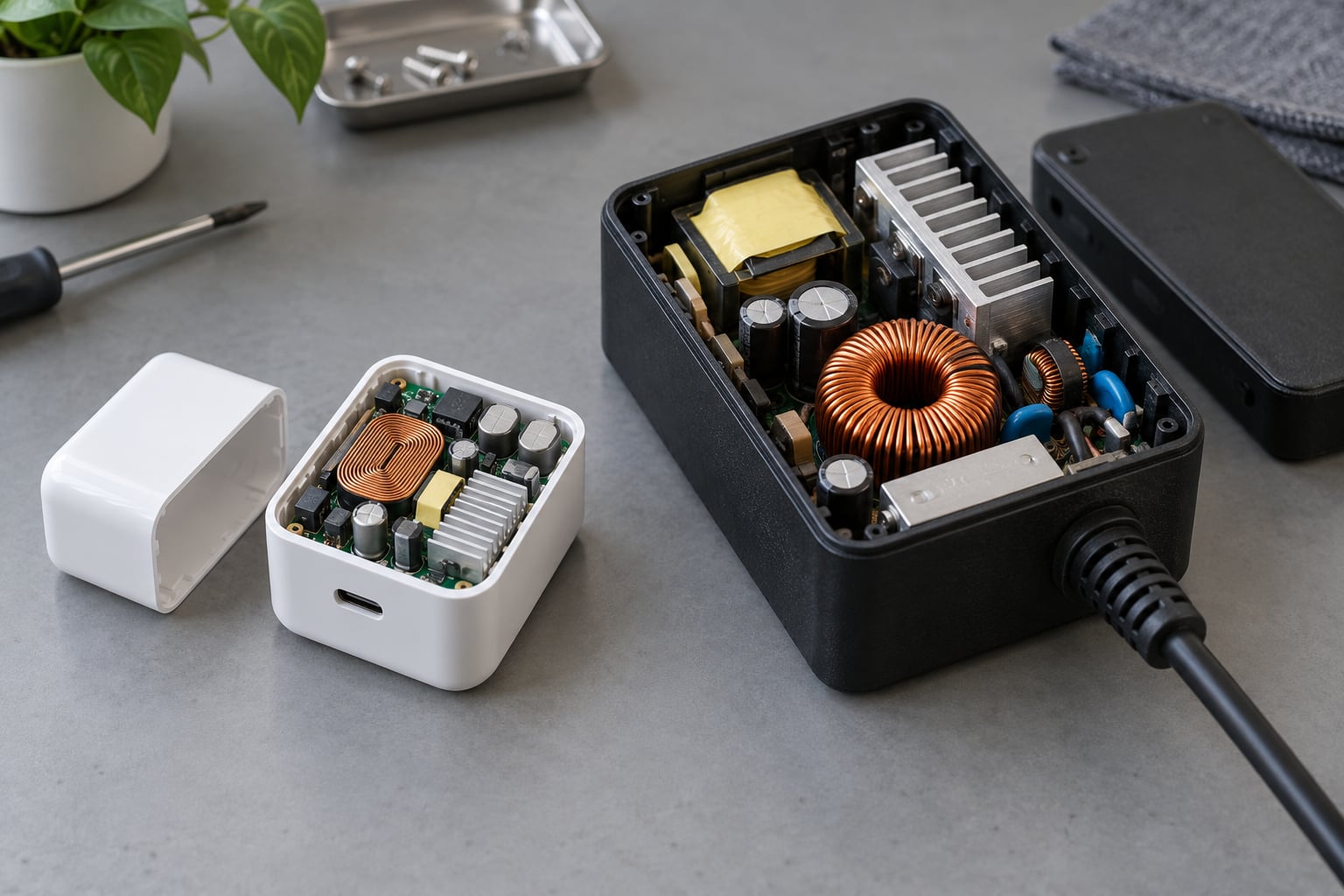
GaN transistors switch roughly ten times faster than silicon ones. In a charger, faster switching lets the power stage feed small capacitors and inductors instead of large wound transformers, so the enclosure shrinks and needs less cooling. Output power stays the same.
The chain, step by step
- Higher switching frequency. A charger chops incoming AC into high-frequency pulses. Gallium nitride handles several megahertz where older silicon designs topped out around 100 kHz to a few hundred kHz.
- Planar transformers replace wound ones. At low frequency you need a chunky iron-core transformer to step voltage down and isolate the mains side. At high frequency you can build that same function as flat, printed coils, which are thin and light.
- Smaller inductors and capacitors. Energy storage per cycle goes up as frequency rises, so the capacitors and inductors that smooth the output can shrink proportionally. This is usually the single biggest slice of the space saving.
- Less electromagnetic interference filtering. Fast switches are noisy. Filtering that noise normally takes space. GaN’s cleaner switching behaviour means less filtering bulk in the box.
- Smaller heat sink or none at all. Efficient GaN designs lose a few percent of input power as heat rather than the 13 to 20 percent a comparable silicon design wastes, so the thermal hardware shrinks or disappears.
GaN versus silicon at a glance
| Feature | GaN charger | Silicon charger |
|---|---|---|
| Switching frequency | Several MHz | Around 100 kHz to a few hundred kHz |
| Bandgap | About 3.4 eV | About 1.1 eV |
| Typical conversion efficiency | 90 to 95 percent | 80 to 87 percent |
| Transformer type | Planar, printed | Wound, ferrite core |
| Heat at full load | Warm, often hand-comfortable | Noticeably hot to the touch |
| Relative size at equal wattage | Compact | Bulky |
| Best fit | Travel, laptops, multi-device desks | Fixed desk, single phone |
Users on electronics forums tend to describe the change the same way: they notice the GaN brick is smaller and cooler the moment it replaces the adapter their phone shipped with. That reaction matches the numbers above rather than preceding them.
GaN Chargers Explained Through Power and Heat
Wattage still sets the ceiling on size. Here is roughly what each power level looks like in practice and where GaN helps most.
| Output | Typical use | Heat at full load | GaN size advantage |
|---|---|---|---|
| 20W to 30W | Phone, earbuds, smartwatch, small tablet | Barely warm | Small, though a cheap silicon brick is already compact |
| 45W | Flagship phone, tablet, lightweight ultrabook | Warm | Clear, roughly half the volume of the old brick |
| 65W | Phone plus laptop, or one laptop on the move | Warm | Very clear, this is the sweet spot for most people |
| 100W and above | Two laptops, or a demanding workstation | Warm to hot under sustained load | Clear, but high-wattage gaming laptops still need their own brick |
The pattern worth remembering: the bigger the wattage, the more a GaN charger saves you, because the silicon design it replaces scales up in volume faster.
Does a Smaller GaN Charger Mean Lower Power?
No. Physical size tells you nothing about wattage. A 20W GaN plug is small, and a 200W desktop GaN charger exists that is about the size of a mug. The label on the case is the only reliable number.
Second, the wattage on the label is what the charger can deliver, not what your device will accept. Charging negotiation starts the moment you plug in. The phone asks for a profile, the charger offers what it supports, and both settle on the highest level both sides handle.
That is why a 100W charger plugged into a phone that tops out at 45W charges exactly as fast as a 45W charger, and why plugging a phone into a high-watt charger does not cook the battery.
What multi-port charging actually does
Here is a common point of confusion. Most multi-port GaN chargers share their total power budget. Plug a 65W laptop into one port and a phone into the second, and the charger may drop the phone to a lower level so the laptop keeps its full rate. Some models budget per port, some split evenly, and the rule is usually printed on the casing.
How Charging Protocols Affect GaN Charger Compatibility
A GaN charger is only as fast as the slowest protocol it shares with your device. Material does not negotiate; software does.
- USB-C Power Delivery is the baseline for USB-C devices and works on nearly every modern phone, tablet and laptop.
- PPS, Programmable Power Supply lets the charger step its output up and down on the fly while the battery fills. Many flagship Android phones charge noticeably faster with PPS than without it. If your phone supports PPS, the charger must too.
- Quick Charge is Qualcomm’s older protocol. Lots of phones support it alongside PD, and it is a fallback rather than a fast path.
- Proprietary protocols such as SuperVOOC or proprietary laptop charging run at higher speeds but usually only with the manufacturer’s own charger and cable.
The cable matters as much as the protocol. A charge-only USB-C cable has no data lines, so PD negotiation fails and charging falls back to a slow default. Look for a cable rated for the wattage you need, and note that a cable long enough to reach a hotel socket at 100W needs to be a thick one.
What You Should Look for When Buying a GaN Charger
- Check your device’s real requirement first. Look up its maximum charging wattage and whether it needs PPS. Buying far above that is wasted money, except when you plan to charge a laptop too.
- Match wattage to your heaviest device. 30W suits a phone-only setup, 45W to 65W covers a phone and a laptop, and 100W plus makes sense for two laptops.
- Count ports against the budget rule. Two ports sound generous until you find out whether full speed on both is available at the same time.
- Verify protocol support, not wattage marketing. PD and PPS for Android, PD for laptops, and check whether your tablet or watch needs anything else.
- Look for a thermal design that breathes. Vents on the casing and a gap for airflow matter more than any claim about internal materials.
- Confirm safety certification. Look for UL, ETL, CE or FCC marks from a recognised body, along with overcurrent, overvoltage, short-circuit and temperature protection.
- Check the warranty. Two years or more is a reasonable signal that the maker stands behind the power stage, which is the expensive part to replace.
- Decide on the plug. Foldable prongs stop snagging in a bag, but only if your sockets have room for them; fixed prongs work everywhere including old extension leads.
Are GaN Chargers Hotter, Less Safe, or Less Durable?
GaN chargers generally run cooler than silicon chargers of the same output, because more of the input power reaches your device instead of turning into heat in the brick. Lower temperature also means the charging cable and the phone’s charging circuitry stay cooler, which is the part people worry about for long-term battery health.
The safety question is separate from the material question. Every reputable charger, GaN or otherwise, relies on certified protection circuits, insulation between the mains side and the low-voltage side, and temperature monitoring. Buy from a maker that publishes UL, ETL, CE or FCC certification and states its protection features.
Cheap uncertified bricks are the real risk, and it is a risk shared by ordinary silicon chargers. Give the charger room to breathe rather than burying it under a mattress or behind a cushion, replace any cable whose insulation is cracked or bent at the connector, and follow the instructions that came with the device.
Durability is comparable. The semiconductor differs, but the failure points in any charger are the solder joints, the connector and the cable. Many people get years of daily use from a well-made GaN charger without any special care.
Frequently Asked Questions
Are GaN chargers actually better than regular chargers?
For travel, laptops and multi-device setups, yes. A GaN charger gives you the same wattage in a smaller body, runs cooler and wastes less energy. At a fixed desk charging one phone, the difference is mostly cosmetic, and a basic silicon charger does the job.
Do GaN chargers charge faster than regular chargers?
Not on their own. If both chargers deliver the same wattage and support the same protocols, your phone charges at the same speed. Community testing and published specs agree on this. A GaN charger only feels faster when it frees you from an undersized OEM brick or it adds PPS support.
What are the downsides of using a GaN charger?
The main drawbacks are cost and, occasionally, port power sharing. Some multi-port chargers split their total wattage, so two devices may charge slower together. Very high wattage models run warm under sustained load. Older phones with no USB-C port need an adapter anyway.
What is the smallest GaN charger available?
The smallest units are 20W to 30W blocks roughly the size of a matchbox, sized for a phone, earbuds or a watch. There is no meaningful difference in the smallest size between GaN and silicon at that power, because the limit is the plug and the phone, not the chipset.
Is a 65W GaN charger enough for a laptop?
For most thin and light ultrabooks, yes. 65W covers a typical laptop plus a phone on a second port, with the charger still fitting in a jacket pocket. Heavy gaming laptops and workstations often need 140W or more, and those still tend to ship with their own bulky brick.
How long do GaN chargers last?
Expect roughly the same lifespan as a good silicon charger, often several years of daily use. Wear happens at the cable and connector rather than the semiconductor. Keeping the charger unburied, avoiding frayed cables and leaving it cool extends that life.
Conclusion: What to Do First
Start with your device, not the technology. Find your phone’s or laptop’s maximum charging wattage and whether it needs PPS, then pick a GaN charger that meets that number, speaks PD, and lists a recognised safety certification.
Add a cable rated for the wattage you need and you are done. If you travel or charge a phone and a laptop in the same bag, a single 65W GaN charger with two ports replaces most of the adapters you are carrying now.