If you want to know how to tell if a power bank is actually fast charging, ignore the capacity number and the word “fast” on the front of the box. Read the output rating on the label, multiply volts by amps to get watts, confirm it advertises USB Power Delivery or Quick Charge, then plug it into your phone through a USB power meter and see what it actually delivers. Under 18W from a single port, it is not fast charging, whatever the packaging claims.
That whole check takes about ten minutes and it settles the argument with the spec sheet. Most of the disappointment comes down to something dull: the phone and the power bank negotiate a voltage and current profile, and the speed you get is whatever the weakest link on that chain allows.
The pattern repeats often enough that you can guess the result before you plug anything in. A box says 30W, the label says 9V and 2A in the small print nobody reads, and the phone sits at 5V because the cable was the one in the drawer that only charges.
Here is the full workflow, then the mistakes that trip people up and the questions readers search for most.
Table of Contents
- What You Need
- Step-by-Step
- 1. Check the advertised charging specifications
- 2. Use the right cable and charging port
- 3. Measure the actual charging rate
- 4. Check the phone’s charging screen
- 5. Compare the result with the specification
- Common Mistakes
- Frequently Asked Questions
- How many watts do you need for fast charging?
- Is there an app to test charging speed?
- Is 5V 2.4A fast charging?
- Does charging speed depend on the phone?
- Why is my power bank charging my phone so slowly?
- How do I check charging speed in watts?
- Start With the Meter
What You Need
You need four things, and one of them decides whether the whole test means anything.
- The phone or device you plan to charge. A power bank that pushes 30W into a tablet still tops up a phone at the phone’s own limit, so the device sets the ceiling.
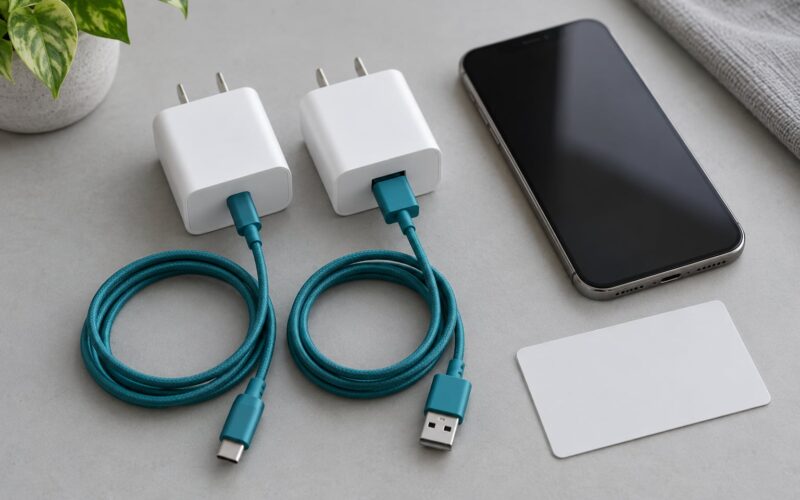
- The cable the manufacturer specifies. For any fast charging test this needs to be a USB-C to USB-C cable rated to carry the current you expect, ideally a 5A e-mark cable. A charge-only cable carries data but no meaningful current, and a USB-A cable caps the whole system at about 10W.
- The power bank, sitting between roughly 20% and 40% battery. Low enough to draw peak power, high enough that the phone is not in trickle-charge territory.
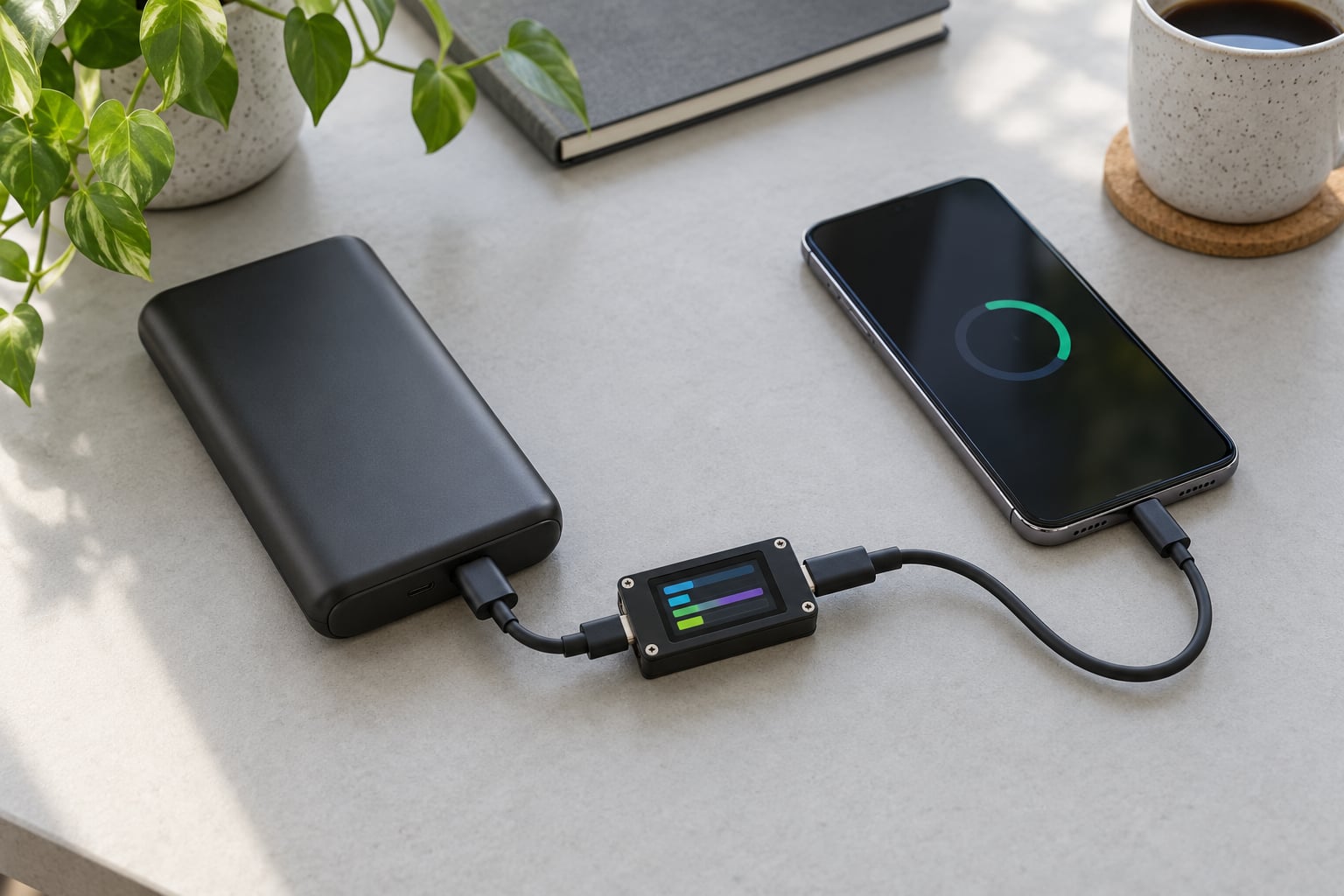
- A USB power meter, the inline kind that reads volts, amps and watts as you watch. Popular picks among people who test cables and banks obsessively include the Alientek C2 Pro, the FNIRSI FNB38 and the KM003C. Pick one that holds its last reading after you unplug it, so you can check the number without unplugging anything.
On Android you can add a charging-speed app as a cross-check, not as the main measurement. Ampere-style apps report current, not watts, and they poll on a schedule, so their numbers lag reality. Use them to confirm a trend, then confirm the trend with the meter.
One more thing worth setting up: a second phone or a cheap USB load you can plug in instead. It is how you find out whether a port is delivering its full rated wattage when nothing is attached.
Step-by-Step
Work through these in order. Each step rules out one possible explanation, so if step 4 confirms a fast charge you can stop there.
1. Check the advertised charging specifications
Find the label on the power bank itself, not the box, and read the output line. Multiply the voltage by the current to get the wattage. Everything else on that label is decoration by comparison.
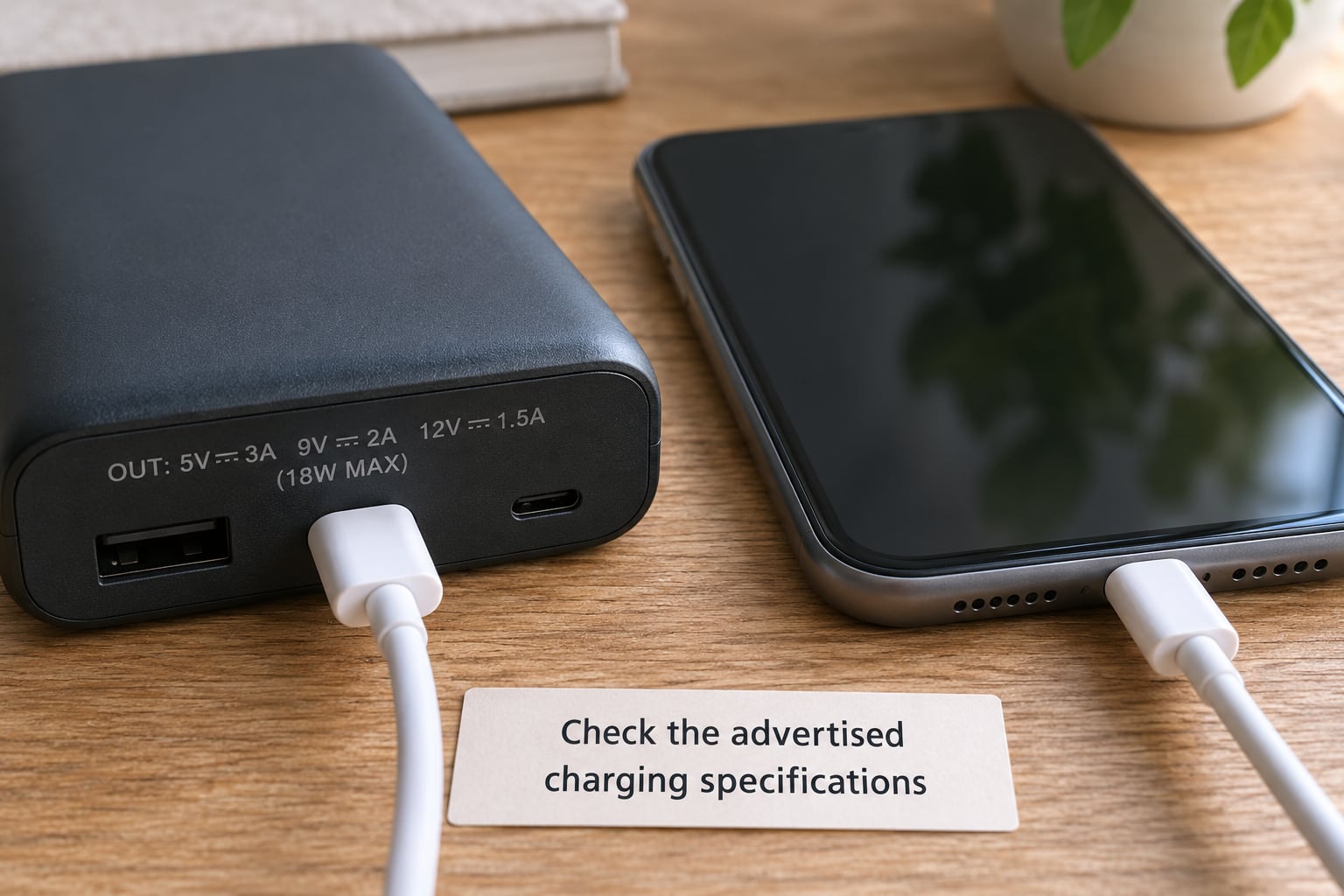
Here is what the common printed ratings actually work out to:
- 5V / 1A = 5W. Slow, old-style USB charging.
- 5V / 2A = 10W. Baseline phone charging, not fast.
- 5V / 2.4A = 12W. The USB-A ceiling. Below the fast-charging line.
- 5V / 3A = 15W. Fine, but still under the threshold.
- 9V / 2A = 18W. Fast. This is the usual entry-level rating.
- 12V / 1.5A = 18W. Fast, same wattage as 9V/2A by a different route.
- 9V / 3A = 27W. Fast. Needs PPS or a phone that negotiates that profile.
- 12V / 3A = 36W. Fast, if the phone supports 12V.
- 20V / 3A = 60W. Full USB PD. Laptop territory.
The rule of thumb most of the industry uses is simple: at least 18W from a single port before the word “fast” means anything.
Now the part where labels mislead. Three claims need checking before you believe them.
The wattage is a peak, not a profile. A bank printed 5V/3A, 9V/3A, 12V/2A is not delivering 45W. Each of those lines is a separate voltage the bank can offer, and only one of them is active at a time. The realistic top end is the highest line your phone will negotiate, which for most phones is 9V/2A or 12V/1.5A at 18W.
The high wattage may belong to a different port. Plenty of banks advertise 65W total and put 18W on the USB-C port and 10W on the USB-A port. Read per port, not per box.
Total rated power hides the split. TRP, the total rated power figure, is the ceiling across all outputs at once. Plug two phones into a 30W bank and each port may get 15W, or 10W and 10W, depending on the design. If your speed halves the moment you plug in a second device, that is the reason, not a fault.
Finally, check the protocols. A bank with only “output 5V/2A” and no protocol name is a slow bank wearing a fast label. Look for USB Power Delivery, Quick Charge, or PPS.
The ceilings each standard sets, and what each one looks like on the label:
- USB 2.0 default, 2.5W. 5V / 0.5A with no protocol marks.
- USB BC1.2, 7.5W. 5V / 1.5A.
- Standard USB charging, 10W. 5V / 2A.
- Quick Charge 3.0 / 3+, 18W. QC logo plus 9V and 12V lines.
- USB PD 2.0, 60W. PD logo with 5V, 9V and 12V lines.
- Quick Charge 4 / 4+, up to 45W. QC4+ mark and a broad voltage range.
- USB PD 3.0, 100W. PD logo with lines up to 20V / 5A.
- USB PD 3.1 EPR, 240W. EPR mark with voltage lines above 20V.
- PPS, variable from 100W up. PPS mark with stepped 5V to 20V lines.
PPS, Programmable Power Supply, matters more than most buyers realise. Instead of snapping to fixed steps of 5V, 9V and 12V, a PPS source lets the phone ask for something like 8.4V or 10.5V, so you get a smoother and often slightly faster climb through the middle of the battery.
2. Use the right cable and charging port
A slow charge caused by the cable is the most common version of this problem, and it looks exactly like a slow power bank.
USB Power Delivery negotiation runs over the USB-C data pins. A cable without those connections is charge-only, and the phone falls back to the 5V/2A default, giving you 10W no matter what the bank can do. Many cables that shipped with phones years ago are exactly that.
Even with data pins, current is capped by the cable’s rating:
- USB-C default, 3A. About 15W at 5V, or 18W at 9V/2A on typical USB-A style ratings.
- USB-C with a 5A e-mark chip, 5A. Up to 100W with USB PD.
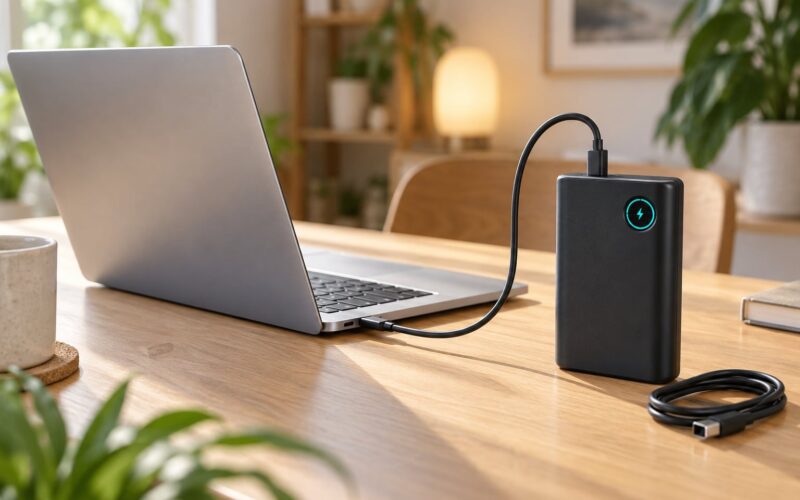
- USB-A port on the bank, 2.4A typical. 12W, with no voltage negotiation.
An e-marked cable carries an embedded chip that tells the source it can handle 5A. Without it, the port and the phone will negotiate a safer 3A at best, so a 60W-rated bank connected through a plain cable will stall long before the cable is the obvious suspect.
Two other port details bite people. Some banks have USB-C on one side and USB-A on the other, and only the USB-C port supports PD at all. And on a bank with several USB-C ports, only one is usually wired to the fast controller, so try the other one before you blame the phone.
Test with a known-good cable first. If the number jumps, the cable was the bottleneck and the bank was fine all along.
3. Measure the actual charging rate
This is the step that ends the guessing. A USB power meter sits in the cable and shows live voltage, current and wattage.
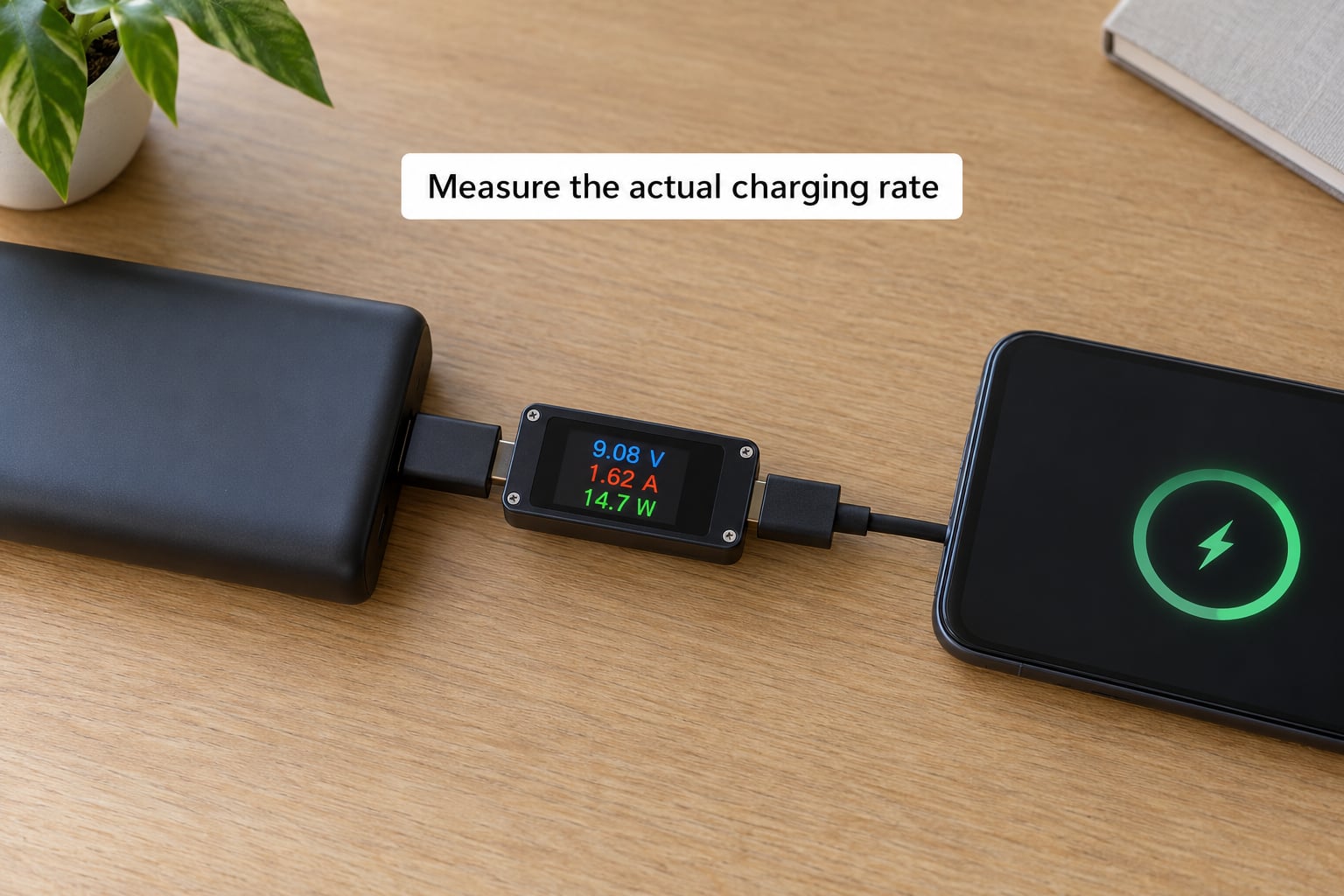
- Charge the power bank itself first. Not to full, but above about 60%. A bank that is itself nearly flat will negotiate conservatively and give a reading that tells you nothing about its capability.
- Start the phone at 20% to 30%. Below 20% most phones add their own trickle to protect the cell, which distorts the first minute of readings.
- Connect the meter between the phone and the power bank. Phone to meter to bank, no adapters in the chain. An adapter adds noise and can break negotiation outright.
- Let it sit for 60 to 90 seconds. The reading climbs in steps as the phone requests higher profiles. The last stable number is the one that counts, not the peak flash on connect.
- Read volts, amps and watts, and multiply to confirm. If the meter says 9V and 2A, that is 18W. A meter whose wattage field disagrees with its own voltage and current is the problem, not the bank.
- Watch it for 10 minutes. A genuine fast charge holds its rate. A bank that drops from 18W to 10W within a couple of minutes is hitting thermal limits or has an overstated rating.
Two caveats about the meter itself. It draws its own current from the line, usually a fraction of a watt, so subtract it if you are chasing a tight margin. And cheap meters disagree with each other, sometimes by 10% or more, particularly above 3A. For accurate readings above that, a better meter or a thermal camera to check for hot connectors is worth it.
Set your pass/fail line before you start: land within about 80% of the claimed wattage and the claim holds. Come in under 80% and treat the number on the box as fiction.
For a fair comparison between two banks, run the same protocol on both: same starting percentage, same cable, same room temperature. For a quick speed check a single reading is fine.
4. Check the phone’s charging screen
Your phone reports what it negotiated. The meter tells you what arrived; the phone tells you what it accepted.
Look for these signals:
- The charging notification. Most Android phones show a fast-charging message when they hit a higher-voltage profile. Pixel devices show a “Charging rapidly” style message, Samsung shows a lightning bolt in the notification and battery panel, and Xiaomi phones show their own rapid charge wording. No message usually means the default profile.
- Wattage in the settings. Some Android skins surface a charging power readout in the battery section or in a developer option. It is worth turning it on before you start.
- Percent per minute over ten minutes. Start at 20%, leave the phone face up and idle, and check again at 30%. Roughly 1% every seven minutes is a practical benchmark for a healthy fast charge.
Record the time to go from 20% to 50%. If it takes about 25 to 30 minutes, you are getting fast charging. If it takes closer to an hour and a half, you are on the 10W baseline regardless of what the meter showed a moment earlier.
Screen state changes the result on several brands. Samsung’s fast charging only engages with the screen off, for instance, and using the phone while it charges raises heat and pulls power for the processor.
And expect the rate to drop. Most phones charge fast to about 50%, then taper hard to protect the battery and reduce heat. A reading of 18W at 25% and 7W at 80% is normal behaviour, not a broken bank.
5. Compare the result with the specification
You now have three numbers: what the label claims, what the meter measured, and how fast the battery actually climbed. Put them side by side.
First, compare the measurement against the highest profile the label lists, not against the sum. A bank printed 5V/3A, 9V/3A, 12V/2A claims the ability to hit 27W, but only with a phone that negotiates 9V/3A. A phone that settles at 9V/2A gives you 18W, and the bank is doing its job.
Second, remember the weakest link rule. The delivered speed is the minimum of what the bank can offer, what the cable will carry, what the port is rated for, and what the phone will accept. When one of those drops, everything downstream drops with it. This is also why the same bank can look excellent on one phone and mediocre on another.
Third, check the battery-management side. A phone that has been in a hot car, or one charging while running a demanding game, will throttle itself. So will a power bank that has warmed up. Let both sit at room temperature for ten minutes and run the test again.
Repeat the test twice to be sure. A single reading is a snapshot; two consistent readings are a result.
For what “reasonably fast” means on a daily basis: 18W from one port is the entry point and gets a modern phone from 20% to about 50% in half an hour. Above 30W makes a noticeable difference on bigger batteries, and anything past 60W mainly matters for laptops and tablets. If you are topping up a phone between appointments, 18W is genuinely fast. If you are charging overnight, the difference does not matter and you can pick the larger capacity pack instead.
Common Mistakes
Judging speed from the capacity number. A 20000mAh rating tells you how much energy is stored, not how quickly it comes out. A huge slow bank will take longer than a small fast one. Ignore capacity entirely when you are testing for speed.
Using the cable that came in the box with something else. Very often a charge-only cable. If your phone reports no fast-charging message, swap the cable before you swap anything else.
Reading the input rating instead of the output rating. This is the single biggest source of confusion on the whole topic. The input line describes how fast the power bank recharges from a wall charger, which has nothing to do with how fast it charges your phone. The output line is the one that matters. A bank that refills at 18W and outputs 5V/2A gives your phone 10W.
Testing only while the screen is off. Screen off is the cleanest test, but it hides brand-specific behaviour. Samsung will only fast charge with the screen off, and some phones behave differently when active. Run it both ways.
Expecting the peak rate for the whole charge. The charging curve ramps down past roughly 50%. Judge the speed in the first half.
Reading a full battery as proof of speed. Every power bank eventually tops your phone up. Only the time it took says anything.
Testing a bank that is itself nearly empty. Low internal charge, low internal voltage, conservative negotiation, misleading result. Charge the bank first.
Comparing two banks under different conditions. Phone battery level, temperature, ambient heat and a second plugged-in device all change the number. Test them the same way.
Two safety notes. Use a meter, leads and cables you trust; cheap test gear can overheat at high current and a faulty lead is a real hazard. And if a power bank gets unusually hot, swells, smells odd or hisses, unplug it and stop using it. For anything you fly with, airlines cap carry-on lithium power banks at 100Wh, so check the watt-hour figure before you pack.
Frequently Asked Questions
How many watts do you need for fast charging?
About 18W from a single port is the standard line for fast charging a phone. That covers the common 9V/2A and 12V/1.5A profiles used by USB Power Delivery and Quick Charge 3.0. Above 18W you get faster charging on larger batteries, and above 60W matters mainly for laptops and tablets. Anything at 10W or less is ordinary charging, however good the packaging looks.
Is there an app to test charging speed?
Sort of. Apps like Ampere report charging current in milliamps rather than watts, and they sample on a schedule, so they lag by a few seconds and miss profile changes entirely. They are useful for spotting a trend over ten minutes, and for reading percent per minute on some models. For an actual wattage figure, use a USB power meter between the power bank and the phone.
Is 5V 2.4A fast charging?
No. 5V at 2.4A works out to 12W, which is below the 18W fast-charging threshold and is roughly what a good USB-A port delivers at its limit. Anything charging at 5V has not negotiated a higher voltage profile, so it is running at the old baseline rate. If you want fast charging, look for 9V or 12V lines in the output rating.
Does charging speed depend on the phone?
More than most buyers expect. The phone is the side that requests a voltage and current profile, so it decides which of the power bank’s profiles get used. A phone with USB Power Delivery will take 18W or more; one limited to 5V/2A stays at 10W no matter what the bank can output. Check your phone’s spec sheet for its maximum charging wattage before you judge the bank.
Why is my power bank charging my phone so slowly?
Work down this list: you are probably reading the input rating instead of the output rating, your cable is charge-only or rated below 3A, you are using the USB-A port instead of USB-C, the power bank itself was nearly empty during the test, or a second device is sharing the total rated power. Heat is another common cause, since phones throttle when warm. A USB power meter will tell you which of these it is within a minute.
How do I check charging speed in watts?
Plug a USB power meter in line between your power bank and your phone, then read the voltage and current it displays and multiply them. Charge the bank above 60% first and start the phone between 20% and 30%, wait 60 to 90 seconds for the profile to settle, and use the stable reading rather than the peak flash. Subtract roughly half a watt for the meter’s own draw.
Start With the Meter
Start with the meter. Everything else, the label reading and the phone notifications, is a hint. A ten-minute session with a power meter inline and your phone at 20% tells you the real wattage, and comparing that against the 80% pass mark tells you whether the claim on the box was worth anything.
If the meter shows 18W or better and your phone climbs about 1% every seven minutes, the bank is fast charging and the label was honest. If it shows 10W, your fastest option is almost certainly a new cable or a different port on the same bank, and no amount of label reading will change that.