LDAC is Sony’s Bluetooth audio codec, a compression format that squeezes music into the narrow Bluetooth pipe. It can carry up to 990 kbps at 24-bit/96 kHz — roughly three times what AAC sends. So does it matter? Only sometimes: the benefit shows up with lossless source material, quiet rooms, good-fitting headphones and newer hardware, and largely disappears with 320 kbps streaming, a noisy commute or a shaky connection.
That second half of the answer usually surprises people. Marketing treats LDAC like a gear upgrade, but it behaves more like a ceiling. Raising the ceiling only helps if the source, the hardware and the room were already capable of filling it.
Table of Contents
- What Is LDAC and Does It Matter in Practice?
- What is LDAC?
- How does LDAC encode and transmit audio?
- How does LDAC compare with SBC, AAC, aptX, and LC3?
- Does LDAC actually improve sound quality?
- When does LDAC matter most?
- Why can LDAC sound worse or unstable?
- How do you check and enable LDAC on an Android phone?
- Which devices support LDAC?
- Is LDAC worth using?
- Frequently Asked Questions
- Is LDAC lossless?
- Should I use LDAC or AAC on Android?
- Does LDAC use more battery?
- Why does my LDAC connection keep cutting out?
- Do I need LDAC for better sound quality?
- The bottom line: what to do first
What Is LDAC and Does It Matter in Practice?
LDAC matters when everything around it lines up. Feed a phone streaming from a lossless service into well-sealed headphones in a quiet room, and the extra data rate gives the codec less to throw away. You are more likely to hear cleaner vocal detail and better separation between instruments.
LDAC does not matter much when the source is already compressed hard, when the earbuds seal poorly, or when you are listening outdoors near traffic. In those conditions the weakest link decides what you hear, not the codec.
There is a second practical answer too. LDAC at its maximum setting is demanding. A link that is struggling with 990 kbps can drop packets, drop to a lower bitrate, or add noticeable delay, and a clean 330 kbps SBC connection usually beats a failing LDAC one.
Users on r/Android and r/SonyHeadphones land in the same place from opposite directions. One long-time user reports real gains in vocal clarity and instrument separation with lossless sources, while users with Sony earbuds report no audible difference between AAC and LDAC at all. Both are describing real setups. That is the honest state of the argument.
What is LDAC?
LDAC stands for Low-Complexity Audio Data Transport, or more accurately a Sony-developed high-bitrate Bluetooth audio codec. It is a set of instructions for compressing digital audio, sending it over the air, and expanding it again at the other end.
Bluetooth was not designed for music. A stereo audio link has to survive interference, share spectrum with Wi-Fi, and power both ends from a small battery, so the audio gets compressed hard before it ever leaves the phone. SBC, the mandatory baseline every Bluetooth device supports, was built with that constraint in mind and treats the music gently. LDAC was built for the opposite goal: squeeze harder in the encoder, throw away less of the signal, and let the decoder reconstruct something closer to the original.
One thing to get straight early: LDAC is not lossless. It discards information, at any bitrate. Sony markets hi-res wireless audio, and many products carry the Hi-Res Audio Wireless logo, but that logo certifies the codec and the device’s implementation of it — it does not mean a digital copy is passed through untouched.
The current range is three connection modes: 330, 660 and 990 kbps. The phone picks one based on signal conditions, and a surprising number of people never notice which one they are actually on.
How does LDAC encode and transmit audio?
The chain has four steps, and it helps to keep them separate in your head.
1. Encoding. Your music app hands the phone a stream of digital samples. The LDAC encoder compresses that stream, deciding which parts of the signal a listener is least likely to notice as detail and thinning them out to fit the bitrate you have selected.
2. Transmission. The compressed data goes out over a Bluetooth Classic link, usually through the A2DP profile. A2DP is the profile that says “advanced audio” — it is the pipe, not the codec. Your phone and headphones could both speak LDAC perfectly and still be limited to a low bitrate by the profile in use, which is why calling and casting behaviour can differ from music playback.
3. Decoding. The headphones or earbuds run the matching decoder, expanding the compressed data back into a waveform the digital-to-analogue converter can play.
4. Playback. The DAC turns that waveform into an analogue signal, the driver moves air, and you hear music. Everything after decoding is identical no matter which codec sent the data, which is why the DAC and the tuning shape the final sound more than the codec number does.
Bluetooth version and codec are also separate things. Bluetooth 5.3 will not give you LDAC on its own — it is a radio standard, not an audio format. And LDAC runs over Bluetooth Classic; LC3 belongs to the newer LE Audio path, which is a different system entirely.
How does LDAC compare with SBC, AAC, aptX, and LC3?
| Codec | Made by | Max bitrate | Max format | Where you meet it | Best for |
|---|---|---|---|---|---|
| SBC | Bluetooth SIG | 345 kbps | 44.1 kHz, 16-bit | Every Bluetooth audio device | Reliable fallback, calls, cheap gear |
| AAC | Apple, then the MPEG standard | 256 kbps | 48 kHz, 16-bit | iPhone, iPad, most Android devices | iPhones, where it is the only high-quality option |
| aptX | Qualcomm | 384 kbps | 48 kHz, 16-bit | Older Android phones, some TVs and cars | Consistent quality across older gear |
| aptX HD / Adaptive | Qualcomm | Up to 576 kbps HD, Adaptive varies | 48 kHz, 24-bit | Recent Qualcomm-powered Android phones | Adaptive is good for unstable 2.4 GHz areas |
| LDAC | Sony | 990 kbps | 96 kHz, 24-bit | Android 8.0+ phones with Sony-equipped earbuds | Lossless sources, quiet rooms, newer hardware |
| LC3 | Bluetooth SIG (LE Audio) | 320 kbps typical | 48 kHz, 24-bit | Newer earbuds paired with LE Audio devices | Low power, better call quality, shared listening |
A headline bitrate settles nothing on its own. 990 kbps only means the codec is allowed to send that much; the connection may never get there, the source may not contain anything worth sending, and the earbud’s own tuning can dominate the result entirely. One poorly implemented AAC link will beat a badly implemented LDAC link every time, and community consensus on audio forums is blunt about that.
LDAC versus AAC is the comparison most people actually want. On paper LDAC wins, with nearly four times the bitrate. In practice, AAC is exceptionally efficient at what it does, so on a decent pair of earbuds in a normal room the gap is often small enough that you have to be listening critically to catch it. LDAC’s lead opens up on lossless sources and on newer hardware with good amplification.
Does LDAC actually improve sound quality?
It can, and the mechanism is straightforward. More encoded data means fewer musical details the encoder is forced to discard: the tail of a cymbal decay, the breath before a vocal line, the separation between two guitars panned apart. Under the right conditions those come through, and listeners who switch report hearing things that were previously buried in the mix.
The limits are just as real. If your music arrives as a 320 kbps stream, there is very little intact information for LDAC to protect — the damage happened upstream, and the codec cannot reverse it. Turning on LDAC there is like sharpening a photograph of a painting.
Then there is listening context. At low volumes the ear is less sensitive to fine detail, which is precisely where quiet listening usually happens. A poor earbud seal lets outside noise mask exactly the subtleties LDAC preserves. Fatigue, a cheap driver and a bad fit all sit downstream of the codec and none of them care what bitrate you picked.
Noise cancellation adds its own complication. Some earbuds process audio through their own cancellation stage, and the interaction between that processing and a high-bitrate stream is not always clean — the audible result can be less natural even when the codec is doing its job properly.
When does LDAC matter most?
LDAC has the best chance of earning its keep in a fairly narrow set of conditions, and it is worth naming them so you can check your own setup against them:
- Lossless or hi-res sources. Tidal, Qobuz and Apple Music Lossless send more data than a lossy stream, so the extra bitrate has something real to carry.
- A quiet room. In a still room you can lower the volume and still hear detail, which is exactly where it lives.
- Headphones that fit well. A good seal and a capable driver give the codec’s output somewhere to go. Flamboyant earbuds will not reveal it.
- Critical, attentive listening. Focused album playback, not background music while you work.
- Newer, LDAC-equipped hardware. Better internal converters and amplifiers recover more of what arrives.
SBC or AAC is the better pick when you take calls, share earbuds, use the phone in a congested 2.4 GHz environment, game, or watch films. A stable lower bitrate beats a heroic higher one every time.
Why can LDAC sound worse or unstable?
Max-bitrate LDAC is demanding on a link that was never built for it. Here is what goes wrong, and what it feels like in practice.
Downshifts and crackle. When the radio gets noisy — a busy cafe, a laptop’s Wi-Fi, an office full of access points — the connection may drop from 990 kbps to 660 or 330, or transmit damaged packets that come out as crackle. Users report this constantly. The negotiation is automatic, so you may be hearing a much lower bitrate than the one you selected.
Latency. Higher bitrates mean more data to process, and the delay shows up in games and video. Lip-sync suffers and input feels sluggish. For media, aptX Low Latency and LE Audio modes exist for this reason.
Codec switching. Take a call, connect a second device, or start casting and the link renegotiates. Coming back, you may be on a different codec than you set — and occasionally plain SBC.
Battery cost. More data transmitted and more processing on both ends means a real, if modest, battery hit. Over a long listening session it is noticeable; over a day’s mixed use it rarely decides anything.
Double compression. If a track was already encoded into a compressed format for streaming and is then compressed again by the codec, artifacts that were inaudible can become audible. This is the strongest technical argument for pairing LDAC with lossless sources.
Disabled extras. Forcing the highest 96 kHz mode on some Sony earbuds switches off the brand’s own upscaling processing, as users on r/SonyHeadphones point out. You gain headroom on paper and lose a feature you had.
There is also a wired reality check. A 3.5 mm or USB-C cable still wins on latency, reliability and on avoiding a second compression stage entirely. If you have the cable and the phone still has the jack or an adapter, wireless is the convenience trade, not the quality trade.
How do you check and enable LDAC on an Android phone?
On Android 12 and later, the codec selector lives in Developer Options. It is off by default, which is why most people never find it.
Standard Android path:
- Open Settings and search for “Developer options”. If it does not appear, go to About phone and tap Build number seven times, then enter your PIN.
- Back in Developer options, scroll to Audio or Bluetooth audio codec.
- In Bluetooth audio codec, select LDAC.
- Connect your headphones and play something before you open the selector again — the active codec only appears during playback.
Xiaomi, Redmi and POCO (HyperOS and MIUI): the Developer options page is split by category, so the setting is often where people get stuck. Go to Settings > About phone > tap Build number seven times, then Settings > Additional settings > Developer options. Open the Audio section there and change Bluetooth audio codec to LDAC. On many HyperOS builds the codec selector is further down under Debugging options or appears only once a pair of earbuds is connected.
If the LDAC option is greyed out, the reason is almost always the headphones. The selector only offers codecs the connected device can decode, and it can also be disabled by a system update until the earbuds are reconnected.
Samsung and One UI: Settings > Sound and vibration > Sound quality and effects > Audio quality handles the effect presets, while the codec itself is under Developer options > Bluetooth audio codec.
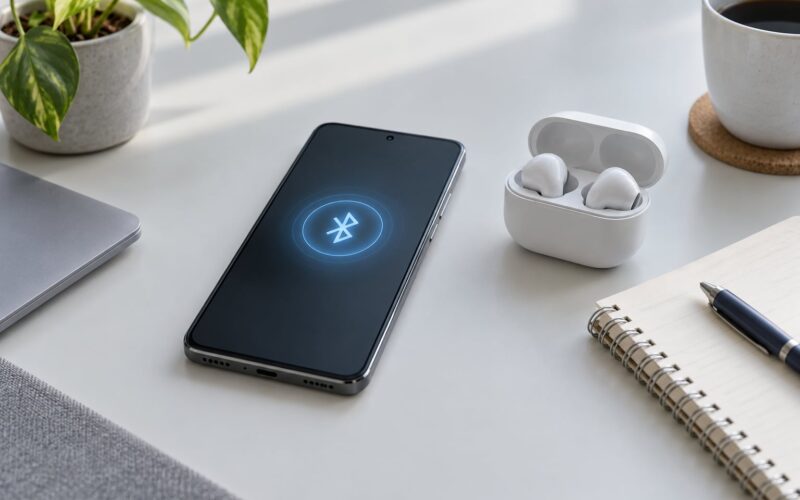
Checking what is actually playing. The same Developer options entry reads Bluetooth audio codec while audio is playing, and you can also check it from Bluetooth settings by tapping the info icon beside your connected headphones. If it says SBC, the two devices did not negotiate LDAC — that usually means one side does not support it, or something interrupted the pairing.
One Android 12-era behaviour worth knowing: the codec sometimes reverts to SBC after a firmware update until you disconnect and reconnect the headphones. It is a recurring complaint in xdaforums threads and it is not a fault in your setup.
Which devices support LDAC?
Support is never one-sided. Both the phone and the headphones or earbuds must support LDAC, and the connection is negotiated between them every time. If either end lacks it, you fall back to the best codec they share — usually AAC, sometimes plain SBC.
On the source side, LDAC arrived on Android in version 8.0 and has been common on mid-range and flagship Android phones since. It is widespread on Xiaomi, Redmi and POCO devices, common on Sony, Samsung, OnePlus and Google hardware, and appears in some tablets, Windows laptops, smart TVs and car head units.
On the receiving side, the list is narrower. Sony built it, so Sony’s own earbuds and headphones are the most dependable pairing, and several other brands license it into their flagships. The Hi-Res Audio Wireless logo on a product box signals that it supports LDAC, but again it certifies the codec, not the sound.
Why is it uneven? Because LDAC is proprietary and licensed per product and per chipset. That is a decision to leave out, so many manufacturers default to AAC instead, which is free and universal. It is also why iPhones never use it: Apple builds AAC and controls the whole stack, so there is no reason to license a competitor’s codec.
Newer alternatives exist. LHDC is another high-bitrate Chinese-developed codec, and LC3 under LE Audio aims at efficiency and lower power. Neither is a drop-in upgrade everywhere, and neither changes the negotiation rule — the link only uses what both ends support.
Is LDAC worth using?
It depends on which of these you are, and the honest answer is different for each.
- You stream from Tidal, Qobuz or Apple Music Lossless and listen in a quiet room. Yes. This is the case where the extra bitrate carries real information and you have the environment to hear it.
- You stream Spotify or similar at 320 kbps. Marginal. Your source is already the limiting factor, so the codec is polishing a compressed signal.
- You listen mostly outdoors or in transit. Usually no. Wind, traffic and a poor seal drown out the detail LDAC preserves, and the extra bitrate makes dropouts more likely.
- You game or watch films. Keep it on a lower mode, or use a low-latency codec. Sync drift and input lag are worse than a small quality gain.
- Battery life matters more than detail. Leave it off, or let the link drop to a lower mode on its own.
- Your earbuds or phone are older or budget-tier. The DAC, the driver and the tuning will decide the sound long before the codec does.
If you are turning it on, the three modes are worth setting deliberately rather than leaving them alone:
990 kbps is the headline number and the least forgiving. It suits a quiet room with modern hardware. 660 kbps is the practical sweet spot many users settle on, since it holds up well and survives busier environments. 330 kbps gives up detail you may not have been hearing anyway, and is the most stable option when the link is fighting interference.
The Hi-Res Wireless logo, for what it is worth, means the device carries LDAC. It says nothing about the DAC, the drivers, the tuning or whether the source was hi-res in the first place. Treat it as one signal, not a verdict.
Frequently Asked Questions
Is LDAC lossless?
No. LDAC is a lossy codec, like every other Bluetooth audio codec, and it discards information at all three bitrates. What it does is discard less than SBC, AAC or aptX, so the decoded result sits closer to the original. The Hi-Res Audio Wireless logo certifies that a device supports LDAC, not that audio passes through untouched.
Should I use LDAC or AAC on Android?
Use LDAC when your headphones support it, your source is lossless or hi-res, and you listen somewhere quiet. Stay on AAC when you take calls, game, watch video, listen outdoors, or share your earbuds, because AAC is more robust and adds less latency. On a recent phone, switching between the two on the same track takes seconds, so try it.
Does LDAC use more battery?
Somewhat, yes. Higher bitrates mean more data over the air and more encoding and decoding work on both devices, so running LDAC at 990 kbps draws more power than the same phone on AAC or SBC. The difference is modest for casual listening and matters more over long sessions. If battery life is your priority, let the link settle on a lower mode.
Why does my LDAC connection keep cutting out?
Usually the radio environment, not the codec. Crowded 2.4 GHz spaces such as offices, cafes and airports cause packet loss, which can produce crackle or force a drop from 990 to 660 or 330 kbps. Other causes include calling on the same phone, a firmware update resetting the negotiated codec, and poor firmware implementation in cheaper earbuds. Moving closer to the phone, or choosing 660 kbps, usually helps.
Do I need LDAC for better sound quality?
Not necessarily. On most setups, a decent pair of earbuds and a well-fitting pair of tips change the sound far more than the codec. LDAC earns its place with lossless sources, newer hardware and quiet listening conditions. If you are starting from budget earbuds, upgrading the earbuds will help you hear more than upgrading the codec will.
The bottom line: what to do first
Turn LDAC on tonight. Enable it in Developer options, connect your headphones, and play one track you know by heart at a moderate volume in a quiet room. Then switch to SBC or AAC and play it again.
Keep whichever one you can hear more from — and if the LDAC link stutters, crackles or drifts out of sync on the way home, drop it to 660 kbps. A codec you can trust beats a spec sheet you cannot.