Why do some USB-C cables charge slower? Because the connector shape tells you almost nothing. Every USB-C cable looks the same, yet some carry 15W, some 60W, some 100W and a few 240W, and the limit comes down to the current rating, the presence of an E-marker chip, the wire gauge, the length and how the charger and phone agree on a power profile.
That last part matters. Charging speed is decided by the weakest link in the chain, and a cable is a link that quietly negotiates its own ceiling without telling you. Swap in a thin cable with a 100W charger and nothing happens. Nothing breaks, no warning appears, you just wait twice as long.
Below is what actually governs the speed, why the same phone can charge fast with one cable and slowly with another, and how to work out which part is holding things back before you spend money on a replacement.
Table of Contents
- Why Do Some USB-C Cables Charge Slower?
- What Determines the Speed of a USB-C Cable?
- How the charger and phone agree on a power profile
- The current rating: 3A versus 5A
- The E-marker chip, the reason cables stop at 60W
- Wire gauge, resistance and voltage drop over long runs
- The Most Common Causes of Slow USB-C Charging
- Proprietary fast-charge protocols need a matched pair
- Charge-only cables and thinner power conductors
- Heat, thick cases and screen-on load
- Lint in the port
- Battery ageing, software and background load
- Non-compliant cables can be a safety problem
- How to Check Whether the Cable or Another Part Is Limiting Charging
- Which USB-C Cable to Choose for Faster Charging
- What to look for on the cable or the packaging
- How to tell if a cable is 5A and E-marked at home
- What each device class needs
- Frequently Asked Questions
- Why do some USB-C cables charge slower?
- Does a longer USB-C cable reduce charging speed?
- Is a charge-only USB-C cable slower than one that carries data?
- What cable do I need to fast charge an Android phone?
- How do I know if slow charging comes from the cable, the charger or the phone?
- Conclusion: Start With the Cable and the Charger
Why Do Some USB-C Cables Charge Slower?
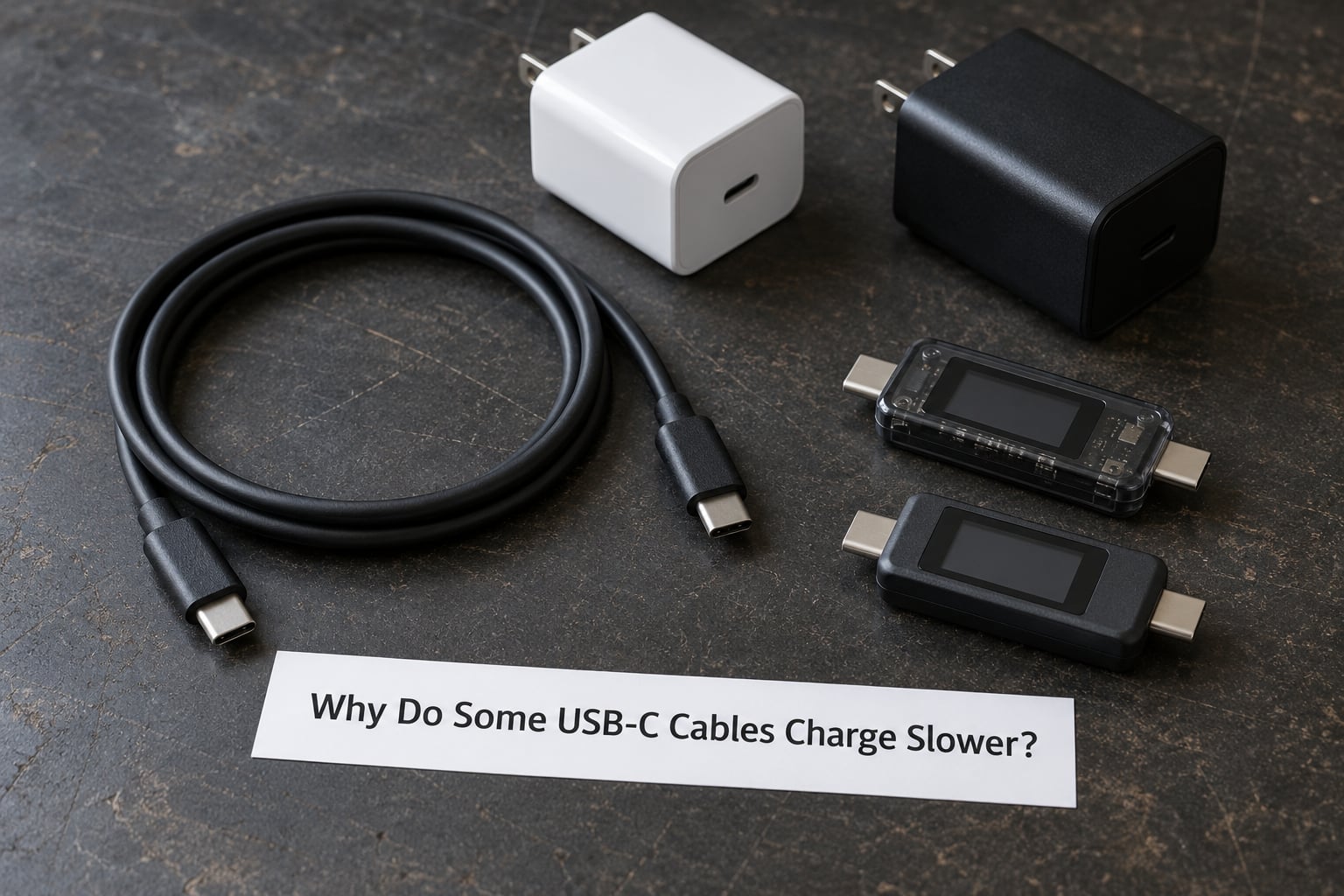
A USB-C cable is a passive conduit. It carries power and data, and the rating it was built to handle is decided by the manufacturer, not by the plug. Most slow charging happens for one of seven reasons: the cable carries no E-marker chip, it is rated for 3A instead of 5A, it uses thin wire over a long run, it has a USB-A end, it was built for charge-only use, it does not speak your phone’s fast-charge protocol, or it is simply worn out.
- No E-marker chip. Without that chip, the pair is capped at 3A, which works out to 60W at 20V. This is the single most common reason a good charger underperforms.
- Rated for 3A, not 5A. Two cables can both be E-marked and both be USB-C to USB-C, yet one is declared for 3A and the other for 5A. The declared value, not the logo, sets the cap.
- Thin wire gauge and long runs. Thinner conductors resist more, so voltage drops over the length and the phone ends up receiving less power at the same nominal wattage.
- A USB-A end on the charger side. A-to-C cables rarely pass more than about 10W to 18W, because USB-A was never designed to negotiate high voltages.
- Charge-only construction. Cables built purely for power have fewer internal conductors and often thinner power lines, which caps current on paper specs that look identical.
- No support for your phone’s fast-charge protocol. Super Fast Charging, HyperCharge, SUPERVOOC and Quick Charge all need a specific cable and charger pairing. If the negotiation fails, the pair falls back to a basic 5V profile.
- Age and damage. A cable that bent into a tight radius thousands of times can lose both its fast-charge capability and its 5A rating without ever breaking visibly.
What Determines the Speed of a USB-C Cable?
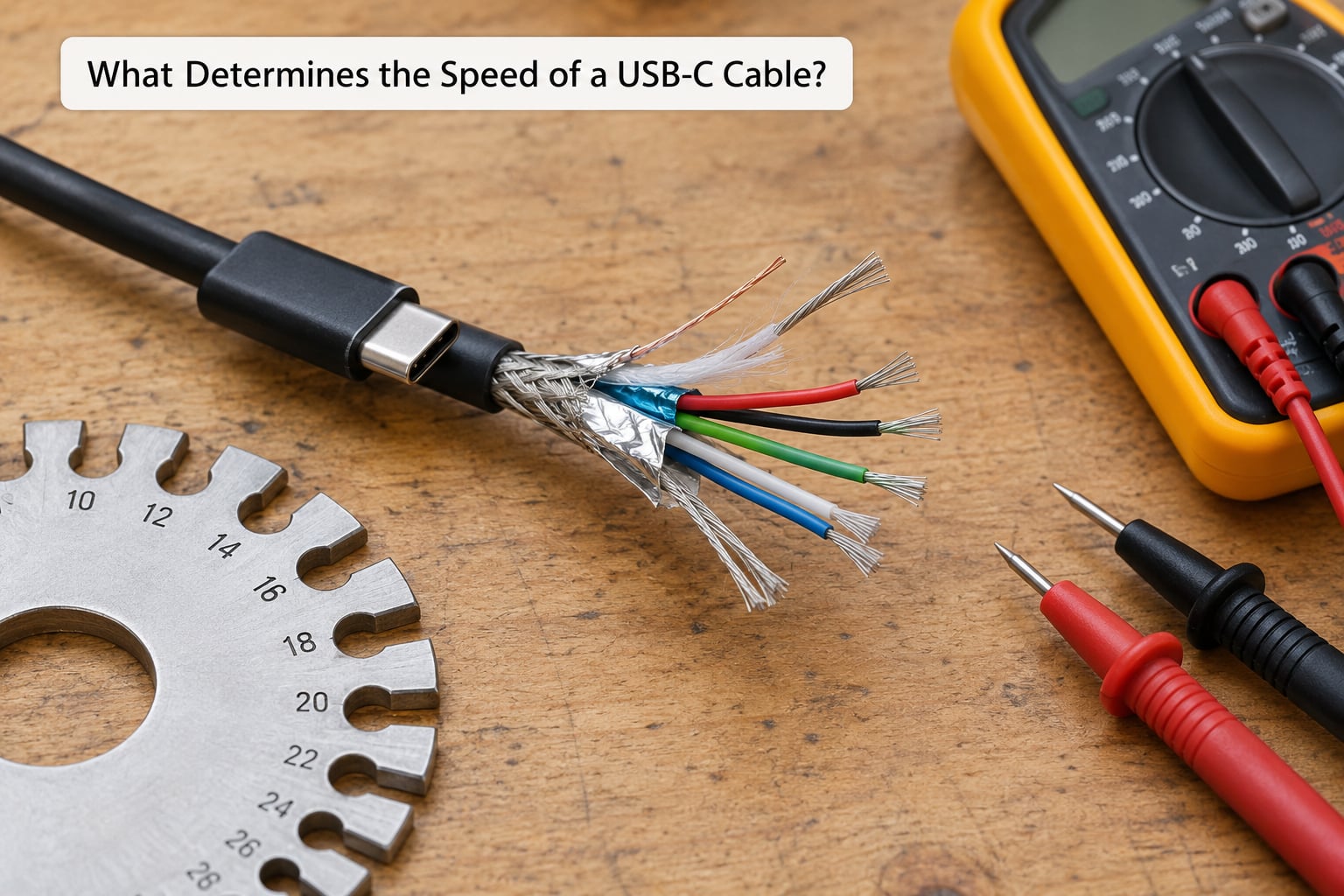
Wattage is simply voltage multiplied by current. A cable is not rated in watts directly; it is rated in how many amps it can carry at which voltage, and that combination is what caps the final figure.
How the charger and phone agree on a power profile
When you connect a USB-C cable, the charger and the device talk to each other over two small pins called the Configuration Channel, or CC. The charger offers what it can supply, the device reports what it can accept, and both settle on the highest combination that satisfies all three parties: charger, cable and phone.
If the cable does not declare its current rating, the negotiation cannot exceed 3A. If the phone’s own charging circuit only accepts 18W, no cable will push it past 18W. That is why the cable is one of three bottlenecks and never the only one.
The current rating: 3A versus 5A
A 3A cable is fine for most phones and for 60W laptop charging. A 5A cable is required for anything above 60W, which covers most modern laptops, tablets and 45W-plus phone charging. Users on hardware forums consistently land on the same summary: E-marked cables handle 5A, everything else stops at 3A.
The E-marker chip, the reason cables stop at 60W
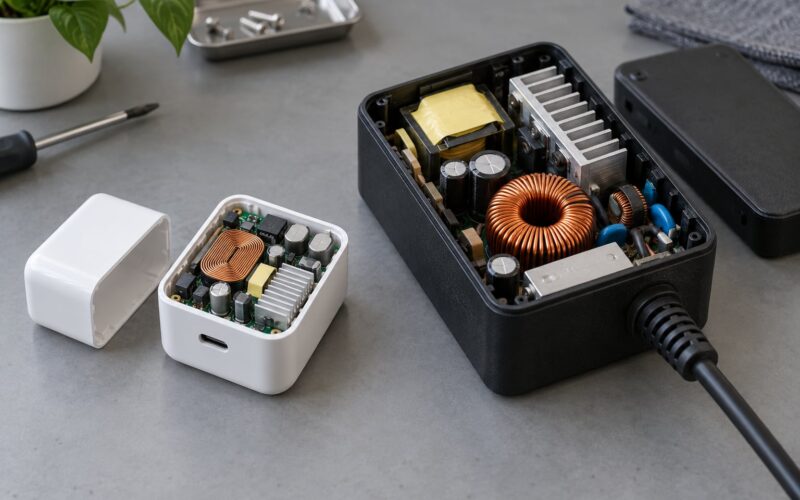
The E-marker is a small chip placed inside the connector that tells the charger and the phone exactly what the cable can handle, including its current rating and supported power profiles. Above 3A it is required by specification, and that single missing chip is why so many cables quietly top out at 60W.
Read it as a chain: no E-marker, maximum 3A, therefore 20V x 3A equals 60W and nothing else. The phone may be capable of 100W, the charger may offer 100W, and the cable still decides the outcome.
Wire gauge, resistance and voltage drop over long runs
Wire gauge is measured in AWG, and the numbers run backwards: lower is thicker. A 20 AWG conductor is thin, a 24 AWG conductor is thinner, and thin conductors resist more current. Every ohm of resistance costs voltage along the run, so a long thin cable delivers less power at the device than the charger’s label claims.
Length alone does not break fast charging. A good one-metre cable at 3A is usually fine. Push to three metres with thin conductors and you can lose enough power that a device negotiated for 100W quietly settles for 60W, or for a lower voltage profile.
| Cable type | Max current | Typical max power | E-marker needed |
|---|---|---|---|
| USB-C to USB-C, basic | 3A | 60W at 20V | No |
| USB-C to USB-C, 5A rated | 5A | 100W at 20V | Yes |
| USB-C to USB-C, PD 3.1 48V | 5A | 240W at 48V | Yes, two of them |
| USB-C to USB-A | Depends on the port | Roughly 10W to 18W | No |
| USB-C to USB-C, Thunderbolt or USB 4 | 5A | Up to 240W | Yes, one per direction |
A rough guide for length: under one metre, expect the full rating from a decent cable. At two metres, check that the gauge is thick. At three metres or more, treat fast charging as unlikely unless the cable is explicitly rated for that length.
The Most Common Causes of Slow USB-C Charging
Some slow charging has nothing to do with copper. These causes catch people who have already bought a 100W brick and wondered why the phone still crawls.
Proprietary fast-charge protocols need a matched pair
Beyond baseline Power Delivery, manufacturers run their own layers: Super Fast Charging with Programmable Power Supply on Samsung devices, HyperCharge on Xiaomi phones, SUPERVOOC on OnePlus and Quick Charge across many brands. A 45W Samsung charger only reaches its full output with a cable that supports the required 5A current. Galaxy S22 and S23 Ultra owners keep rediscovering this the hard way, buying a fast charger and assuming the cable was fine.
If the protocol handshake fails, the system does not error out. It quietly drops to a lower voltage and a much slower current, and the only visible clue is the charging notice on the lock screen.
Charge-only cables and thinner power conductors
A charge-only cable omits the data pairs, which leaves room for slightly beefier power lines but no real upgrade in charging headroom. Forum users comparing these notice the physical difference clearly, since charge-only cables are visibly thinner. The confusion starts when a packaging label says fast charging without a current rating.
Heat, thick cases and screen-on load
Charging while the display is on, or while gaming, raises the phone’s internal temperature. When the battery gets warm the charging controller reduces current on purpose, and the phone often reports slow charging. This one gets blamed on the cable constantly. Test it by comparing charge times with the screen off, and you will see the difference immediately.
Lint in the port
Pocket lint compacts into the bottom of a USB-C port and leaves the cable seated but not making full contact. Symptoms look identical to a bad cable: it charges, but slowly, or only at certain angles. A plastic pick or a burst of compressed air fixes this more often than people expect.
Battery ageing, software and background load
An ageing battery takes longer to fill, and background downloads, video calls and navigation keep current draw high enough that the phone never gains charge quickly. On a phone several years old, that curve changes regardless of the cable you plug in.
Non-compliant cables can be a safety problem
Speed is not the only risk. Testing by engineer Benson Leung in 2015 drew attention to cheap non-compliant cables heating up under load, with damaged devices as the result. A cable that cannot carry what it claims will run hot at the connector. Heat, discolouration or a faint burning smell is a reason to unplug it and stop using it, not to keep testing it.
How to Check Whether the Cable or Another Part Is Limiting Charging
Work in order and stop at the first step that changes the behaviour. Each step rules something out, and by step four you usually know whether you are looking at a cable, a charger or the device.
- Test the charger on a second device. Plug the charger into a phone you know charges quickly. If that phone also drops to slow charging, the charger, the wall socket or its port is the problem, not the cable.
- Swap the cable. Use a second USB-C cable you know is 5A and E-marked, if you have one. This is the fastest single test in the whole process.
- Try a short, known-good cable. If a one-metre cable charges quickly and your long one does not, gauge and voltage drop are the cause.
- Clean and inspect the port. Look for lint with a light, then clear it. Check the cable connector too, since a worn plug often stops seating fully.
- Watch the charging screen. Android lock screens and the battery section of settings show the current power in watts on many models. Compare that number across cables, which turns a guess into a measurement.
- Repeat with the screen off. If charging speeds up noticeably with the display off, the limit was thermal, not electrical.
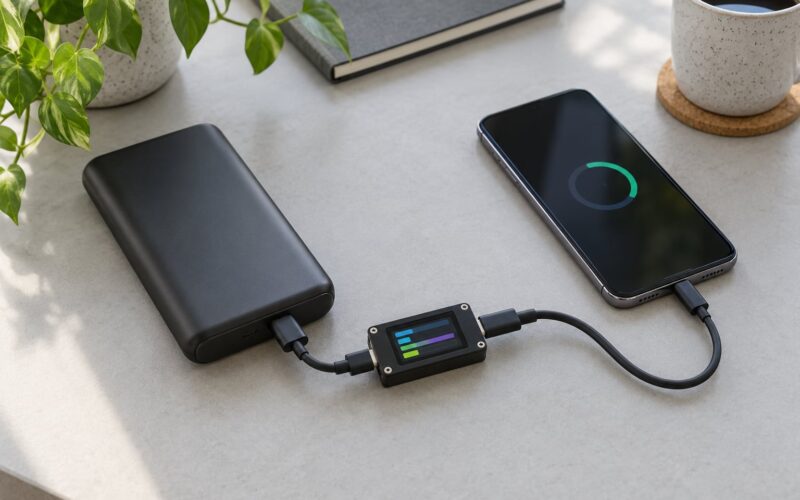
For anything above 60W, a USB-C power meter with a small readout gives you a direct reading of what is reaching the device. That one tool turns every other guess on this list into a comparison.
| Symptom | Likely cause | How to confirm |
|---|---|---|
| Slow with every cable and charger | Port lint or worn connector | Clean the port, re-seat the plug, test again |
| Slow with one cable, fast with another | Cable current rating or gauge | Swap cables and compare the wattage shown |
| Charges fast only with the screen off | Heat and background load | Compare screen-on and screen-off charge times |
| Lock screen shows a slow-charging notice | Protocol handshake failed | Test with a 5A cable from a known brand |
| Drops to slow when another port is in use | Power shared across laptop ports | Charge with nothing else plugged in |
| Laptop charges slowly through a dock | Dock power budget | Charge directly from the wall adapter instead |
| Fast on a wall, slow through a hub | Hub passes no or reduced power | Bypass the hub and test the cable directly |
| Connector gets warm while charging | Non-compliant or worn cable | Stop using it and replace it |
Which USB-C Cable to Choose for Faster Charging
Match the cable to the wattage the device can accept, then check the label for the details that actually predict behaviour.
What to look for on the cable or the packaging
- An amp rating of 5A, or an explicit wattage of 100W or more. Anything labelled only fast charging tells you nothing.
- E-marked wording when the rating is 5A or above, since that chip is required for those cables anyway.
- USB-IF certification, which means the cable was tested against the specification rather than described loosely. It matters for safety as much as speed.
- A length you will actually keep. Under two metres covers a desk or a bedside table with headroom.
- Data support if you need it. A cable rated for fast charging can still be slow for file transfers, since charging power and data speed are rated independently.
- USB 4 or Thunderbolt marking if you plan to run a display or external drive. Those cables carry two E-markers, one for each direction.
How to tell if a cable is 5A and E-marked at home
There is no reliable purely visual test, since a good 3A cable and a good 5A cable can look nearly identical. What you can do: read the packaging and the moulded printing near the connector, compare thickness against a cable you already trust, and watch the wattage readout on the phone or on a USB power meter. The readout is the only real proof.
What each device class needs
| Device | Cable that does the job |
|---|---|
| Phone up to 18W | Any good USB-C to USB-C cable |
| Phone needing 25W to 45W | 5A E-marked USB-C to USB-C cable |
| Flagship phone needing 45W to 120W | 5A E-marked cable plus the manufacturer protocol on the charger |
| 65W or 100W laptop | 5A E-marked USB-C to USB-C cable |
| 240W workstation | PD 3.1 cable rated 240W, dual E-marker |
More watts does not automatically mean faster charging. A phone that accepts 25W gains nothing from a 240W cable, and a slow 5V charger gains nothing from a better cable either. Spend on the part that is actually the bottleneck.
Frequently Asked Questions
Why do some USB-C cables charge slower?
Because the rating was set when the cable was built. A cable without an E-marker chip is limited to 3A, which caps it at 60W at 20V. Thin wire gauge over a long run adds voltage drop, USB-A ends cap out around 10W to 18W, and charge-only cables use fewer conductors. The connector looks identical in every case, so the rating printed on the cable is the only clue.
Does a longer USB-C cable reduce charging speed?
Only when the extra length comes with thin conductors. Resistance rises with length, so voltage drops and the device receives less power than the charger is sending. A one-metre cable at a proper gauge is usually fine, and two metres works well if the wire is thick. At three metres, expect fast charging to disappear unless the cable is explicitly rated for that run.
Is a charge-only USB-C cable slower than one that carries data?
Not inherently. Charge-only cables skip the data pairs, which can leave room for slightly thicker power lines, and both types can be rated for 60W or 100W. The problem is labelling: cheap charge-only cables are frequently built with thin power conductors and sold with a fast charging claim and no current rating. Check the amperage before buying.
What cable do I need to fast charge an Android phone?
For most current Android phones, a USB-C to USB-C cable rated for 5A and E-marked, paired with a charger that supports the phone’s own protocol. Super Fast Charging, HyperCharge and SUPERVOOC all need a matched cable and charger, and they fall back to a slow 5V profile without one. Checking the wattage readout in the battery settings confirms the result in seconds.
How do I know if slow charging comes from the cable, the charger or the phone?
Change one part at a time. Test the charger with a second phone that charges quickly. Then swap to a cable you know is 5A and E-marked. Then try a short one-metre cable. Finally, clean the port and repeat with the screen off to rule out heat. Whichever single change makes the difference is your answer, and the wattage readout on the lock screen confirms it.
Conclusion: Start With the Cable and the Charger
If charging feels slower than it should, swap the cable first. A 5A E-marked USB-C to USB-C cable is the cheapest test in the whole process, and it resolves the majority of cases on its own. If nothing changes, check the charger on a second device, then clean the port and retest with the screen off.
Once you know which part is the bottleneck, buying a bigger one only helps when that part is genuinely underpowered. Remembering why USB-C cables charge slower comes down to three numbers: amps, volts and length.