Short answer: usually yes, if your floors generate a real pile of debris every day. A robot vacuum with a self emptying base worth it is basically a question of how much dirt your home produces and how annoyed you are by carrying a bin to the kitchen. Pet owners, allergy sufferers, and anyone in a house over 1500 square feet get the benefit immediately. In a small apartment with hard floors and no pets, a cheaper manual model does the same job with a 30-second chore attached to it.
I have watched this play out in homes with wildly different debris loads. In a two-dog household the manual bin filled halfway through a single run over one floor. In a studio with a single occupant and mostly bare floors, the same bin went nine days without emptying. Same robot, same floors, opposite answers to the question.
This guide breaks the decision into the parts that actually change your life: what the base does, how much maintenance it removes, what it costs to run over five years, and which features deserve more of your money than the base itself. Prices move constantly, so treat any cost talk here as relative tier rather than a number you should trust on a given day.
Table of Contents
- Is a Robot Vacuum With a Self-Emptying Base Worth It?
- What Does a Self-Emptying Base Actually Do?
- How Much Time and Maintenance Do You Save?
- Is a Robot Vacuum With a Self-Emptying Base Worth the Higher Price?
- Who Benefits Most From a Self-Emptying Robot Vacuum?
- Pet households
- Allergy and asthma households
- Larger homes and multi-floor layouts
- Busy people and families
- Anyone who should not be handling a dirty bin
- Multi-level homes with mixed flooring
- Who May Not Need the Feature?
- What Features Matter More Than Self-Emptying?
- Navigation and mapping
- Obstacle avoidance
- Suction and carpet handling
- Recharge and resume
- How to Choose the Right Self-Emptying Robot Vacuum
- Check the base capacity against your real debris load
- Decide between bagged and bagless
- Measure the dock before you buy
- Confirm floor compatibility
- Look at mapping, privacy, and app support
- Price the total running cost, not the sticker
- Look for a return window and local support
- Common Problems and How to Fix Them
- Frequently Asked Questions
- Is self-emptying worth it in a robot vacuum?
- How often do you have to empty a self-emptying base?
- Are self-emptying robot vacuum bags expensive?
- What are the most common problems with robot vacuums?
- Do self-emptying robot vacuums work well on carpet?
- How long do robot vacuums and their bases last?
- Conclusion
Is a Robot Vacuum With a Self-Emptying Base Worth It?
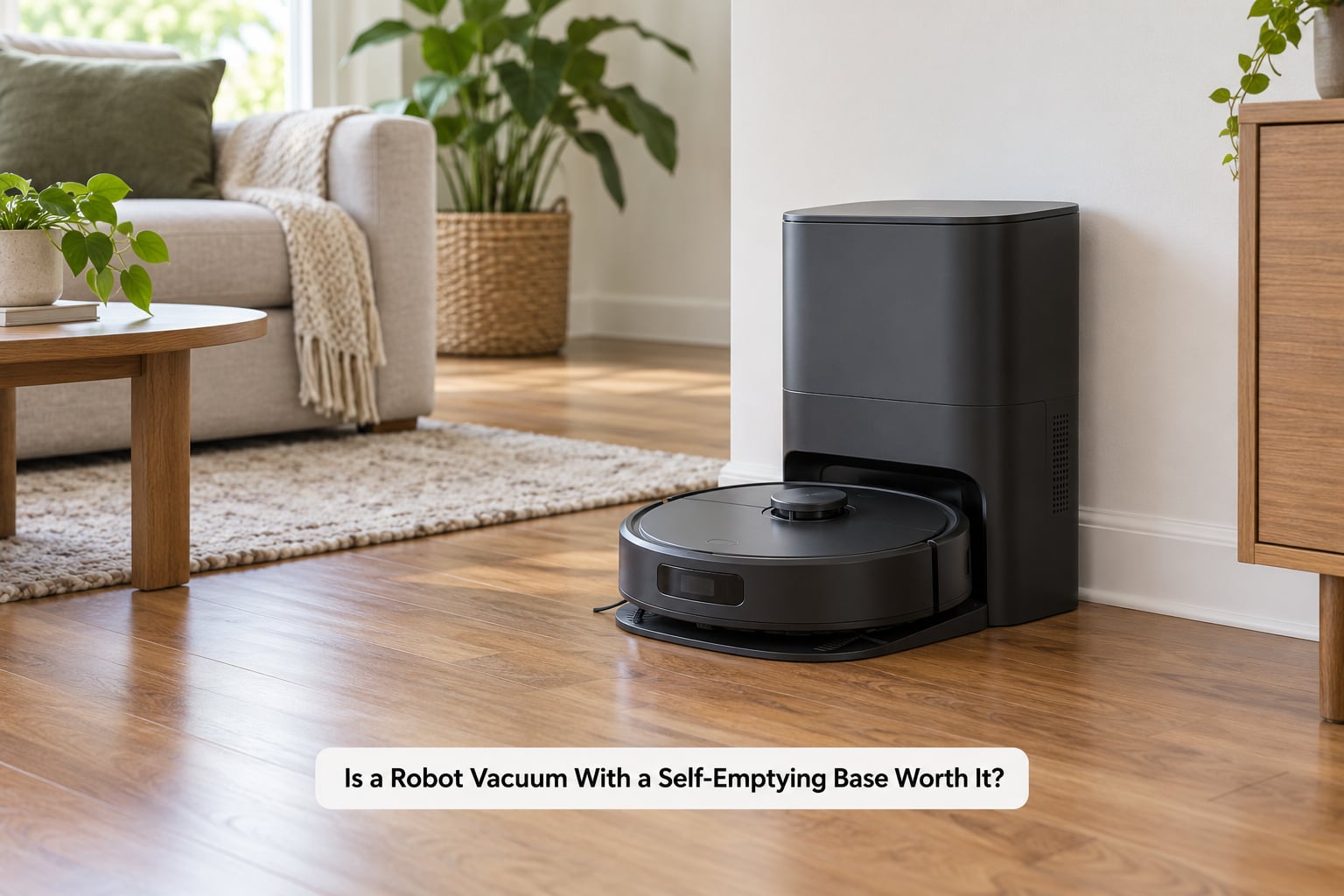
It is worth it when three conditions overlap: your vacuum fills its bin more than once a week, you want to run it daily without thinking about it, and you can find floor space for a base that is roughly the footprint of a small side table. Miss any one of those and the premium buys you convenience you will barely notice.
The honest breakdown looks like this.
- Worth it: multi-pet homes, allergy or asthma households, homes with more than one floor to cover, busy people who want cleaning on a schedule, and anyone who physically should not be carrying a dirty bin daily.
- Probably not worth it: apartments under roughly 800 square feet, no pets, mostly hard floors, light dust, and a household that does not mind a quick emptying every few days.
- Worth it for the wrong reason: people who expect it to replace a deep clean. It handles maintenance passes, not rugs with embedded grit or baseboards with ten years of buildup.
One more thing to weigh: the base is loud. Owners describe the emptying cycle as a short burst that carries through a quiet flat, and it usually fires right after a run finishes. If your robot runs while you sleep, the base will wake you up.
What Does a Self-Emptying Base Actually Do?
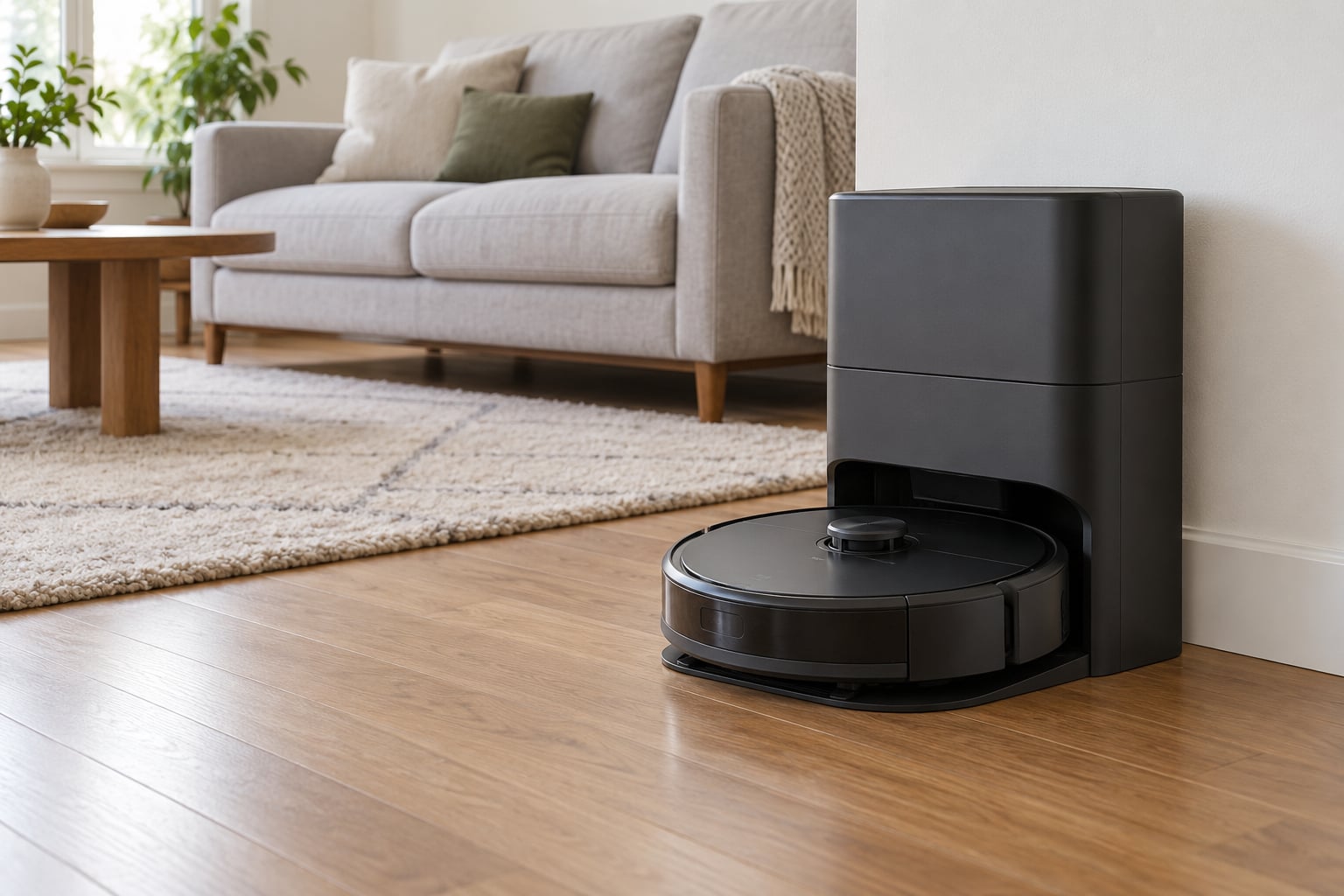
The base is a charging dock with a second, much stronger suction motor built into it. Your robot finishes its pass, reverses onto the dock, and a suction port on the base lines up with the outlet on the bottom of the robot’s dustbin. The motor creates airflow that pulls debris through the robot’s bin into a larger container, and the whole transfer takes somewhere around 10 to 20 seconds.
That container is either a sealed bag or a plastic bin with a hinged flap. The bag version traps everything inside a disposable liner, which is better for allergy control because you never handle the dust. The bagless version lets you open a lid and dump into a trash can without touching anything, but you do inhale a small puff of whatever was sitting in the base.
| Design choice | Bagged base | Bagless base |
|---|---|---|
| Refill method | Swap in a new sealed liner | Open the lid and tip it out |
| Allergen exposure | Lowest, contents stay sealed | Some dust escapes on opening |
| Ongoing consumables | Replacement liners, filters | Filters, occasional deep clean of the chute |
| Household waste | Adds a bag per cycle or two | No extra waste, but the bin needs scrubbing |
| Best for | Allergy sufferers, anyone who hates touching debris | Households that would rather not keep reordering parts |
The base also charges the robot, and on most current models it doubles as a mop station: it washes the mop pad, dries it, and sometimes refills a water tank. That is a separate purchase decision from self-emptying, and worth deciding separately because mopping hardware is where a lot of the money in these machines goes.
Bases are generally model specific rather than universal. A robot will physically sit on some docks and refuse to transfer, or will transfer and then fail to charge because the contacts do not line up. Treat the base and robot as one appliance.
How Much Time and Maintenance Do You Save?
More than people expect, and less than the marketing implies. The saving is not “no maintenance.” It is “less frequent maintenance,” and the honest version looks like this.
| Task | Manual dustbin model | Self-emptying model |
|---|---|---|
| Debris disposal | Every one to three runs | Every few weeks, depending on load |
| Filter cleaning | Every 1 to 2 weeks | Every 2 to 4 weeks |
| Filter replacement | Every 2 to 3 months | Every 2 to 3 months, plus base filters |
| Bin or liner purchase | None, you own the bin | Consumable liners if bagged |
| Chute and port cleaning | Rarely needed | Regularly needed, especially with hair |
Here is the part that trips people up. Marketing suggests a base holds a month or two of dirt. Owners with shedding pets regularly report the base filling in one to two weeks instead, because pet hair packs the filter and chute long before the container is technically full. Plan your mental model around the real number, not the advertised one.
A useful way to think about it: with a manual model, the bin is a daily decision. With a self-emptying model, it becomes a monthly one. That is the whole product in one sentence.
Is a Robot Vacuum With a Self-Emptying Base Worth the Higher Price?
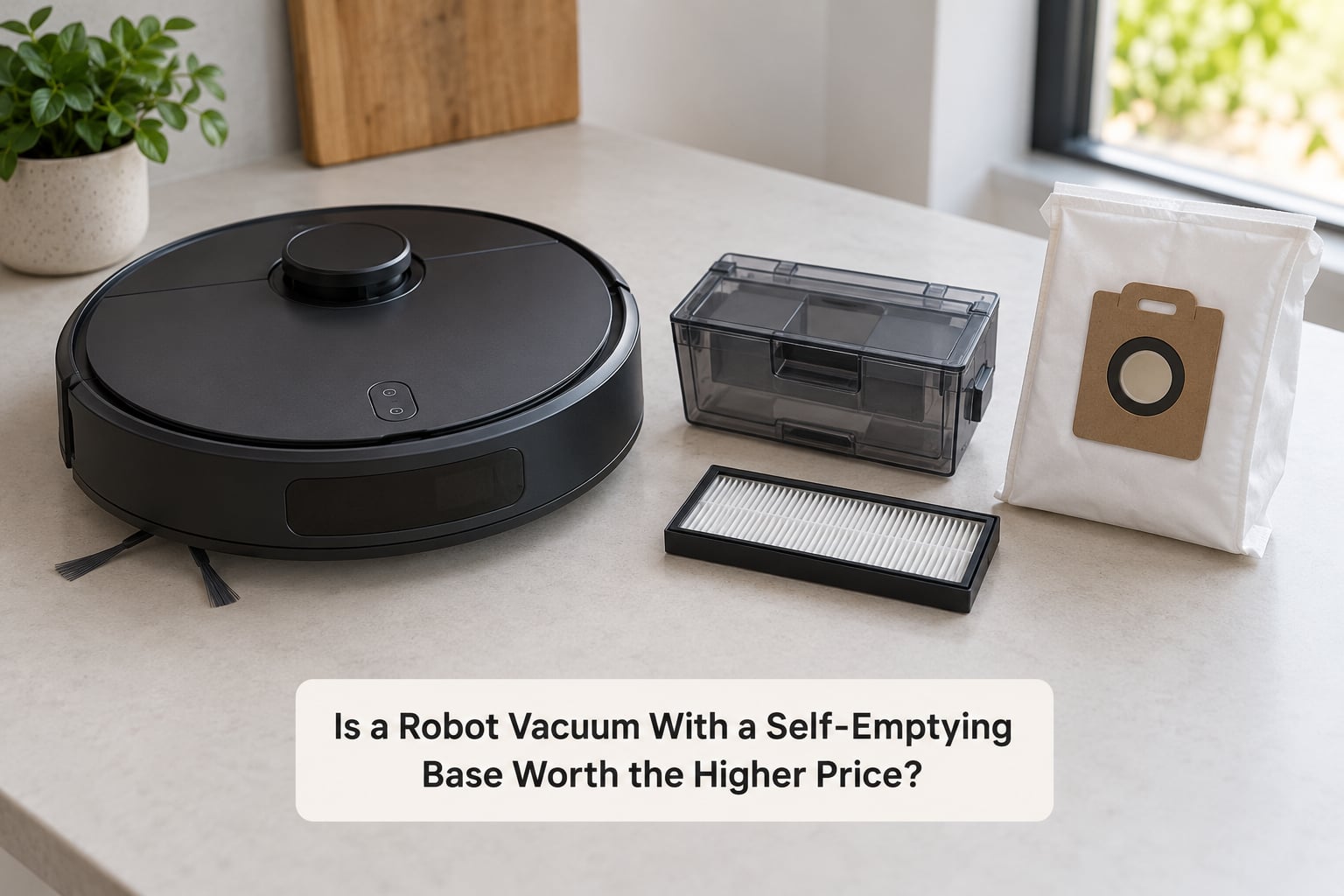
You are paying for a second appliance. A robot vacuum is one machine with one motor, one battery, and one dust path. Adding a base adds a second suction motor, a second power supply, a container or liner system, and a set of dock sensors. More parts means more that can fail and more to buy when they do.
Here is where the money actually goes over a five-year window, in the order that surprises people most.
- Replacement liners or bags. If you go bagged, this is a subscription you did not plan for. Owners in pet households sometimes buy them monthly, and the cost is small each time but never zero.
- Filters, and more of them. A self-emptying setup typically has a filter in the robot, a filter in the base, and possibly a third in the dock exhaust. All of them need replacing on schedule.
- Base motor failure. The most painful failure, because the robot still works and looks fine. You lose the feature entirely and may be dealing with a part that is out of warranty by the time it fails.
- Electricity. Small but permanent. The base draws power continuously and the emptying cycle adds to the daily total. This never shows up in anyone’s mental budget and never goes away.
Three costs that get discounted by enthusiasts are worth taking seriously. The dock takes up real floor space, often described as roughly the size of a toilet, and in a smaller home that space comes out of something useful. The emptying noise is a recurring household event rather than a one-time surprise. And when you resell the machine in a few years, a self-emptying setup with a working dock holds its value better than a bare robot, because the dock is often model locked.
Against that, the time saving compounds. If emptying a bin takes 30 seconds and you would do it four times a week, that is under four minutes a month. The real return is not recovered minutes. It is the runs you never skip because you did not feel like dealing with the bin, and the floor coverage that comes from cleaning daily instead of weekly.
Also be clear-eyed about the noise. Owners describe the cycle as very loud, loud enough to carry through a quiet apartment. There is no setting that makes it whisper, because the motor has to move a meaningful volume of air. If your home has a noise-sensitive sleeper, plan around it before you buy.
Who Benefits Most From a Self-Emptying Robot Vacuum?
Five groups consistently get their money back.
Pet households
This is the strongest case. Pet hair fills bins faster than advertised, tangles in the brush roll despite tangle-resistant claims, and clogs the suction port that the base depends on. Auto-emptying means you can run daily without a hair-related interruption every other morning.
Allergy and asthma households
The bagged base is the one to look for here, because it means nobody opens a container of collected dust. People managing dust sensitivity report a noticeable difference in how much airborne debris they handle over a month, mostly because the disposal step goes from a hand operation to a sealed swap.
Larger homes and multi-floor layouts
Over roughly 1500 square feet, a single run may not even finish before the bin is full. In a house where the robot has to cover several rooms and recharge mid-run, self-emptying is what makes a daily schedule realistic. Under 800 square feet, the same feature is largely decoration.
Busy people and families
The value here is scheduling. A daily clean you do not have to supervise is worth more than a thorough clean you run twice a month. Families with kids on the floor, and anyone working long hours, tend to see the benefit in the first week.
Anyone who should not be handling a dirty bin
Mobility limits, back problems, and households caring for an older relative all land here. Owners of self-emptying units for an elderly parent describe reliability, not convenience, as the deciding factor: if it docks and empties on its own, cleaning continues without anyone lifting anything.
Multi-level homes with mixed flooring
Not the strongest reason on its own, but worth noting. Mapping and floor-type detection work better when the robot is actually completing its runs, and it completes more runs when the bin is not the constraint.
Who May Not Need the Feature?
Be honest about your floor area and your pets, because the price gap between tiers is real and the base is the easiest place to overbuy.
Small apartments are the clearest case. Someone in a studio who vacuums with a manual model and empties the bin every three or four days is losing well under a minute per week. Paying a large premium to automate that specific minute rarely feels justified once you write it out.
Light-dust homes with no shedding animals fall into the same bucket. A bin that stays mostly empty means the base adds an appliance, a consumable, and a noise source in exchange for very little.
Noise-sensitive households have a hard case against it. The emptying cycle is a short but loud burst, and it fires every time the robot finishes. If someone sleeps lightly nearby, the base becomes something you turn off, which makes the entire purchase pointless.
Small homes with no room for a dock should skip it too. The base needs floor space, a nearby outlet, and clearance on the sides so the robot can line up its suction port. Cramming it into a corner or behind a sofa is the single most common cause of failed docking, and owners of small apartments on forums describe learning that the hard way.
And if budget is genuinely tight, put the money into navigation and cleaning performance first. A mid-range robot with reliable mapping and no base will beat an expensive robot that wanders.
What Features Matter More Than Self-Emptying?
The base is a convenience layer. Underneath it, four things determine whether the machine is actually good at cleaning, and they deserve more of your attention and budget than the dock does.
Navigation and mapping
LiDAR-based mapping is the current high end. It builds a consistent floor plan, works in the dark, and handles clutter far better than older random or gyroscope-based movement. Multi-floor mapping matters if you have more than one level. A robot that cleans inefficiently will still disappoint you, base or no base.
Obstacle avoidance
This decides how much hands-on work remains. Cords, shoes, and pet bowls are where most robot failures happen. Better recognition means fewer rescues and fewer times you come home to a tipped-over machine halfway across the floor.
Suction and carpet handling
Carpet owners generally need a strong base suction with automatic boost, not a headline number. Look for how the machine detects floor type and raises power, and how well the brush roll is designed to resist tangles. For hardwood, the mop function matters more.
Recharge and resume
In a large home, a robot that returns to the dock and finishes the job beats one that stops halfway. In a small apartment this barely matters, which is another reason the same model can feel overpriced in one house and fair in another.
Also check that replacement parts exist. Filters, brushes, side brushes, and mop pads should be widely available and reasonably priced. Some brands tie parts to the app or restrict them to authorised channels, and that turns a two-minute swap into a two-week wait.
How to Choose the Right Self-Emptying Robot Vacuum
Work through this list in order. It takes about ten minutes and prevents most of the disappointment described above.
Check the base capacity against your real debris load
Look at the stated capacity, then halve it if you have pets. If you have no shedding animals, the stated figure is probably fine. Also confirm how long a full base takes to empty, since some base ports are slow enough to be noticeable.
Decide between bagged and bagless
Bagged if anyone in the house has allergies, if you dislike touching dust, or if you will not remember to reorder liners. Bagless if you are around to empty the base regularly and prefer not to keep consumables on the shelf.
Measure the dock before you buy
Bring a tape measure. Check the base depth, the clearance it needs on both sides for docking, and the outlet position. Then check the route from your furniture to the dock, because that gap is where docking failures come from.
Confirm floor compatibility
Thresholds between tile and carpet, low-pile versus deep-pile rugs, and stairs all change the answer. If you have deep carpet, verify the machine boosts suction on it and that its brush roll suits long pile.
Look at mapping, privacy, and app support
Check whether the map is stored locally or in the cloud, and whether the app works reliably. Watch for 5 GHz-only WiFi requirements, which trip up a lot of households on older routers, and check that firmware updates are actually released for your model.
Price the total running cost, not the sticker
Add filters, liners, brushes, and mop pads to what you pay up front, then spread that over the years you expect to own it. Compare that total against a cheaper model you would keep twice as long before replacing.
Look for a return window and local support
Self-emptying hardware is more failure-prone than a simple robot. A generous return period and a brand with reachable support matter more here than on simpler machines.
Common Problems and How to Fix Them
Almost every self-emptying complaint traces back to one of a handful of causes, and all of them are fixable at home.
- Robot will not find the base. Clear the approach area and give the dock open space on both sides. Wipe the charging contacts on the robot and the dock, and check that the dock is against a wall rather than floating in a room corner.
- It docks but does not empty. The suction port and the robot’s dustbin outlet are the usual suspects. Wipe both, and make sure the main brush cover is seated properly, since a loose cover breaks the seal and the motor cannot pull anything.
- The base ran but the robot still has debris. Check whether a liner is full or missing, and whether the collection container or its cover is properly installed. A missing cover is a common and easily missed cause.
- Auto-empty stopped working suddenly. Check Do Not Disturb mode in the app. It quietly disables scheduled work, including emptying, and it is the first thing to rule out.
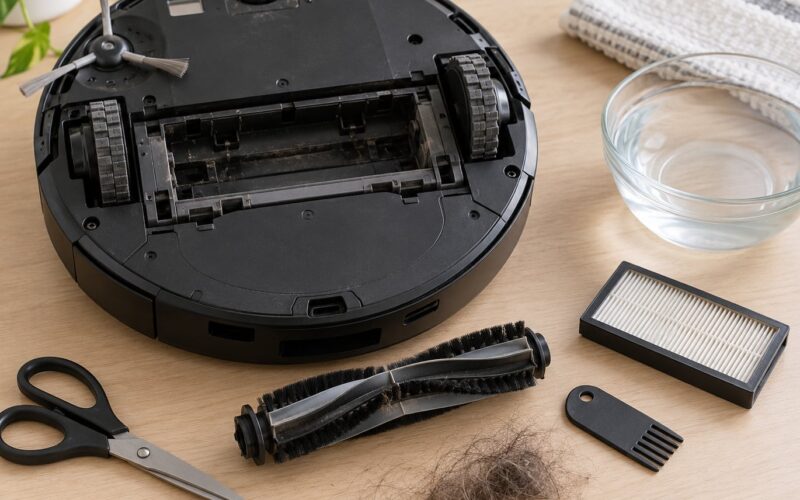
- Weak suction or clogged port. Pet hair in the chute is the classic culprit. Clean the chute and port with a brush and a little compressed air, following the manual for how far the base is designed to be disassembled.
- Firmware update broke the behaviour. After a major update, re-check the base settings and re-seat the robot on the dock. It sounds trivial, but a surprising number of post-update complaints are configuration rather than hardware.
Two habits prevent most of this. Keep a small brush and a microfiber cloth near the dock from day one, and clean the chute on a schedule rather than waiting for a failure. Owners who report the smoothest long-term setups are the ones who treat the base like a small appliance that needs a wipe-down monthly.
Frequently Asked Questions
Is self-emptying worth it in a robot vacuum?
It is worth it when your bin fills more than once a week and you want to run daily without intervention. Pet owners, allergy sufferers, and homes over 1500 square feet get the most from it. In a small apartment with no pets and light dust, a manual model does the same cleaning and the base becomes an expensive novelty you rarely use.
How often do you have to empty a self-emptying base?
With no shedding pets, a base typically holds a few weeks of debris. With one or two pets, owners report it filling in one to two weeks because hair packs the filter and chute first. Check the container and filters on a weekly glance rather than waiting for a full indicator, since pet hair reduces usable capacity well before the bin is technically full.
Are self-emptying robot vacuum bags expensive?
Bagged bases add a recurring cost that many owners forget when budgeting. A pack of liners runs to less than the price of a family dinner and is used every few weeks in a light-dust home, more often with pets. Over several years the total is meaningful but rarely the deciding factor. Bagless bases avoid the liners entirely and shift the cost to filters and occasional chute cleaning.
What are the most common problems with robot vacuums?
The recurring issues are tangled brush rolls, a robot stuck under furniture, dock misalignment, clogged charging contacts, weak suction from a blocked filter, and auto-empty stopping after a firmware update or because Do Not Disturb mode was switched on. Most of these are solvable with a ten-minute clean. Base motor failure is the exception and usually means a repair or replacement.
Do self-emptying robot vacuums work well on carpet?
Yes, provided the model has strong base suction with automatic boost when it detects carpet, and a brush roll suited to your pile depth. Low-pile rugs are handled well by nearly all current models. Deep pile is where cheap machines fall short. If carpet is your main floor, prioritise suction and boost over the self-emptying feature when you choose.
How long do robot vacuums and their bases last?
Expect a well-built robot to run roughly four to six years before the battery degrades noticeably. The base can outlive or underperform that, since its motor and sensors are separate failure points. Filters and brushes need replacing on a schedule throughout the life. Buying a model with available parts matters more than you would think at purchase time.
Conclusion
Deciding whether a robot vacuum with a self emptying base worth it comes down to your debris load. If a bin fills more than once a week, or a family member has dust sensitivity, the base pays for itself in the runs you stop skipping. If the bin stays empty for a week and the dock has nowhere to go, spend that money on navigation and suction instead.
Start with the running cost rather than the purchase price. Add up filters, liners, and the electricity the base draws every day, then compare that total against a cheaper machine you would keep twice as long. After that, prioritise mapping and obstacle avoidance over the base, because a robot that cleans efficiently is worth more than a robot that empties itself perfectly.