Smart plug mistakes to avoid come down to a short list: ignoring the 2.4 GHz band, pushing past the plug’s amp rating, automating high-draw appliances, daisy-chaining power strips, and skipping the certification check on the box. Nearly every support thread, breaker trip and dead device traces back to one of those five. Each takes under a minute to correct if you catch it early.
This guide is written for Android and smart-home users setting up their first plugs, for renters adding automation without touching wiring, and for anyone whose plugs already drop offline or refuse to respond. Read it once before you buy, then again when a schedule misbehaves.
Table of Contents
- Smart Plug Mistakes to Avoid at a Glance
- 1. Overloading a Power Strip or Wall Outlet
- 2. Ignoring the Smart Plug’s Maximum Load
- Where the rating hides and how to read it
- 3. Using a Smart Plug for Heating Appliances
- 4. Plugging a Smart Plug Into an Extension Cord
- 5. Choosing the Wrong Smart Plug for Outdoor Use
- 6. Exposing the Plug to Water and Moisture
- 7. Failing to Secure Cords and Plugs
- 8. Using One Wi-Fi Network for Too Many Devices
- 9. Creating Schedules Without a Fallback
- 10. Updating Every Smart Plug Separately and Inconsistently
- 11. Using Weak or Repeated Administrator Passwords
- 12. Assuming Smart Means Completely Hands-Free or Safe
- The smart plug mistakes to avoid checklist
- Frequently Asked Questions
- What devices should not be used with smart plugs and why?
- Are smart plugs safe to leave plugged in?
- Which smart plug is the safest?
- Why does my smart plug keep switching on and off?
- Why have all my smart plugs stopped working at once?
- What is the lifespan of a smart plug and can one go bad?
- Conclusion: Check the Label Before Connecting Anything
Smart Plug Mistakes to Avoid at a Glance
The table below is the compressed version of the full list. Use it as a checklist while shopping or while walking through an existing setup.
| Mistake | Why it is dangerous or inconvenient | First correction |
|---|---|---|
| Overloading a power strip or wall outlet | Tripped breakers, warm sockets, damaged insulation | Add up the watts on every socket sharing that strip |
| Ignoring the plug’s maximum load | The relay runs hot long before it trips | Read the amp and watt rating printed on the body |
| Automating heating appliances | Kettles and heaters draw more than most plugs are rated for | Check the maker’s guidance, or skip the plug |
| Using an extension cord | Extra heat at the joints and weaker grounding | Move the plug to a wall outlet |
| Using an indoor plug outdoors | Rain, UV and condensation reach live electronics | Use a weather-resistant outdoor model |
| Exposing the plug to water | Corrosion and shock risk in wet rooms | Keep it outside splash zones and dry it if wet |
| Unsecured cords and plugs | Strained cables and loose blade connections | Route cables so nothing pulls on the plug |
| One Wi-Fi network for too many devices | Schedules fire late, devices show offline | Move the router, keep the 2.4 GHz band clean |
| Schedules with no fallback | Nothing happens when the internet drops | Pair automation with a physical control |
| Inconsistent firmware updates | Lost integrations and unpatched security holes | Check for updates in the app monthly |
| Weak or repeated passwords | Someone else controls your outlets | Use a unique password and two-factor |
| Expecting hands-free perfection | Automation failures surprise you at the worst time | Keep manual switches usable |
1. Overloading a Power Strip or Wall Outlet
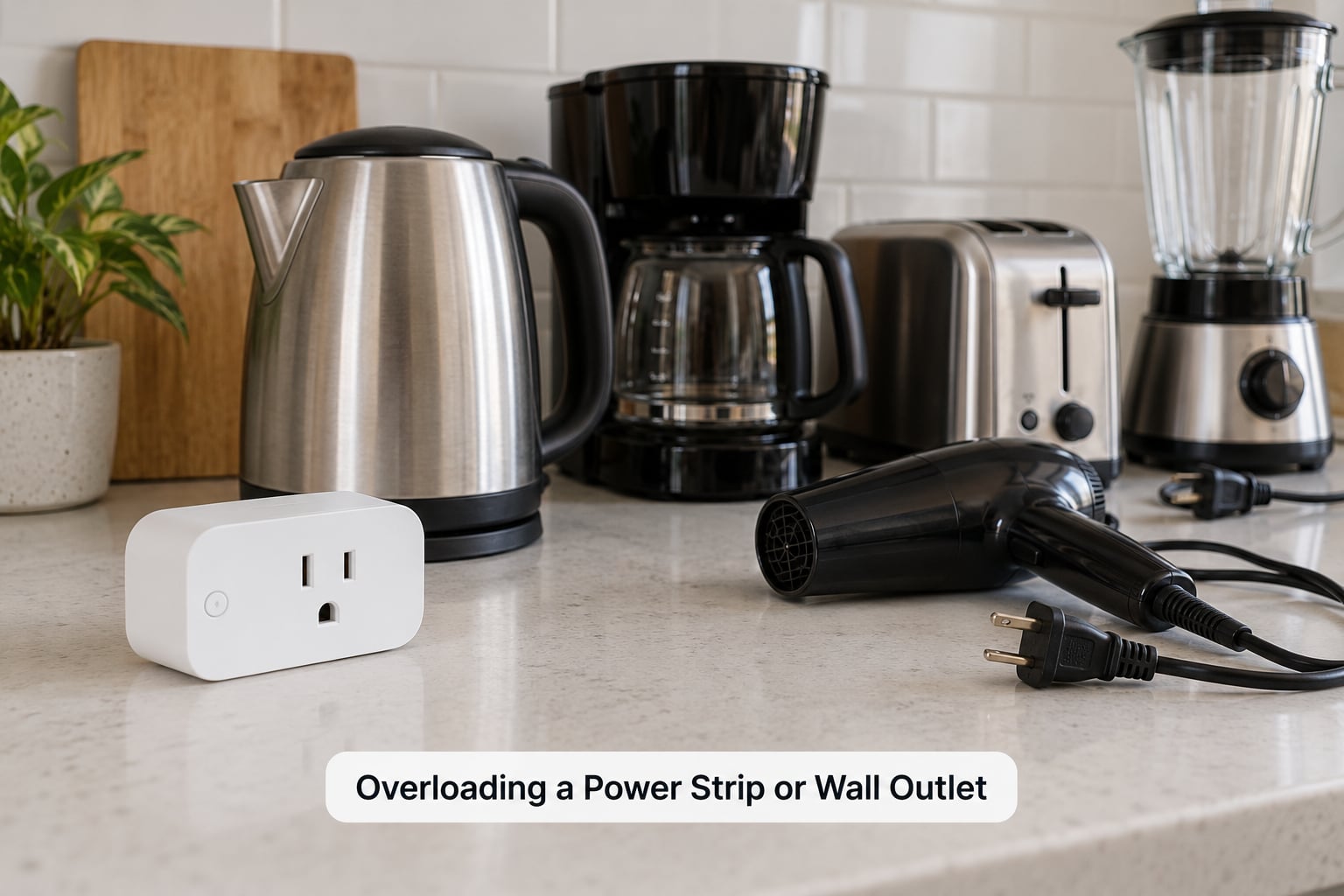
Overloading happens when one socket carries more than the circuit or strip behind it can hold. A typical 15A outlet on a 120V branch circuit tops out near 1,800W, and running a continuous load at that ceiling for hours leaves no headroom for anything else on the same circuit.
Electricians generally suggest treating that ceiling as about 80 percent for loads that run continuously, which puts a sensible working limit around 1,400-1,500W. It is a conservative number, not a marketing one.
Daisy-chaining makes it worse. A smart plug feeding a power strip, and that strip feeding another strip, adds a connection point where resistance turns into heat. On r/AskElectricians the advice repeats constantly: plug into the wall, not into a chain.
When several high-draw appliances share a kitchen or laundry circuit, move them onto different circuits instead of stacking them onto one multi-socket adapter.
2. Ignoring the Smart Plug’s Maximum Load
Every smart plug carries a rating, usually 10A for small models and 15A or 16A for heavier ones, and it is printed on the plastic body, on the box, and in the app’s specification page. Check that number before anything else, because the marketing term heavy duty means nothing.
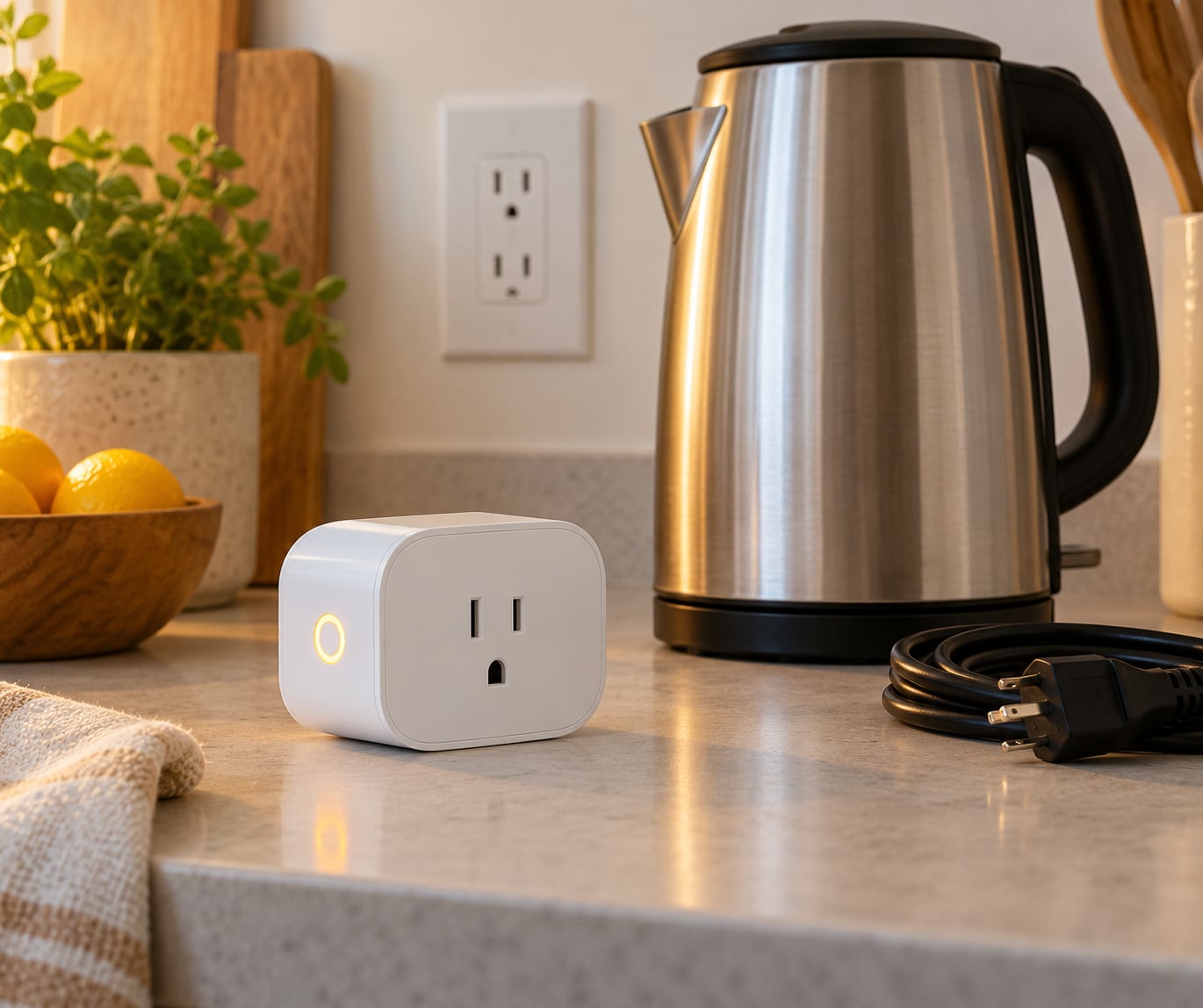
Compare the rating against what your appliance actually draws. A kettle around 2,000W will not sit comfortably on a 10A relay no matter how good the app looks, and a lamp plus a phone charger on the same plug is trivially within any rating.
Overload protection cuts power when a threshold is crossed, and that is a useful backstop. It is not a licence to load the plug past its rating, because the contacts still heat up before the cutoff fires.
Where the rating hides and how to read it
Turn the plug over and look for a line with rated current, rated voltage and a watt figure. Multiply amps by volts to get the ceiling, then compare it with the appliance’s own label. If the numbers are close rather than comfortable, move the appliance to a plain outlet.
3. Using a Smart Plug for Heating Appliances
Space heaters, irons and kettles are the appliances people regret automating most, because their running draw sits at or above the rating of most smart plugs. A kettle alone can pull around 2,000W and a space heater around 1,500W, both higher than a 10A relay is built to carry.
Heating elements also stay hot after switching off, which matters if the plug cuts power while the appliance is mid-cycle. For anything that heats water or a room, read the manufacturer’s guidance first, and give it a dedicated circuit when the guidance calls for one.
Lights, fans, chargers, monitors and slow-starting electronics are the appliances that behave well. Where you want the convenience of switching a heater remotely, a properly rated relay module on its own circuit is the safer route. Of the smart plug mistakes to avoid here, heating appliances generate most of the damage reports.
4. Plugging a Smart Plug Into an Extension Cord
Extension cords and power strips add length, joints and heat, and they push the smart plug’s grounding path further from the socket. Overloads that a wall outlet would trip instantly can sit warm and hidden at an extension joint instead.
If you need more sockets, add a listed multi-socket adapter at the wall, not a cable run. That keeps the electrical path short and lets you see what is plugged in where.
5. Choosing the Wrong Smart Plug for Outdoor Use
A plug sold for indoor use has no sealed case, no UV-stable housing and no water ingress rating, which means rain, sprinklers and direct sun will get to the electronics. Look for an IP rating on the box and the word outdoor, not just a splash-resistant marketing line.
Outdoor sockets are also a code question. A listed in-wall cover with a gasket keeps weather out at the faceplate, and your manufacturer’s installation instructions set the height and clearance. If your outlet has no cover, the answer is a weather-resistant smart device or no automation at all.
6. Exposing the Plug to Water and Moisture
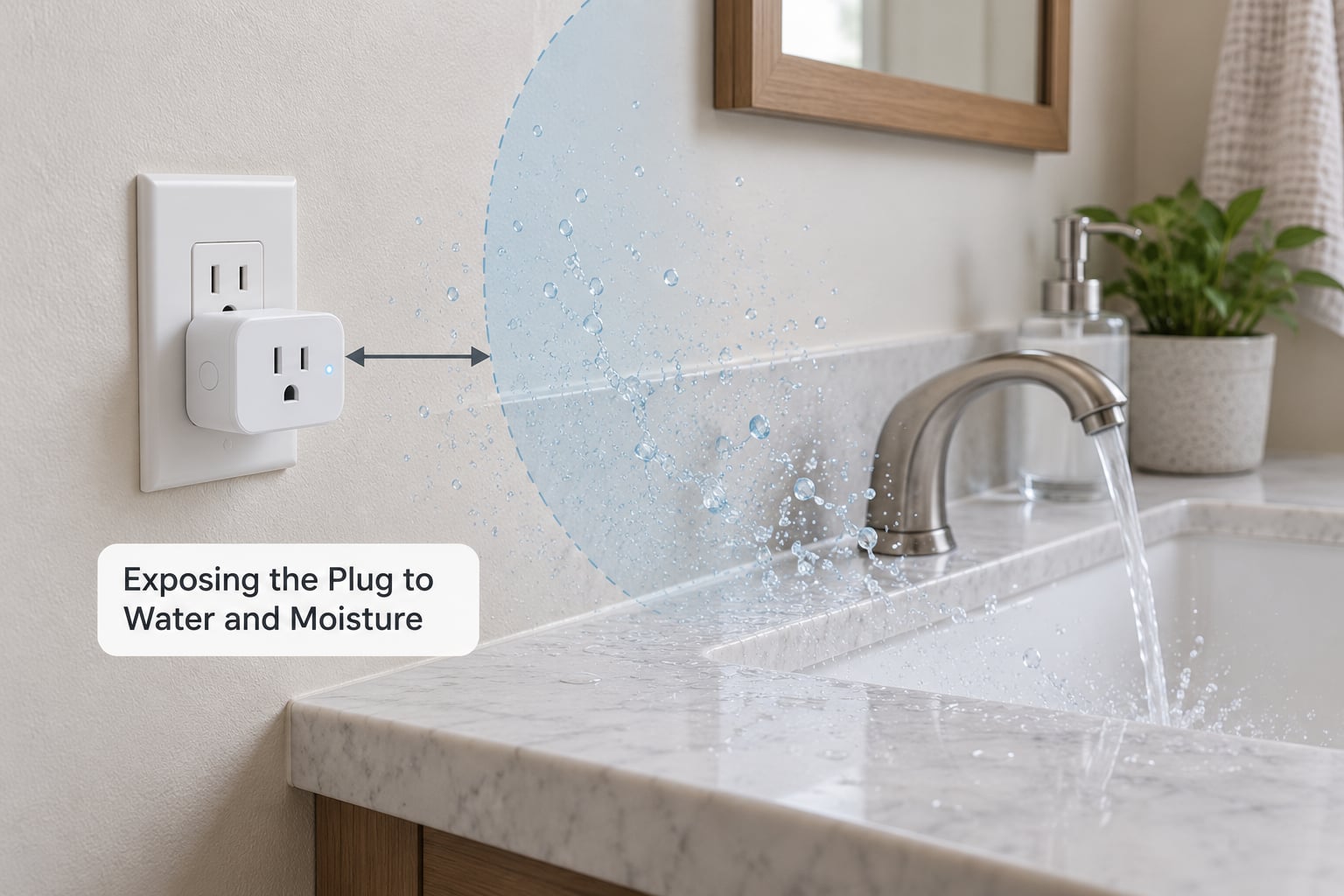
A smart plug near a sink, a washing machine or an outdoor tap will collect condensation even when nothing splashes it directly. Metal corrodes quietly at first, and corrosion at the blade contacts shows up later as a plug that warms up or cuts out at random.
Keep plugs outside splash zones, away from the rim of a sink or basin, and off counters where water regularly runs. In a bathroom, treat GFCI or RCD protection as the layer that works when the rest fails, not as a reason to place a plug closer to water.
If a plug does get wet, switch off the circuit at the breaker before touching it, dry it fully and let an electrician look at it before you reuse it.
7. Failing to Secure Cords and Plugs
A smart plug sitting on the floor behind a TV gets tugged every time someone cleans, and the appliance cord inside it takes the strain at the plug’s blades. That repeated bending degrades the connection and, in the worst case, the insulation.
Route appliance cables so the smart plug itself is never the anchor point, and use cable clips or a sleeved channel along the wall. Keep the plug seated firmly with no sideways play at the faceplate.
8. Using One Wi-Fi Network for Too Many Devices
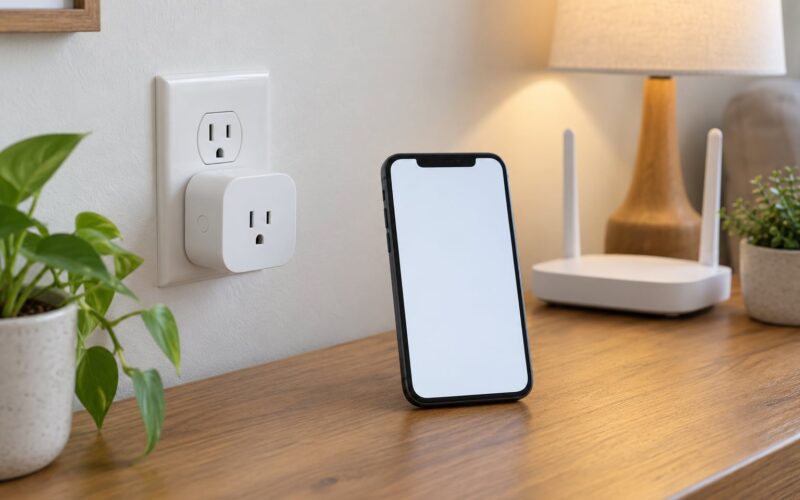
Smart plugs live on the 2.4 GHz band, which is crowded by phones, laptops and neighbouring networks. Once congestion grows, commands lag, schedules fire minutes late and devices show as offline in batches that come and go.
There is a second cause: router capacity. Adding thirty plugs to a router that was picked for streaming leaves the access point dropping associations. Split the load across bands or access points, or move smart devices onto a Zigbee or Matter hub with a coordinator, which is the route Home Assistant users on Reddit tend to land on. The smart plug mistakes to avoid on the network side rarely announce themselves as a fault; they surface as a schedule that ran ten minutes late.
Two setup habits fix most pairing failures outright. Connect your phone to the 2.4 GHz SSID before starting, and keep the plug in the same room as the router during first setup. The dedicated 2.4 GHz SSID tip comes up constantly on r/FeitElectric and it works.
9. Creating Schedules Without a Fallback
Most cloud-connected plugs depend on the internet, and a schedule that lives only in the app has no instruction to follow when the connection drops. The light stays on, the heater stays on, and the app shows a cheerful green tick for a state it never actually sent.
Pair every automation with a physical path. Keep the manual wall switch wired so that it controls the circuit, leave the plug’s own button working, and for anything that has to keep running, set a sensible default state at setup rather than relying on a remote command.
Two-way switches cause the most confusion here. If the wall switch cuts power to the plug, the plug looks dead in the app and off by the wall while the device behind it is still powered. Either move the appliance to a one-way switch or use a two-way smart plug designed for that wiring.
10. Updating Every Smart Plug Separately and Inconsistently
Firmware updates patch real security holes and fix pairing bugs, but skipping them for a year leaves you exposed and behind. Check the app’s update or device info screen monthly and see whether the manufacturer pushes updates automatically.
Update one plug at a time when your connection is limited, and test a schedule afterwards. Users on r/octoprint report the opposite failure, where an automatic update broke a plugin that had worked for months, so know what you will need to re-pair before you let the device restart.
Two-year-old hardware may no longer receive updates at all, which is a normal reason to replace a plug rather than troubleshoot it forever.
11. Using Weak or Repeated Administrator Passwords
The smart-home account and your Wi-Fi network are the two doors into your home’s controls, and they are the two most often left unlocked. A reused password means one breach elsewhere becomes control of your outlets and, through them, of what is plugged in.
Give the app account a unique password you have never used anywhere else, turn on two-factor authentication if the platform offers it, and store the recovery codes somewhere other than the phone that runs the app.
On the network side, use WPA2 or WPA3 with a strong passphrase rather than an open or default SSID. Set a guest network for visitors so their devices never join the same segment as your plugs.
12. Assuming Smart Means Completely Hands-Free or Safe
A smart plug is a remote-controlled relay, and the physical risks stay exactly where the electrician left them. It cannot detect a frayed cord, an overloaded socket behind it or a warm connection inside a power strip. Residual risk is not removed, only automated more conveniently.
Energy monitoring is worth turning on, because a plug that reports sudden standby draw or a running wattage higher than expected catches a failing appliance before it does damage. Notifications are the other half, since a plug that silently drops offline is a plug you will forget you depend on.
The smart plug mistakes to avoid checklist
Renters can do all of this without touching wiring: use listed indoor plugs in dry rooms, keep appliances within the rating, and leave the wall switches working. Owners should add a look at circuit capacity, grounding, GFCI coverage and certification marks before adding more devices. Anyone on an unstable mains supply should pair a plug with a surge protector and keep high-draw appliances on their own circuit.
Frequently Asked Questions
What devices should not be used with smart plugs and why?
Space heaters, irons, kettles, microwaves and air conditioners are the usual answer, because their running draw sits at or above what most plugs are rated to carry. A 2,000W kettle on a 10A relay forces the contacts to run hot. Motors such as fridges, pumps and compressors also surge on start. Check the plug’s amp rating, check the appliance’s label, and give anything above roughly 1,400W its own circuit.
Are smart plugs safe to leave plugged in?
A certified smart plug is designed to sit in an outlet continuously, and leaving it powered is normal for schedules, energy monitoring and app control. What it does not tolerate is being overloaded, chained into a power strip, or placed in a wet location. Check for warmth, a faint burning smell or a discoloured faceplate. If you notice any of those, switch off the breaker at the circuit rather than at the app.
Which smart plug is the safest?
The safest one carries a third-party safety certification mark such as MFRC, UL or CE, states a clear amp rating rather than vague heavy duty wording, and ships with a physical button that works without the app. Energy monitoring is a bonus rather than a safety feature. Buyers on r/smarthome consistently pay more for certified hardware and regret unbranded plugs, so read the box rather than the listing.
Why does my smart plug keep switching on and off?
Start with the physical side: a wall switch still cutting power to the plug will make it look dead and alive at random. Then check the appliance itself, since a motor cycling or a failing heater draws uneven current. On the network side, 2.4 GHz congestion causes missed and repeated commands, and an automatic firmware update or scheduled restart can look like the same behaviour. Test the plug alone in a plain wall outlet near the router.
Why have all my smart plugs stopped working at once?
When several unrelated plugs fail together, the cause is almost never the plugs themselves. Check whether the router has restarted, lost internet or filled its device table, and whether the vendor’s cloud service had an outage. A breaker trip would take out an entire circuit at once, which is the giveaway. If power and network both test fine, plug one device into a plain wall outlet and try a factory reset before suspecting hardware failure.
What is the lifespan of a smart plug and can one go bad?
They do fail, and the relay is usually the part that gives up: the app reads off while the appliance behind it stays powered, which happens when a relay welds closed. Cluster failures with no user action are a reported pattern on forums. Expect a few years of normal use, keep firmware current, and replace rather than repair a plug that runs warm, buzzes or smells hot. Never open one yourself.
Conclusion: Check the Label Before Connecting Anything
The safest first move takes about thirty seconds: find the amp rating on the plug, compare it with the appliance’s own label, and move anything close to the limit onto a plain outlet. The smart plug mistakes to avoid on this list all start the same way, with a number printed on the housing and a number printed on the appliance.
Next, plug into a wall socket rather than a strip or extension cord, and use an outdoor or weather-resistant model for anything outside or near water. Confirm the plug supports your 2.4 GHz network and pair it with your phone on that band.
Finally, update the app, set a unique account password with two-factor, and test each schedule by hand once. If a socket ever runs warm, buzzes or smells hot, cut the circuit at the breaker and have an electrician look at it.