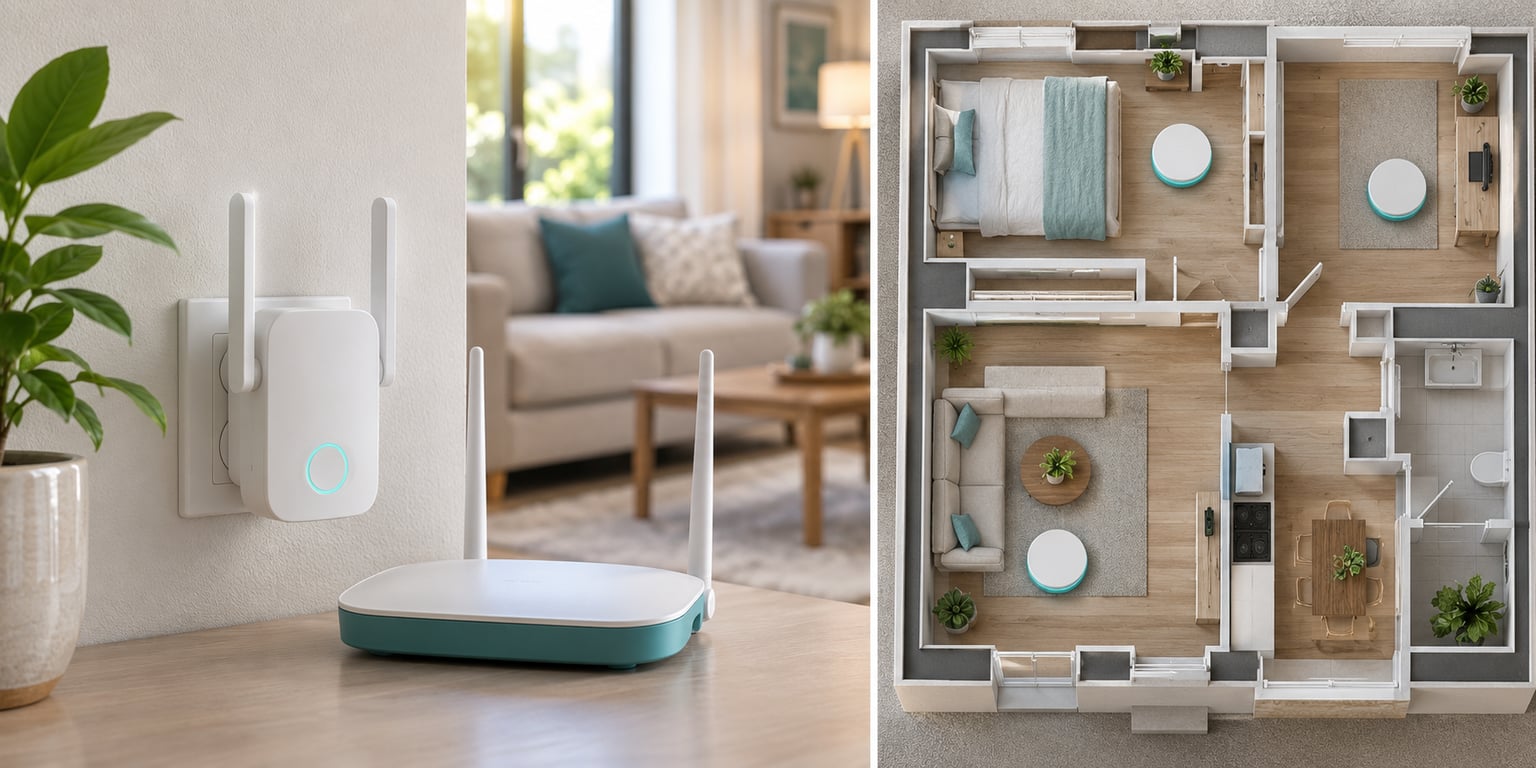
If you have one weak room, a WiFi extender is the cheap fix. If the whole house struggles, mesh WiFi is the better buy. That is the short version of this mesh WiFi vs WiFi extender comparison, and everything below breaks down why the second hop, the network name and the number of rooms you are dealing with decide the answer.
Neither option makes a slow internet plan faster. Both just fix how well that plan travels through your walls. That distinction matters more than any speed number on a box, and the forum chatter about mesh WiFi vs WiFi extender is mostly homeowners arguing about which problem they actually have.
Table of Contents
- Mesh WiFi vs WiFi Extender at a Glance
- How Coverage and Dead-Zone Performance Differ
- Mesh WiFi vs WiFi Extender Coverage in Real Homes
- Which Option Delivers Better WiFi Speed?
- How Setup and Router Compatibility Affect the Choice
- What Each Option Costs to Buy and Maintain
- Pros, Cons and Common Failure Points
- Which Should You Choose?
- What to Check Before Buying
- Frequently Asked Questions
- Does a WiFi extender reduce internet speed?
- Can I use a mesh system with my existing router?
- Is a mesh system better for thick walls?
- How many mesh WiFi nodes do I need?
- Can I add a WiFi extender to a mesh network?
- Conclusion: Mesh or Extender?
Mesh WiFi vs WiFi Extender at a Glance
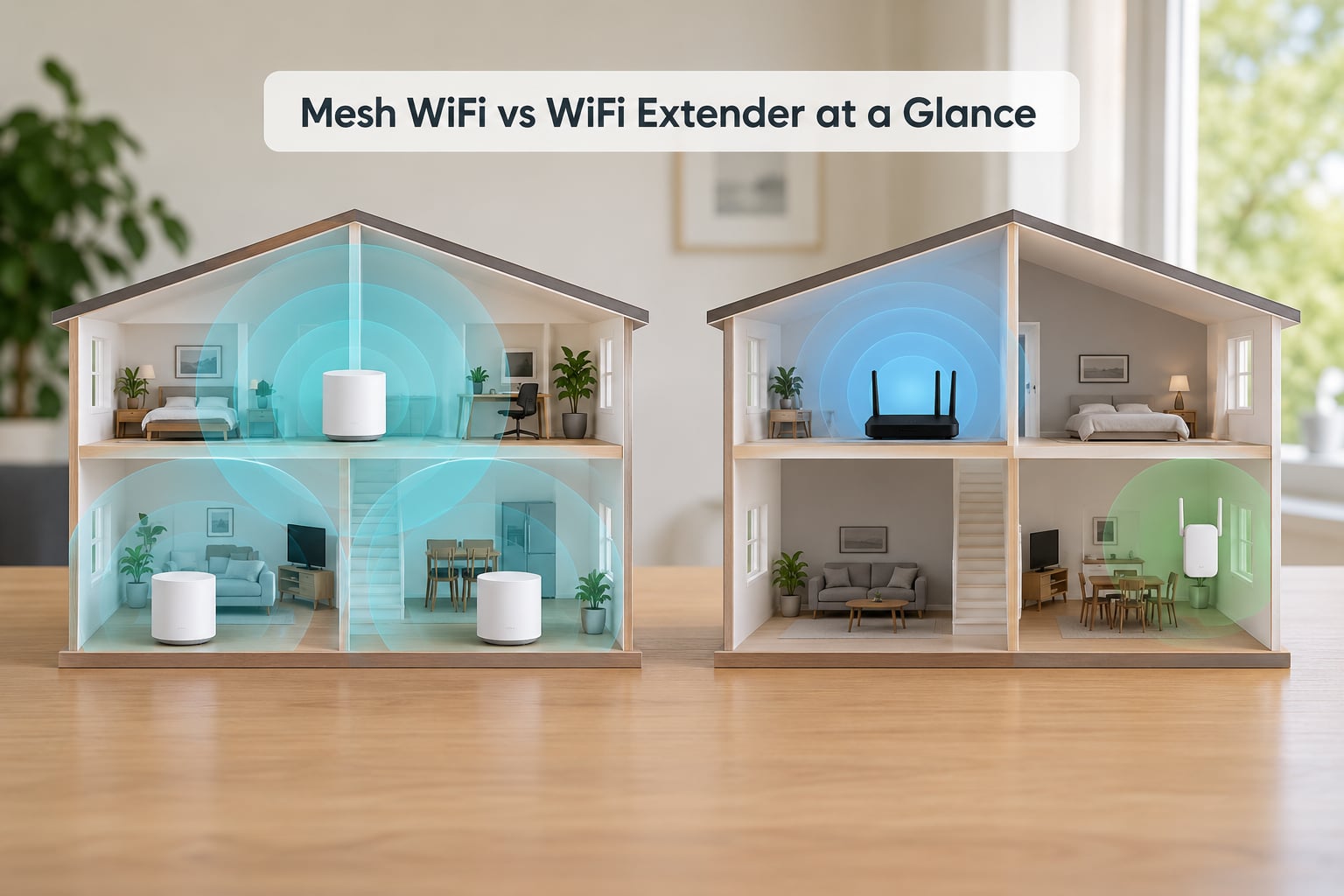
The table below covers every criterion that separates them: how far the signal travels, what happens to your bandwidth, whether your phone switches networks on its own, and what the hardware costs you over its lifetime.
| Criterion | WiFi extender | Mesh WiFi |
|---|---|---|
| Best for | One dead zone in a small or medium home | Several weak rooms, multiple floors, thick walls |
| How it works | Rebroadcasts your router’s signal from a second radio | Several nodes act as one coordinated system |
| Network name (SSID) | Usually creates a second name you switch to by hand | One shared name across every node |
| Roaming | Manual, or inconsistent handoff between networks | Automatic handoff as you walk through the house |
| Speed in the far room | Often cut roughly in half by the relay hop | Holds up better with dedicated backhaul |
| Setup | Plug in, match the network name, done | App-based setup, nodes paired and placed |
| Hardware cost | One small box, low outlay | A kit, often sold as two or three units |
| Running cost | Power draw only | Power draw, optional app subscription on some brands |
| Expanding later | Add another extender, repeat network names | Add a node, it joins the same system |
| Wired backhaul | Only on models with an Ethernet port | Common on tri-band and higher-end kits |
| Hardware you keep | Existing router stays as it is | Usually replaces the router, or runs alongside it in access point mode |
| Best home type | Apartment or single-storey home with one problem room | Multi-floor house, or any home with more than one weak area |
One column is cheaper and the other column is steadier. The rest of this article is about figuring out which of those two you need.
How Coverage and Dead-Zone Performance Differ
A dead zone is a room where the signal drops so far that video calls drop frames, pages stall or you walk to the kitchen to get a connection. An extender fixes a dead zone by listening to your router and re-sending what it hears on its own radio.
That is the whole trick, and it is also the weakness. Your data travels router to extender, then extender to your phone. Both legs share the same radio airtime, so roughly half the capacity gets spent relaying traffic instead of delivering it. Every extra hop repeats that cost.
Mesh works differently. Each node is a full access point that talks to the others over a link called backhaul. When you walk from one room to the next, your phone hands off to whichever node has the cleaner link, without you touching anything.
Two practical outcomes follow from that design. An extender in a room with a solid signal from the router can fix a nearby weak room. Put the same extender deep inside the dead zone and it just rebroadcasts a weak signal, which is the single most common reason people conclude that extenders do not work.
Mesh WiFi vs WiFi Extender Coverage in Real Homes
Layout matters more than square footage. A 900 square foot apartment with thin internal walls can be fully covered by one router, while a 1,400 square foot house with a brick exterior and a metal-backed fireplace needs two or three nodes.
In an apartment, one dead zone usually means one bathroom or one bedroom at the end of the hall. An extender handles that neatly for a small outlay, and you keep the router you already own.
In a two-storey house, the floors act like a lid over the router. An extender placed on the wrong floor can rescue one spot and do nothing for the other. Mesh nodes on each floor handle it more evenly, which is why two-floor owners usually end up on the mesh side of this debate.
Across thick construction, neither option performs miracles. Concrete, brick, foil-backed insulation and metal fireplace surrounds eat signal before either device gets a chance to help, which is why homes with those materials often end up running an Ethernet cable to a second access point.
One more trap: stacking multiple extenders. Each one repeats the previous one, so you get compounding bandwidth loss and a floor full of separate network names. It is a real risk on mesh too, since nodes placed too far apart perform worse than a smaller number of well-placed ones.
Which Option Delivers Better WiFi Speed?
Internet plan speed and WiFi speed are two different numbers. Your plan speed is what reaches the house; WiFi speed is what survives the trip from the router to your device.
Near the router, both options can feel identical on a modern connection. The gap opens with distance and obstacles. An extender is more likely to lose throughput as you move away, because every packet crosses the relay twice.
Band choice matters here. A dual-band mesh kit uses the 2.4GHz and 5GHz radios for your devices and relays traffic over one of them, which eats capacity. A tri-band kit adds a third radio, often reserved purely for wireless backhaul, so client traffic keeps both of the main bands to itself. That is the single biggest reason tri-band mesh feels faster at range.
Ethernet backhaul beats every wireless option. When you can run a cable from one node to another, the relay hop stops competing for radio airtime at all, and the wireless link becomes a straight shot to your device. Newer standards such as WiFi 6 and WiFi 6E help both sides, but they help more on mesh, where the radios are not busy relaying for each other.
For gaming latency, the extender’s extra processing hop adds a small delay on top of any crowded channel. That extra hop shows up most in competitive titles where every millisecond is visible, and a wired or tri-band mesh link removes it.
How Setup and Router Compatibility Affect the Choice
An extender is close to plug and play. You plug it into a wall outlet roughly midway between the router and the weak room, connect it to your existing network, and you are running in about five minutes.
Compatibility is the part that catches people out. Some extenders are built for specific ecosystems and refuse to pair with a router from another brand, so check what the box says about the router it supports before you buy.
Mesh kits take a little longer because the app walks you through pairing each node. Many kits then take over as your router, and your ISP box moves into a bridging role. The detail that matters most is access point mode, which lets a node join an existing router instead of creating a second network layer.
Run the wrong mode and you can end up slower than what you started with, which is why people who swap a good ISP router for mesh sometimes feel they lost speed. If you keep your router, either put it in access point mode or let the mesh run as the only router.
Placement rules are the same for both. Put hardware where the signal is still strong, not in the room that is failing, and keep it out of cupboards, behind TVs and near microwaves.
What Each Option Costs to Buy and Maintain
Entry-level extenders cost a fraction of a multi-node mesh kit, and for a single problem room that difference is easy to justify. The catch is that you are buying one box that solves one problem, so a house with three weak areas needs three boxes and three separate network names.
A mesh kit costs more up front because it includes two or three matching units and the software to manage them. What you get for the extra money is a single network name, automatic handoff, and a system that expands by adding one node instead of another awkward device.
Ongoing costs stay small for both. Extenders draw a little power and need nothing else. Mesh draws a little more with several units running, and a few brands gate parental controls or extra reporting behind a paid app subscription, so check what the free app actually lets you do.
Running an Ethernet cable changes the economics. A cable plus a wired access point costs a cable and a port, and it beats both wireless options on consistency, so it is worth checking before you buy anything.
Hardware lifespan is worth factoring in too. Extenders add to the pile of boxes you maintain, while a mesh kit replaces the router and extenders in one swap. For a house you plan to stay in, total value tracks the number of rooms affected, not the sticker price.
Pros, Cons and Common Failure Points
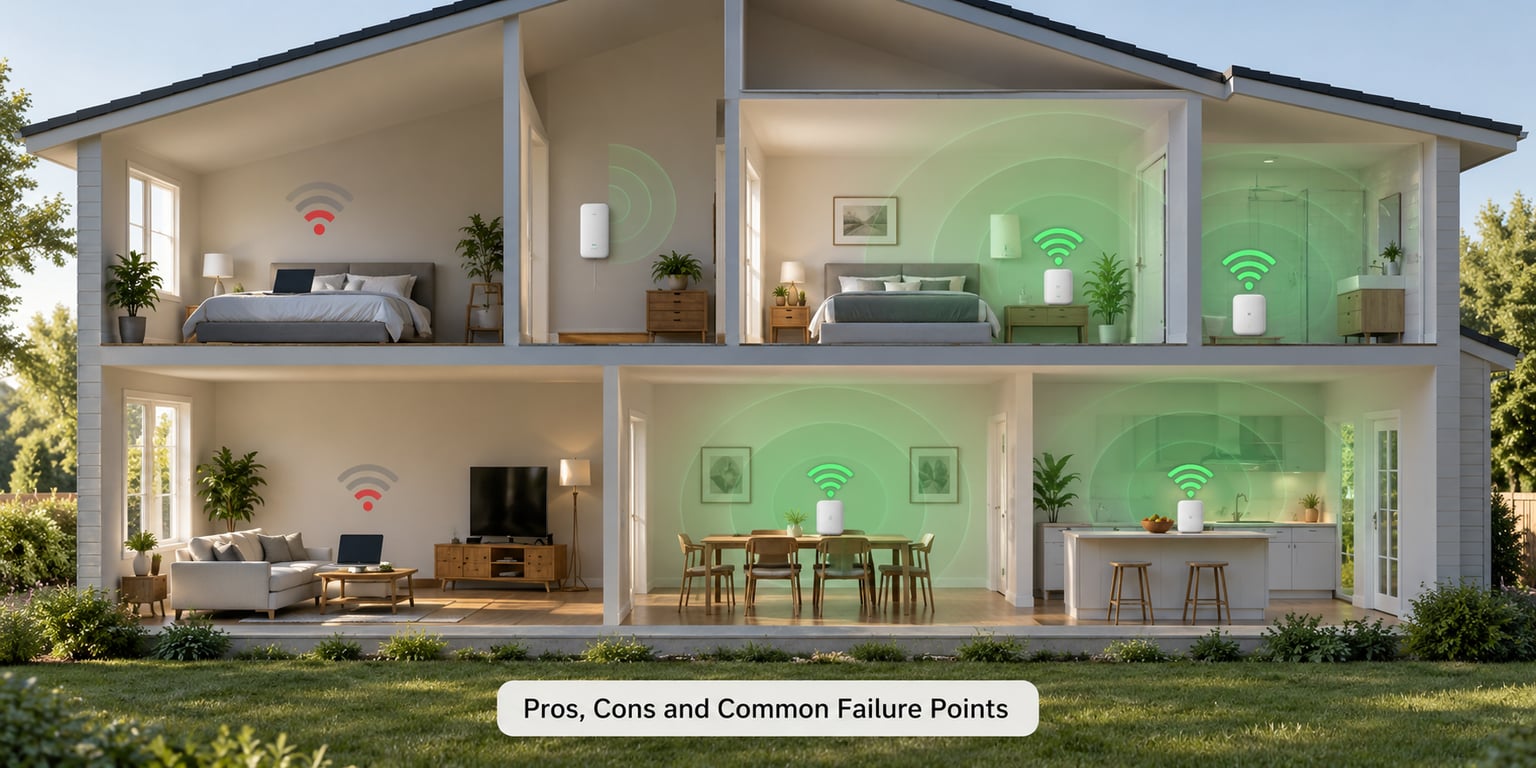
WiFi extender pros: low outlay, no change to your existing router, quick setup, and it solves one specific room well when placed correctly.
WiFi extender cons: it usually creates a second network name your devices must switch to, bandwidth is often cut roughly in half in the extended room, several units create inconsistent speeds, and you usually cannot manage it through an app.
Mesh WiFi pros: one network name everywhere, automatic handoff as you walk, better behaviour across several rooms at once, simpler expansion, and app-based tools for parental controls, guest networks and device prioritisation.
Mesh WiFi cons: higher outlay, you either replace your router or have to configure access point mode carefully, wireless backhaul still costs you some speed between nodes, and you end up tied to one vendor’s app for management.
The common failures are mostly placement errors. People push the extender into the dead zone, stack three extenders instead of running a cable, or put mesh nodes at opposite ends of the house and expect a clean handoff through concrete. Moving a node ten feet, switching to a cleaner channel, or running one Ethernet cable usually fixes more than buying a faster model.
One case deserves separate mention: buying an extender when the router is the real problem. An old dual-band router can fail everywhere at once, and no number of extenders fixes that. When every room is slow, replace the router first.
Which Should You Choose?
Match the hardware to the number of affected rooms and the cabling you already have.
- One dead room, rental or small flat: buy an extender, plug it in midway, and rename the network so you know which one you are on.
- An existing weak signal from a capable router: a single mesh node in access point mode can add coverage without replacing what you own.
- Medium home, three or more weak rooms: a two-node mesh kit is the sweet spot for most houses.
- Large or multi-floor home: mesh with three nodes, and run Ethernet to at least one if you can.
- Maximum consistency, thick walls or heavy streaming: wired-backhaul mesh or wired access points, which beat both wireless options.
- Outdated equipment everywhere: replace the router before adding anything.
As a rule of thumb, count the rooms that frustrate you today. One room means extender. Two or more, or more than one floor, means mesh.
What to Check Before Buying
Run through this list before you order anything.
- Stand in the dead zone and run a speed test on your phone, so you know the starting point.
- Check the age and radio type of your current router, since an old router changes the answer entirely.
- Note what your walls and floors are made of, and where any metal, mirrors or foil-backed insulation sit between rooms.
- Count the devices that will be connected, including smart home gear, televisions and work laptops.
- Confirm the app supports your platform and offers the parental controls or guest network you want.
- Check for Ethernet ports on the device, which give you a fallback if the wireless relay disappoints.
- If you are buying mesh, look for tri-band or dedicated backhaul support for multi-floor homes.
- Verify the brand’s expansion path, in case you add a node later.
- Avoid buying more hardware than the layout needs, since extra units in the wrong spot make things worse.
Frequently Asked Questions
Does a WiFi extender reduce internet speed?
Yes, usually in the extended room. Your data has to travel to the extender and back out to your device, and both legs share the same radio time, so available bandwidth is commonly cut roughly in half. Near the router, the drop is small. Plugging the extender in with an Ethernet cable removes most of that loss.
Can I use a mesh system with my existing router?
Two ways. Run the mesh as your main router and put the old one in bridging mode, or put a mesh node in access point mode so it joins your existing router instead of running a second network layer. Access point mode keeps your current setup and avoids the speed drop people hit when two routers fight each other.
Is a mesh system better for thick walls?
Mesh handles thick walls better than an extender because nodes are placed where the signal is still strong and hand off between each other, rather than rebroadcasting a weak signal. Concrete, brick and foil-backed insulation still cut signal hard, so a home with those materials may still need Ethernet and wired access points.
How many mesh WiFi nodes do I need?
Start with two for a typical medium home, one near the router and one in the weakest area. Add a third for a third floor, a long single-storey layout, or thick walls. Node placement matters more than node count, since extra nodes placed too close together can make performance worse.
Can I add a WiFi extender to a mesh network?
Technically yes, but it is rarely the best move. The extender will join the mesh over wireless backhaul and then rebroadcast again, adding a second hop and usually another network name. If a mesh node cannot reach that spot, running Ethernet to a wired access point is a cleaner solution.
Conclusion: Mesh or Extender?
Choose an extender when you have one affordable dead zone and a router worth keeping. Choose mesh when you want reliable whole-home coverage, one network name and no manual switching between rooms.
Start by mapping the weak area with a phone speed test, then check whether you can run an Ethernet cable to it. If you can, the answer is neither device. If you cannot, buy for the number of rooms that bother you: one room gets an extender, two or more get a two-node mesh kit.