Most earbud battery problems come down to three things: a charging case that is empty, features running that you never asked for, and a cell that has quietly worn out. To extend earbud battery life on Android, charge the case before the buds, turn off noise cancellation and multipoint when you do not need them, and keep the charging contacts clean. The routine below takes about 25 minutes. Last updated October 2026.
I have kept the same pair of true wireless earbuds going through three years of commuting, and the difference between a pair that lasts a week of storage and one that gives up in a day is almost never the battery cell. It is the case, the settings, and the debris in the case wells.
One honest caveat before we start. Charging habits and feature settings slow down how fast a lithium-ion cell wears out. They do not bring a worn cell back to full capacity. If your earbuds started dying quickly last week, none of the nine steps will fix that. They are worth doing anyway, because they slow the decline from today forward.
Table of Contents
- What You Need
- Step-by-Step: How to Extend Earbud Battery Life
- 1. Charge the Case Before the Earbuds
- 2. Use the Correct Charger and Cable
- 3. Avoid Leaving Earbuds Fully Charged for Days
- 4. Clean the Earbuds and Charging Contacts
- 5. Update Firmware and Choose the Right Earbud Mode
- 6. Reduce Everyday Battery Drain
- 7. Store Earbuds Partway Charged
- 8. Avoid Heat, Moisture, and Deep Discharges
- 9. Check Battery Health and Know When to Replace Them
- Common Mistakes
- Frequently Asked Questions
- How long should a pair of earbuds last before the battery needs replacing?
- Can I replace the battery in earbuds that no longer hold a charge?
- Why do my earbuds drain quickly even when the charging case is full?
- What should I do if an earbud case becomes swollen, hot, or smells unusual?
- Does charging earbuds with a wireless charging pad affect battery life?
- Conclusion
What You Need
Nothing exotic. Gather these before you start so you can work through the steps in one sitting.
- The charging case that came with the earbuds, plus its lid and hinge in working order.
- A manufacturer-approved cable and charger — the ones specified in the earbud manual, or a reputable equivalent with the same output.
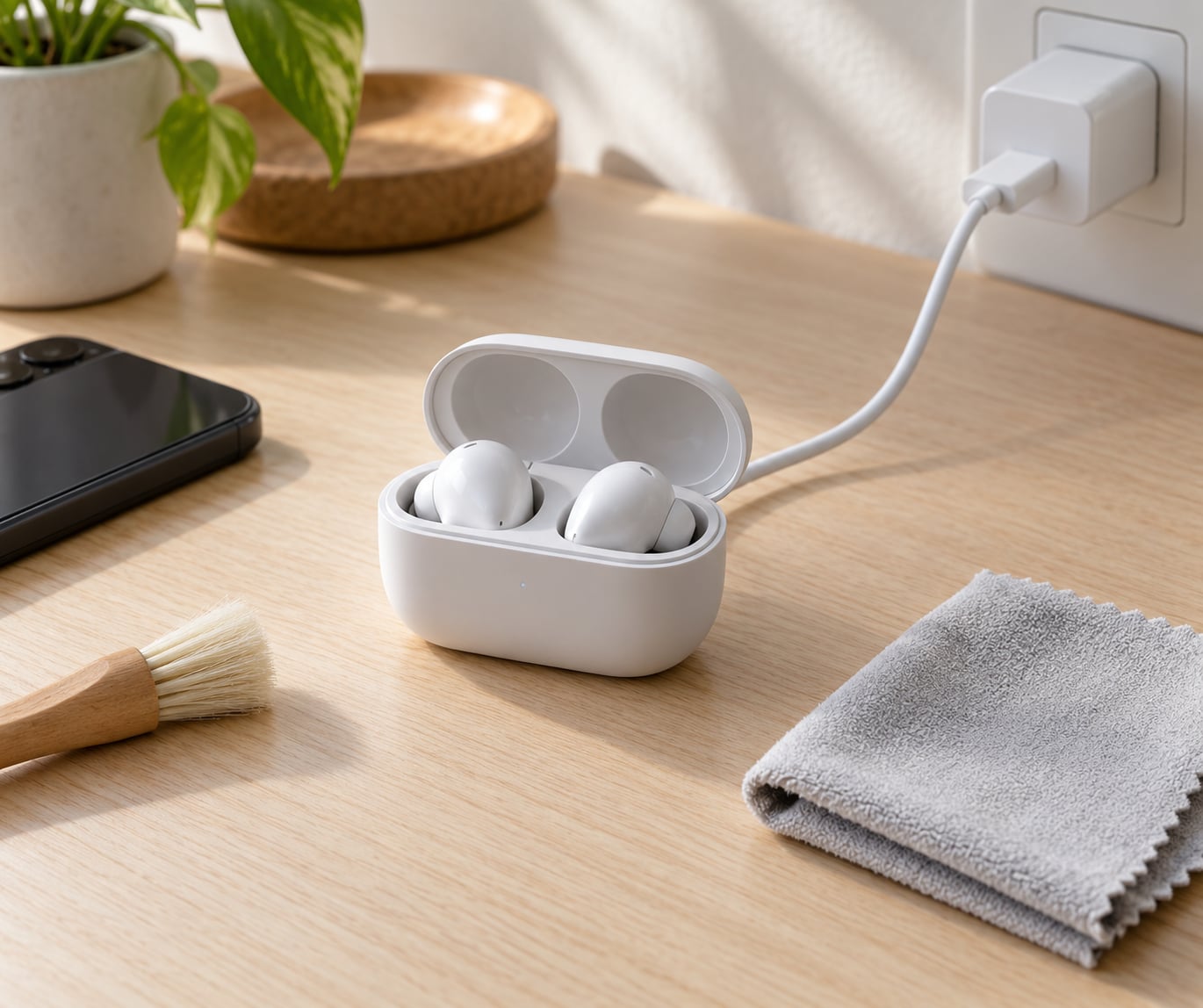
- A lint-free cloth and a soft dry brush such as a clean makeup brush or a soft-bristled toothbrush.
- The manual for your model, or the manufacturer’s support page on your phone. Battery procedures, storage levels and app features differ between models more than most guides admit.
- Your Android phone, for the companion app if your earbuds have one and for checking per-bud battery levels.
Before anything else: if a battery is swollen, leaking, dented or unusually hot, stop. Do not charge it and do not keep using it. Put it somewhere non-flammable, away from anything that can melt, and get it serviced or replaced.
Step-by-Step: How to Extend Earbud Battery Life
Work through these nine steps in order. The first four are charging and cleaning habits that apply to every model. The last five cover features, storage and knowing when to stop. Together they take roughly 20 to 30 minutes, plus a few minutes each week to keep up.
1. Charge the Case Before the Earbuds
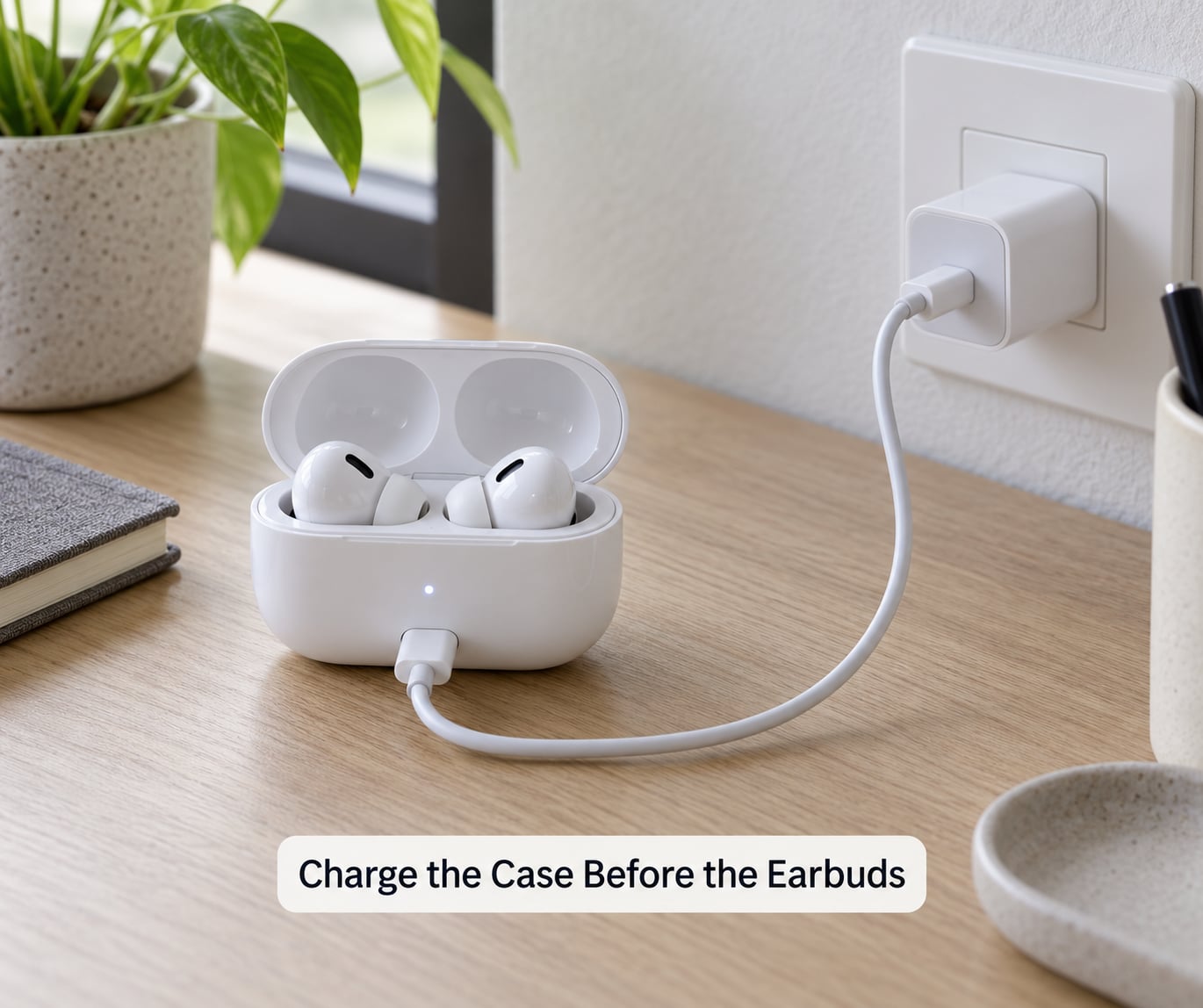
A flat case will not charge your earbuds, and that is the single most common reason someone thinks their battery is dying. The case tops each bud up by a few percent when you drop it in, which is far too little to be obvious, so you take them out after twenty minutes thinking nothing happened.
Plug the case in first and wait for its own indicator to show a full charge. Most cases use a single LED that is solid when full, blinking while charging, and off or red when low — check the manual for your model because the colours are not standardised.
Then avoid the habit of putting partially charged buds back in repeatedly. Each trip into the case restarts a partial top-up, and the buds never reach a full charge. Leave them in until the case light says they are done, then take them out.
How you can tell it worked: after a full case charge, a full night in the case should leave both buds at or near their stated single-charge runtime. If one bud is still short, jump to step 4 and check its contacts.
2. Use the Correct Charger and Cable
Read the charging specification in your earbud manual and match it. Small cases typically take 5V at around 0.5A to 1A, and USB-C fast charging from a phone charger often does not negotiate a proper rate at all — the case may charge slower than its label claims, or not at all.
A worn cable is a common culprit. If the case charges intermittently, wiggles in the port, or only works at a particular angle, swap the cable before you blame the battery. Try a second known-good cable and a different wall socket, and see whether behaviour changes.
Unknown high-wattage adapters are not the fix people think they are. A case draws what its circuitry accepts and no more, so a 100W brick buys you nothing, and a poorly regulated one can give you an unstable charge that stresses the cell over time. A stable, manufacturer-approved source is the safer choice.
3. Avoid Leaving Earbuds Fully Charged for Days
Lithium-ion cells are happiest in the middle of their range. Sitting at 100% for weeks adds stress, and leaving the case plugged in with both buds at full charge indefinitely is the pattern most worth breaking.
If your model allows it, take the buds out of the case once they have finished charging. Store them in the case, but stop the case from charging them, and unplug the case from the wall. Plenty of cases do this automatically: a full case with the lid open simply stops drawing, and many now stop pushing charge to the buds at 100%.
Some companion apps ship a battery-care or optimised charging mode that holds the buds at a partial charge and tops them up before you usually listen. That feature is worth turning on if your model has it — check the app’s battery or device settings, and the exact menu name varies by brand. Do not go hunting for a setting your specific model does not have.
4. Clean the Earbuds and Charging Contacts
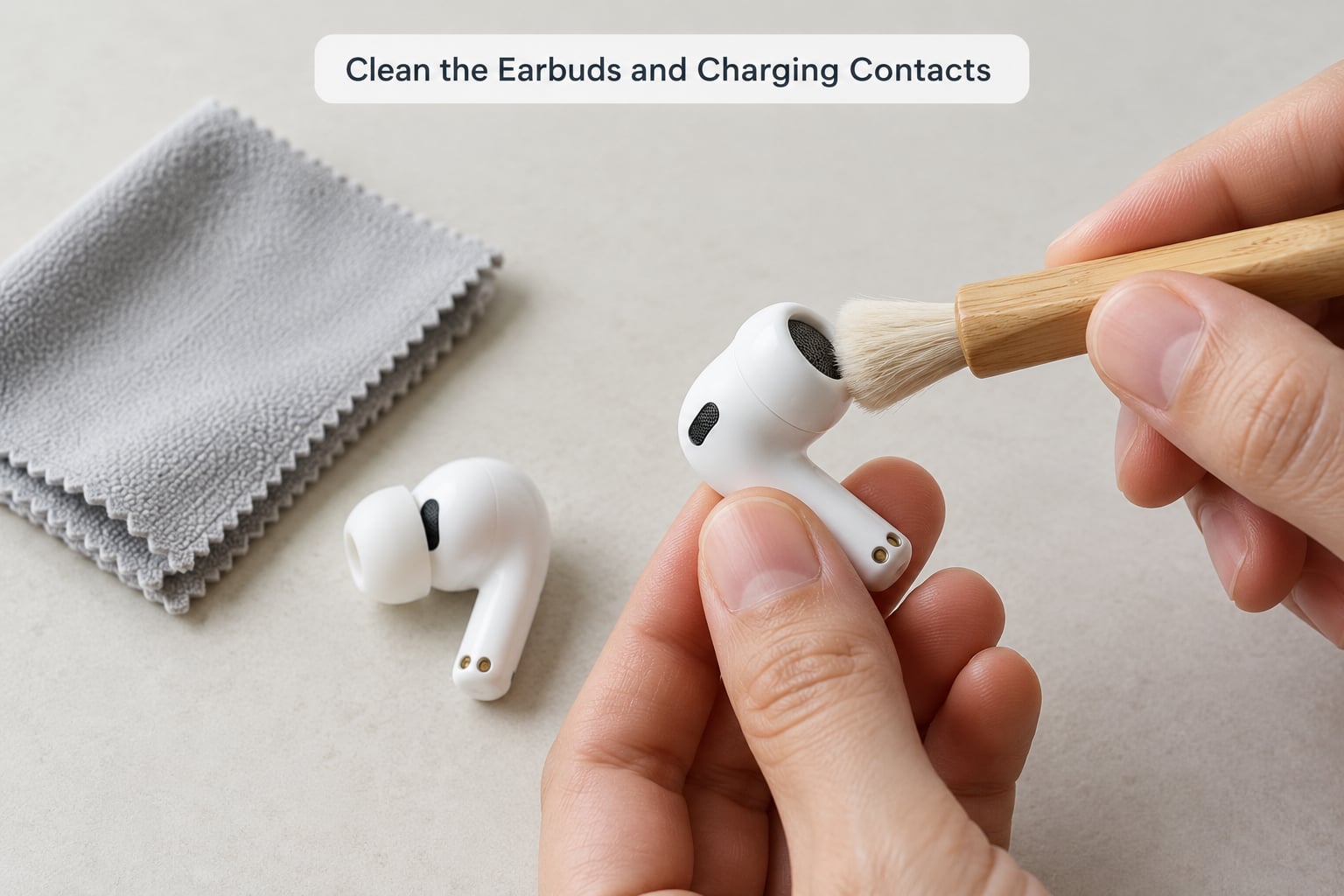
Skin oils, earwax and pocket fluff build up on the metal charging contacts and inside the case wells. Once that film is there, the buds charge inconsistently, which looks identical to a tired battery: they come out at 60% instead of full.
Take the buds out, and use a dry lint-free cloth or a cotton swab lightly dampened with isopropyl alcohol to wipe the contacts on each bud and the matching pins in the case. Wipe the tip mesh and any vent grille gently so debris comes out rather than gets pushed further in.
For the case itself, a soft dry brush gets lint out of the hinge and the corners. Avoid water unless your product has a stated IP rating. Never put buds back in a wet case — water and a charging contact is a short circuit waiting to happen.
Also check for a protective film. New earbuds sometimes ship with a thin plastic pull-tab over the contacts. If the bud will not seat properly or charges only on one side, peel it off first. Manufacturers list this as the top fix on their own support pages.
How you can tell it worked: the buds should now reach the same charge level whether you charge them in the case or leave them sitting on the case contacts for a minute. Intermittent charging that comes and goes with how the bud sits in the well is a contact problem, not a battery problem.
5. Update Firmware and Choose the Right Earbud Mode
This is the step people skip, and it is the one that can produce the biggest change. Companion-app firmware updates routinely include battery management fixes, connection stability patches and scheduling changes for features like multipoint.
Open the manufacturer’s companion app and check for a firmware or device update on the first visit and roughly every couple of months after. Menu names differ, so look for a device or firmware section rather than a specific path. If your model has no app, there may still be an update through the manufacturer’s desktop software or a web tool.
Here is what each feature costs you in power, roughly:
- Active noise cancellation — the largest single drain. Keep it on for flights and busy commutes, off everywhere else.
- Transparency or ambient mode — less than ANC, but still real. Use it in short bursts for announcements.
- Multipoint or dual-device pairing — keeps a second radio link warm. Turn it off when you only carry one phone.
- High-resolution codecs (LDAC, aptX HD) — more data to decode and transmit. Drop to AAC or SBC on long sessions.
- Spatial audio and head tracking — extra processing on both buds. Enable it when it matters, not by default.
- Voice assistant wake word — keeps the microphone open. Use a press-to-talk gesture instead.
- Calls instead of music — noticeably heavier than playback. Switch to a single bud for long calls.
The codec line deserves a note. LDAC and aptX HD send far more data per second than SBC or AAC, and the buds spend that power decoding and re-transmitting. Switching codec in the developer options of Android, or in the companion app, is a one-tap change on many models and costs you some audio quality on long listening days.
6. Reduce Everyday Battery Drain
Volume is a real lever, not a myth. Turning your phone from 80% down to 50% means the earbud’s amplifier is driving a much smaller signal, and most people do not notice the difference on a commute. Set the volume on the phone rather than on the buds where possible, so you can adjust it without waking a bud with a touch control.
Keep noise cancellation within its usable range. Running max ANC on a quiet indoor desk buys you almost nothing acoustically and costs you hours. A medium or adaptive setting on the same app usually performs the same where you would actually use it.
Stop features that are on by default and never used. Multipoint sitting enabled with a second paired device means your earbuds maintain a second link continuously. A voice assistant wake word keeps a microphone open all day. Both are easy wins in the app.
Fix a weak Bluetooth connection. A phone struggling to hold a stable link — in a tunnel, a lift, or a crowded station — makes the buds work harder to re-establish it. If the phone has multipoint switched off and you notice your buds drop out in the same places, that is the explanation. The fix is on the phone side: close a huge Bluetooth device list, disconnect unused accessories, and check your Android battery settings for anything restricting Bluetooth in the background.
Use single-earbud mode deliberately. It is not a hack: most earbuds charge the bud in your ear while the other rests, so swapping sides mid-session roughly doubles the time you have away from the case. It is a good trick for a long-haul flight or a full day of calls, and a waste for music.
7. Store Earbuds Partway Charged
Do not leave earbuds sitting empty in a case for weeks, and do not seal them in at 100% for months. Both extremes are hard on the cell. The case is for protection and partial top-ups, not for indefinite storage.
For short-term storage, keep them in the case with roughly half charge and the lid closed. For long-term storage — a few months or more — check the manual for the recommended partial level, because it differs by model, and follow it. Some cases also have a storage mode or a charge limit you can set in the app.
Check in on stored earbuds every few weeks. Partly charged cells self-discharge, and a bud left for months at zero can sit at a deep discharge, which is harder on the chemistry than a partial charge.
For travel, the case plus a small power bank is genuinely the whole kit. A case that gives two to three full recharges covers most long trips, and a 10,000 mAh power bank will top up the case several times over. The cells are happiest in transit partly because you are keeping them in the middle of their range.
8. Avoid Heat, Moisture, and Deep Discharges
Heat is the fastest way to age a lithium-ion cell. A pair of earbuds left on a car dashboard in summer, or in a pocket next to a phone that is charging hard, will lose capacity faster than one that is simply used every day. Cold does not damage the cell, but it makes a lithium-ion pack deliver noticeably less — earbuds that quit early on a freezing commute are often fine once they warm up.
Keep earbuds out of direct sun, out of hot cars, and away from heaters and dry vents. If you exercise hard in them, wipe sweat off and let them dry in the case with the lid open before closing it. Water is the other enemy: rain and sweat are fine in moderation, but charging damp buds is not.
Deep discharge is the third one. Running a cell down to near zero on a regular basis, then charging it straight back to 100%, is the hardest pattern you can hand a lithium-ion battery. When you can, top up on the way past the case rather than waiting for the low-battery warning.
9. Check Battery Health and Know When to Replace Them
Most Android phones and manufacturer apps show a per-bud or per-case battery percentage, but very few show battery health the way a phone does. What you get is usually remaining charge, not capacity. So you measure by behaviour instead.
Use a consistent test: charge both buds and the case fully, pair with your phone, play the same content at the same volume in the same mode, and note the time until the first low-battery warning. Repeat on a different day. Do this once now as a baseline, and again in a few weeks after changing habits. If the number moves, the change worked. If it does not, your habits were never the problem.
Normal signs of an ordinary set: a few percentage points of difference between buds, a first warning at roughly the manufacturer’s stated runtime, and slightly shorter runtime in ANC mode than in normal mode. Manufacturer support documentation for widely sold models quotes around 8 hours in ANC and 12 hours in normal mode at 50% volume, which is a reasonable yardstick for how big the mode difference should feel.
Time for support or replacement: a runtime that has dropped well below the stated hours, one bud shutting down mid-song while the other has charge left, a case that will not charge a bud, or random shutdowns at 30% and above. If one bud dies more than about an hour before the other consistently, that is outside normal variation and worth a warranty claim. Below an hour, it is usually just the primary bud doing more radio work.
Stop optimising when the cell is gone. New habits cannot restore capacity. Once a pair fails the baseline test twice after a couple of months of careful use, replacement is the honest answer, and a spare pair on rotation beats fighting old earbuds every day.
Common Mistakes
These are the errors that show up again and again, and each one has a simple correction.
Charging only the case and assuming the buds are fine. The case is the power source. A case at 30% cannot give the buds a meaningful top-up, and the buds come out half charged, which reads as premature drain.
Using an unknown high-wattage adapter to “charge faster.” The case draws what it accepts. A mismatched brick gains you almost nothing and can give an unstable charge. Use the specified output.
Charging wet or damp earbuds. Water on the contacts can short them, and the result is a bud that will not charge — often permanently. Dry them fully, lid open, before they go back in.
Leaving ANC on all day in quiet spaces. The single biggest drainer, switched on where it does nothing acoustically. Turn it off at your desk.
Storing earbuds empty or permanently full. Both extremes stress the cell. Partway charged, in the case, is the resting state you want.
Assuming any phone app shows earbud battery health. Most show remaining charge only. Bluetooth battery widgets and your phone’s own battery statistics are the practical way to see per-bud percentages and drain over time.
Balancing discharge by taking one bud out first. This one comes up a lot and it does not work. Users in r/SonyHeadphones report trying to even out the two buds’ discharge and seeing no change in runtime. Uneven drain is a design behaviour, not something you can manage away by swapping buds around.
One maintenance habit ties it together: wipe the contacts and check the case charge level once a week, in the same place you drop your keys. It takes a minute, and it catches the two problems that mimic a dying battery before they ever get a chance to.
Frequently Asked Questions
How long should a pair of earbuds last before the battery needs replacing?
Most true wireless earbuds give two to three years of normal daily use before runtime drops noticeably. New models commonly quote around 8 hours per charge with noise cancellation on and roughly 12 hours in normal mode at half volume, plus two to three recharges from the case. Once your measured runtime falls well below those figures and stays there, treat it as end of life rather than something a charging habit can fix.
Can I replace the battery in earbuds that no longer hold a charge?
Rarely, and not at home. Earbud cells are glued inside sealed shells, often with the driver and microphone bonded in the same cavity, so opening one usually destroys the seal and can damage the driver. Some brands run a paid replacement programme for higher-end models. For everything else, the economical answer is a new pair, and recycling the old cells through an e-waste point rather than the household bin.
Why do my earbuds drain quickly even when the charging case is full?
A full case only helps if the buds are actually taking charge from it. The usual reasons are dirty or film-covered contacts, a protective pull-tab left on, or a case that stops charging at a partial level. Another common cause is feature load: active noise cancellation, multipoint and high-resolution codecs all raise consumption fast. If a bud will not sit flat in its well, clean the pins and check the bud for a film first.
What should I do if an earbud case becomes swollen, hot, or smells unusual?
Stop using it immediately and do not charge it. Swelling, unusual heat or a chemical smell are signs of a damaged lithium-ion cell, and continuing to charge it can lead to venting or fire. Place the case on a non-flammable surface away from anything combustible, do not puncture or squeeze the swollen area, and take it to a service centre or an e-waste collection point. Do not put it in a bin.
Does charging earbuds with a wireless charging pad affect battery life?
Not directly, and it is not a fast route to a fuller charge. A wireless pad delivers less power to the case than a cable because of the energy lost between coils, so the case takes longer to fill and many pads will not start at all. The heat that wireless charging can generate is the part worth watching, since sustained warmth ages a lithium-ion cell faster. For the cells themselves, a cable is the better tool.
Conclusion
If you do four things this week, make them these: charge the case to full before the buds, use the specified cable and charger, wipe the charging contacts, and turn off noise cancellation and multipoint when you are not using them. Add the storage and temperature habits and your cells will wear noticeably slower.
Before you change anything, take a baseline: full charge, same content, same volume, same mode, and note the time to the first low-battery warning. Test again in a few weeks. If the number has not moved, the battery is worn rather than drained, and no habit will bring it back.
If a case swells, runs hot or smells odd, stop using it and get it serviced. If runtime collapses without any of those warning signs, run the troubleshooting steps first — a dirty contact and a dying cell look the same from the outside.