To pick a robot vacuum for a small apartment, start with physical fit rather than suction numbers: measure your lowest furniture clearance, check the charging base against your tightest corner, and listen for noise you can tolerate through thin walls. In a studio or one-bedroom, those three things decide whether the machine gets used daily or abandoned in a closet within a month.
That sounds blunt, but the failure mode is common. People buy a flagship robot because of a review video, then discover the body is too tall to slide under the sofa, the base station cannot sit anywhere without blocking a walkway, and the self-emptying routine wakes the downstairs neighbour at 6am. The result is a very expensive floor mop.
Small apartments actually suit robots better than large ones in one specific way: a single charge covers the whole floor, and a methodical cleaning pattern finishes in under half an hour. Everything else about a small space is harder. This guide walks through the measurements first, then navigation, floors, features, noise and the running costs nobody mentions on the box.
Table of Contents
- How to Pick a Robot Vacuum for a Small Apartment at a Glance
- Measure Your Apartment Before Choosing a Robot Vacuum
- Measure your lowest furniture gap, not the average one
- Map your floor area and the route back to the dock
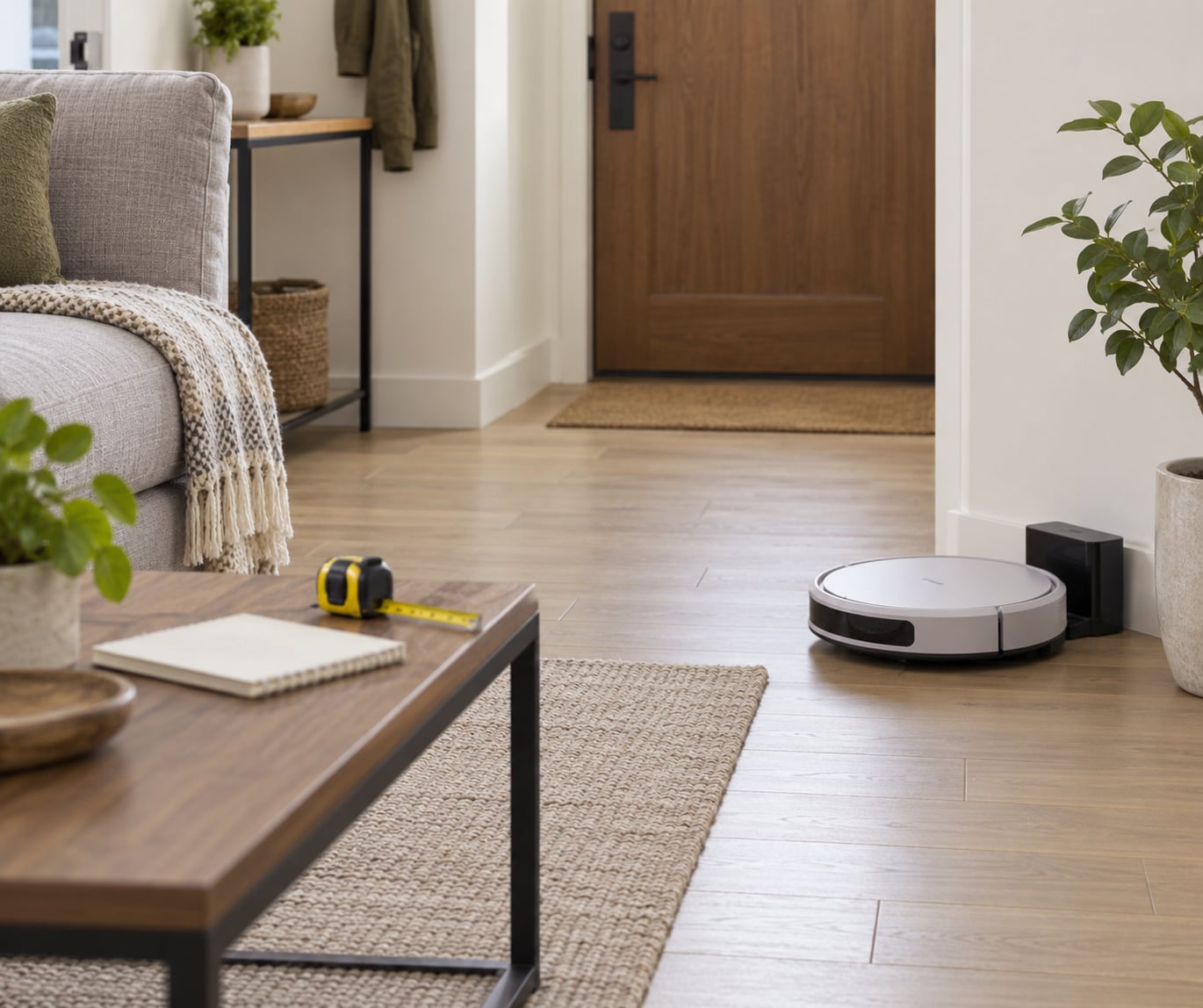
- Test the docking corner in physical space
- Check the outlet reach and the doorway widths
- Choose the Right Size and Shape for Tight Spaces
- Navigation Matters More Than Maximum Suction
- LiDAR builds a real map
- Camera mapping does the same job with less hardware
- Gyroscope and random bounce are honest compromises
- Why suction ratings mislead
- What Floor Types and Pet Hair Should Change Your Choice
- Hardwood and tile
- Low-pile rugs
- High-pile carpet
- Pet hair
- Smart Features Worth Paying for in a Small Apartment
- Worth it
- Usually not worth it
- Noise, Battery Life, and Maintenance for Apartment Living
- Cleaning noise and the self-emptying spike
- Runtime you actually need
- Maintenance load
- A Simple Buying Checklist Before You Pay
- Frequently Asked Questions
- Are robot vacuums good for small apartments?
- What robot vacuum is best for a small room?
- How big is a robot vacuum dock?
- What are the downsides of robot vacuums?
- How do robot vacuums map your apartment?
- What is the quietest robot vacuum for apartment living?
- Conclusion
How to Pick a Robot Vacuum for a Small Apartment at a Glance
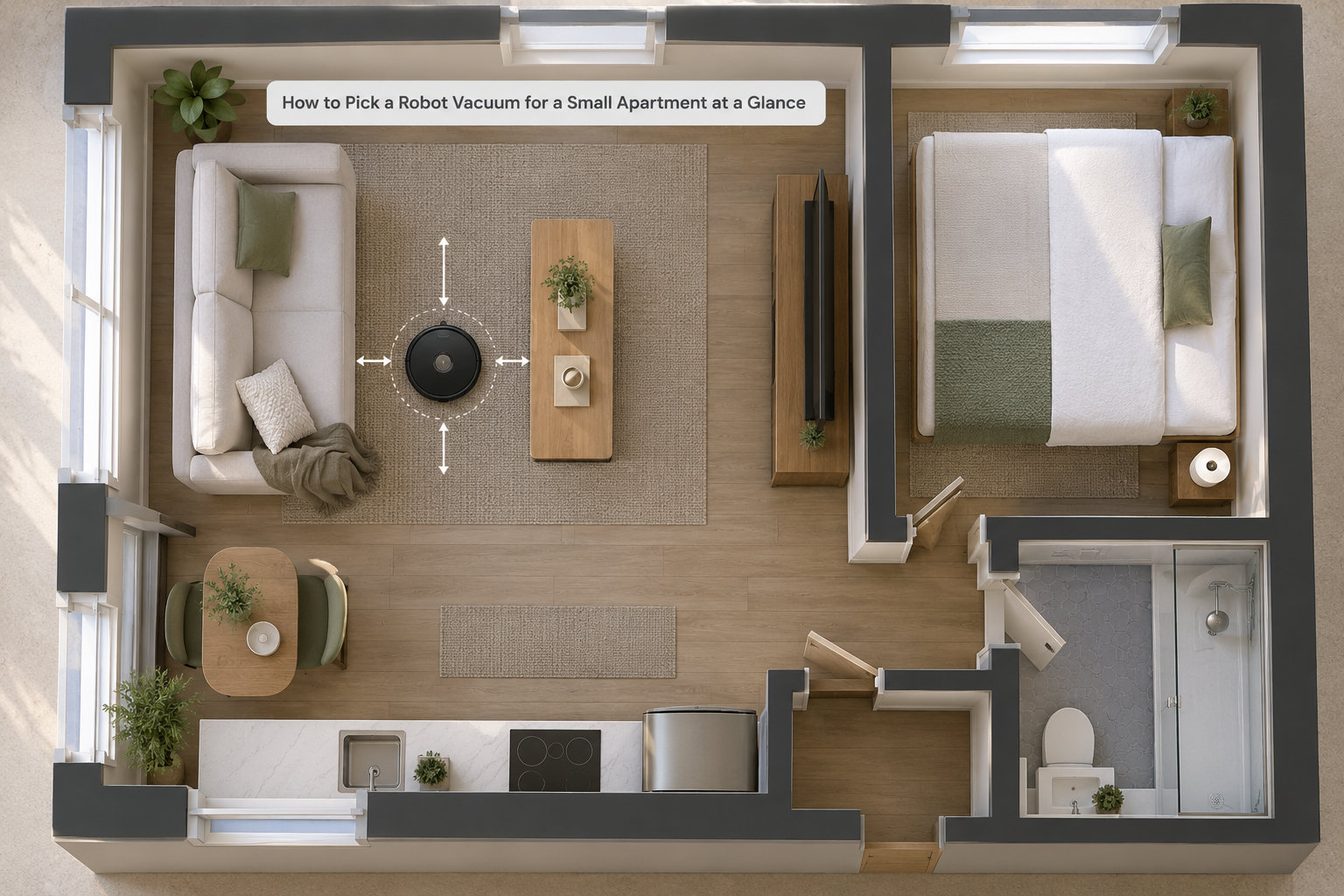
The fastest way to cut the field is to check seven specs against your floor, and drop anything that fails on size or noise. A robot that cannot physically reach your floor space is not a cheaper option, it is a decoration.
| Criterion | Why it matters in a small apartment | Minimum acceptable |
|---|---|---|
| Robot height | Determines whether it cleans under the bed, sofa and low shelving | 3.5 inches or less, with a low-profile model under 3 inches if you have low furniture |
| Base station footprint | A bulky dock permanently occupies floor space you need for living | Bench-sized or wall-mounted; anything needing a clear 16-inch alcove is a real cost |
| Cleaning noise | Travels through party walls and floors in apartment blocks | Under 60 dB on standard mode, with a scheduling option |
| Navigation type | Decides whether the robot misses corners and repeats the same strip | LiDAR or camera mapping preferred; random bounce is a compromise |
| Runtime per charge | A 500 sq ft apartment is done in one pass on most batteries | 60 minutes minimum |
| Dustbin capacity | Pets and carpets fill small bins fast | Above 300 ml, or a self-emptying dock with a bagged base |
| Threshold climbing | Bathroom transitions and rug edges stop low-end models dead | Roughly 0.6 inch capability |
If a listing does not publish the height, the dock dimensions or the noise figure, treat that as a warning. The manufacturer chose not to answer the three questions that matter most for your floor plan.
Measure Your Apartment Before Choosing a Robot Vacuum
Ten minutes with a tape measure removes more uncertainty than an hour of reading reviews. Do it before you browse, write the numbers down, and take them to the product pages.
Measure your lowest furniture gap, not the average one
Kneel on the floor and measure the vertical gap under the sofa, the bed frame and any low shelving. Measure three spots, not one, because furniture sits unevenly on carpet and the front gap is often narrower than the middle. Then subtract half an inch of margin for dust buildup and baseboard trim.
If the answer comes out under 3 inches, stop browsing standard robots entirely and look only at low-profile models. This is the single most common reason a robot vacuum disappoints in a studio.
Map your floor area and the route back to the dock
Work out the total cleanable square footage, then subtract the footprint of the sofa, the bed, the kitchen cabinets and the dining table. A 600 sq ft studio with heavy furniture can have only 300 sq ft of open floor. If your robot cannot cross the gap between the bedroom and the living room because of a threshold lip, you have a single-room machine unless you fix the lip first.
Test the docking corner in physical space
Before you pick a model, find the corner you are willing to give up and measure its width and depth. Self-emptying bases with water tanks need a spot beside a tap or a water container, and they need clearance on the sides so the robot can find the ramp. Corners near exterior walls and damp bathrooms are poor choices, because humidity and temperature swings shorten the life of the base electronics.
Check the outlet reach and the doorway widths
The robot needs a straight path back to its dock that is not blocked by cables or a rug edge. Old apartments also have odd doorway widths and raised sills, so measure the narrowest interior doorway on the route and the height of any sill the robot must cross.
Choose the Right Size and Shape for Tight Spaces
Bigger robots clean more per run and store more dirt, but small apartments punish bulk. The trade-off is straightforward: a compact body clears tight gaps and turns in place, while a full-size model with a larger dustbin and bigger battery covers more floor between charges.
For most apartments under about 700 sq ft, the compact option wins. You are not covering a house, you are covering two or three rooms, and the ability to slip under furniture is worth more than extra bin capacity you can empty yourself.
Shape matters more than people expect. Round robots with a side brush clean corners less well, while square or D-shaped bodies push closer to walls and square corners. If your pain point is dust along baseboards, a D-shaped model with an edge brush does a noticeably better job. If your pain point is hair on the sofa, shape is irrelevant and height is everything.
Dustbin capacity is where compact robots feel their size. A bin under 200 ml empties every run in a studio with a shedding pet. Between 300 and 400 ml suits most one-bedrooms without a self-emptying dock. Below that, budget for emptying the bin daily or choose a bagged self-emptying base, which sidesteps the whole problem by moving the waste into a cartridge you swap once a week.
Low-profile models are usually worth paying extra for when your measurement says so. The height premium buys you the under-bed zone, which in a studio can be 15 to 20 percent of your floor area, plus relief from having to lift furniture to clean beneath it.
Navigation Matters More Than Maximum Suction
Navigation decides how much of your floor gets cleaned in one pass, and in a small apartment that is worth more than any suction figure. A robot with a map finishes; a robot bouncing randomly leaves streaks and misses corners in the room you care about most.
LiDAR builds a real map
A spinning laser on top of the robot measures distance to walls and furniture, then builds a floor plan the first time it runs. It cleans in orderly rows, so coverage is even, and it gives you room labels, no-go zones and targeted room cleaning. The cost is height, usually adding half an inch to the body, which is why some of the slimmest robots ship without it.
Camera mapping does the same job with less hardware
A forward-facing camera and on-device processing can build maps too, at a lower profile and often at a lower price. Performance depends heavily on the manufacturer, and low-light rooms give some systems trouble. If you have a dim hallway or no window light, a LiDAR model is the safer bet.
Gyroscope and random bounce are honest compromises
These robots track movement with internal sensors and change direction when they hit something. They cost less and stay slim, and in a small open-plan studio they are more usable than their reputation suggests. The pattern still repeats, though, and corners near walls are where you will see the difference. Owners frequently report the same strip being cleaned three times while the far corner is missed.
Buyers in small apartments who want the cheapest sensible option often land on budget LiDAR models, which reviewers regularly describe as the best value for a small hard-floor flat. That middle tier is where a real map becomes affordable without paying for a flagship.
Why suction ratings mislead
Pascal ratings are a marketing number, not a cleaning prediction. Independent testers have found that lower-rated models still lift pet hair and crumbs on hard floors; they simply need more passes on carpet. Judging a robot on suction is like judging a car on its brochure horsepower figure. Judge it on pickup tests for your floor type, brush design and how often you want to run it.
Obstacle avoidance is the feature that saves the most annoyance in tight quarters. Sensors that recognise cables, shoes and pet bowls stop the robot from getting wedged, and those are the objects that turn a ten-minute job into a twenty-minute rescue mission.
What Floor Types and Pet Hair Should Change Your Choice
Your floors and your pets change which specs matter, and ignoring this is why people end up disappointed. Hard floors and shedding animals pull the checklist in opposite directions.
Hardwood and tile
These are the easiest surfaces. Any mid-range robot handles crumbs and dust well, and here the mop earns its place. If most of your apartment is bare floor, a vacuum-mop hybrid with a roller mop and automatic carpet detection lifts the pad before it crosses a rug, which protects both the rug and the mop.
Low-pile rugs
A rug edge is where many robots stall or drag the whole rug across the floor. Look for threshold climbing around 0.6 inch and carpet detection that boosts suction automatically. Anti-tangle brushrolls matter here too, because fibres and rug edges wrap around the brush far faster than bare floors.
High-pile carpet
Thick carpet is the one case where a small apartment has an excuse to buy a larger machine. Carpet needs sustained suction, a larger dustbin and a brushroll that can comb through pile, and a compact low-profile robot will simply skim the surface. If carpet covers half your floor, prioritise pickup performance over clearance.
Pet hair
Long hair wraps around the brushroll and usually needs cutting free every one or two runs, which is the top complaint from owners with shedding dogs and cats. Look for a self-cleaning brushroll with a scraper that strips hair as it rotates, and rubber or silicone side brushes rather than bristle ones, since hair clings to bristles.
With a shedding pet, dustbin capacity stops being a minor detail. A small bin can fill every day or two, and that is what breaks the hands-off promise people paid for. Either accept the daily empty, or plan for a self-emptying base with a bagged bin.
Smart Features Worth Paying for in a Small Apartment
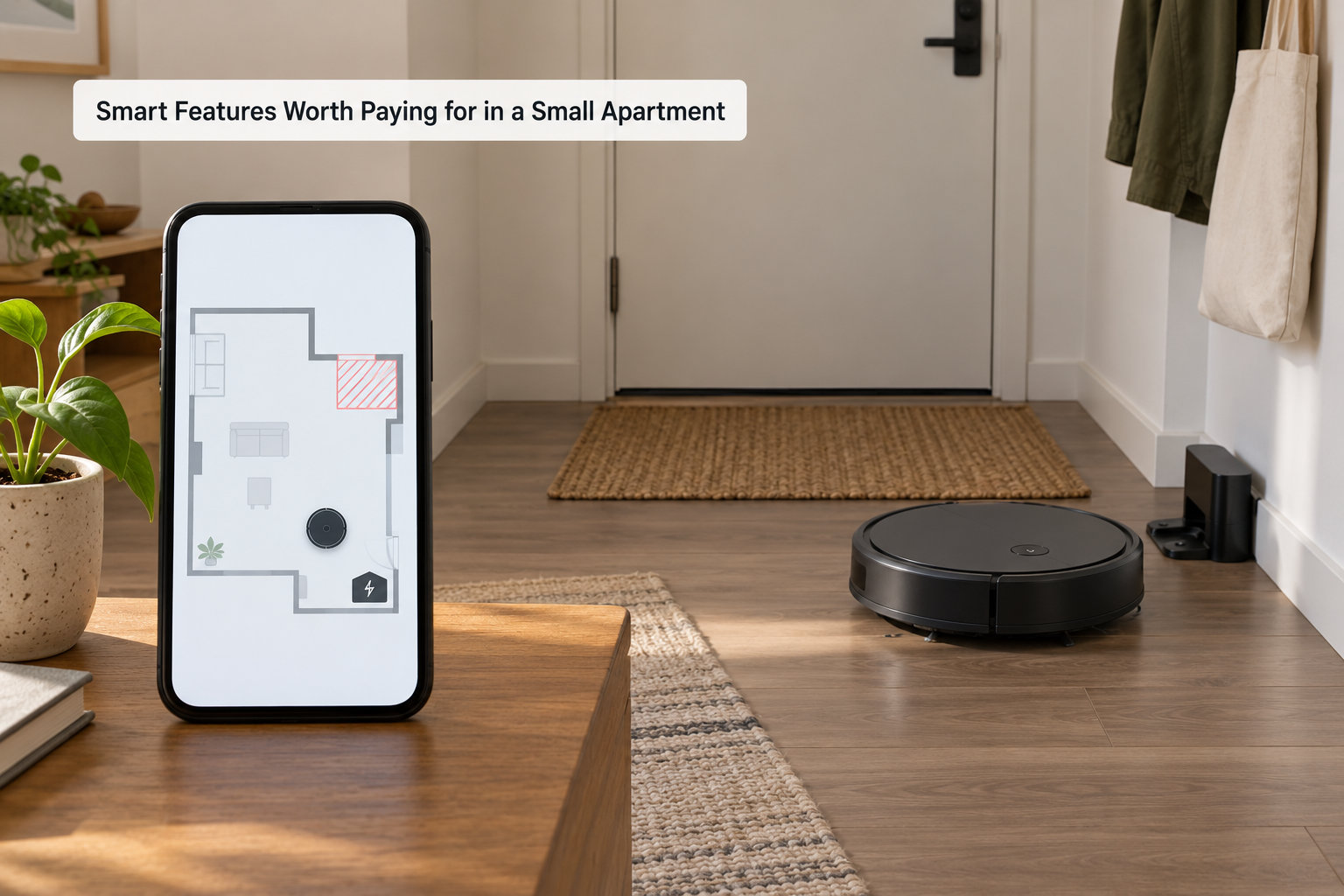
Smart features divide cleanly into two groups: the ones that save you time every week, and the ones that look impressive in a demo. In a small apartment, most of the second group can be skipped.
Worth it
- Room mapping and room labels, so you clean the kitchen after dinner and skip the bedroom until the weekend.
- No-go zones and virtual walls, which let you keep the robot off a single rug or away from cables without moving furniture.
- Scheduling, because the noisiest part of ownership is predictable and you control when it happens.
- Recharge and resume, which matters if your threshold crossing forces a mid-run stop.
- Washable filters and a washable mop pad, since you will rinse them monthly anyway and replacements add up.
Usually not worth it
Voice assistant support is convenient but rarely essential, since the app schedule runs without it. Fancy multi-level mapping is wasted if you live on one floor, which is the norm for apartments. Advanced self-cleaning stations that wash and heat-dry the mop add moving parts, water connections and a larger footprint for a benefit you only notice on heavily soiled tile.
The one caveat worth checking: some brands have gone through restructuring, discontinued lines or changed their app support in recent years, so a robot that seems like a bargain today can be awkward to service later. If you plan to keep a robot for five years, check that the brand still publishes firmware updates and sells replacement filters and brushes locally.
Noise, Battery Life, and Maintenance for Apartment Living
In apartment buildings, noise is a selection criterion rather than a comfort factor. Two decibels between models is the difference between a background hum and something you notice on a call.
Cleaning noise and the self-emptying spike
Standard cleaning mode sits around 55 to 60 dB on most models, which is close to a quiet conversation. Eco or max-suction modes push higher. Self-emptying is the real problem: the dock’s motor spikes past 75 dB for several seconds when it empties the bin, and that transient is far more noticeable than steady cleaning noise. Schedule the dock to empty at times when nobody is sleeping, which is easy if you also schedule cleaning to end before then.
Thin walls carry sound. If someone lives directly below you, run the robot while you are out, or mid-afternoon rather than early morning. A robot that runs while you are out is also the cleanest scheduling trick in apartment living.
Runtime you actually need
Most robot vacuums run 60 to 70 minutes on standard mode, which covers a small apartment in a single pass. High-suction modes cut that noticeably, and carpet eats battery fast, so a low-battery early return can leave half your floor untouched. For anything over about 800 sq ft of cleanable floor, battery capacity starts to matter. Below that, it barely does.
Maintenance load
The recurring tasks are emptying the bin, rinsing the filter every month or two, and cutting hair off the brushroll. With pets, expect to do all three on a schedule whether you like it or not. Replacement consumables, including dust bags, filters, side brushes and mop pads, are the ongoing cost of ownership that product pages rarely spell out, and availability of those parts a few years from now matters more than the sticker figure.
Most owners who keep a robot for years also keep a cordless stick vacuum, used every few weeks for corners, stairs, upholstery and the edges the robot cannot reach. Robots do not climb stairs, and that is not changing in this category.
A Simple Buying Checklist Before You Pay
Run through this list with your measurements in hand. If a model fails the first two lines, stop reading its feature list, because it will not clean the floor you actually live on.
- Height fits. Your lowest clearance minus half an inch is still more than the robot’s height.
- The dock physically fits. Measured width, depth, side clearance and a nearby water source if it has a tank.
- Floor compatibility. Carpet boost and threshold climbing for rugs, mop lift for hard floors mixed with rugs.
- Navigation matches your layout. LiDAR or camera mapping for multi-room accuracy, random only for a single open studio.
- Noise is acceptable in standard mode, with a schedule you can live with.
- Pet tooling. Anti-tangle brushroll, rubber side brushes, bin capacity you will actually keep up with.
- App and privacy. Check whether mapping happens in the cloud or on the device, and whether the app needs a permanent account.
- Support and parts. Warranty length, local filter and brush availability, and whether the brand is still shipping firmware updates.
- Return policy. Run it on your floor for at least a full week before the return window closes.
- Running costs. Price the dust bags, filters, mop pads and side brushes you will replace each year.
Refurbished or previous-generation models deserve a real look for a first purchase. Owners frequently report that a refurbished older model handles a one-bedroom comfortably, and the savings can be substantial compared with buying the newest generation that you would outgrow anyway.
Frequently Asked Questions
Are robot vacuums good for small apartments?
Yes, for daily maintenance, because a single charge covers the whole floor and a mapped robot finishes a small flat in under half an hour. The catch is fit: a robot too tall for your furniture loses the under-sofa zone, and a bulky dock eats scarce space. Measure clearance and dock footprint before buying.
What robot vacuum is best for a small room?
For a small room, prioritise height and navigation over suction. A low-profile body under 3 inches reaches under most beds and sofas, and LiDAR or camera mapping finishes methodically instead of repeating strips. Random-bounce models are usable in a single open studio but leave corners behind.
How big is a robot vacuum dock?
A basic charging dock is roughly the size of a paperback book. A self-emptying base station needs an alcove around 16 inches wide with clearance on both sides, and adding a water tank for mopping extends the depth further. Measure your corner before choosing, because the base never moves once installed.
What are the downsides of robot vacuums?
The main drawbacks are fixed. They cannot clean stairs, they struggle with long pet hair that wraps around the brushroll, they need the floor cleared of clutter before each run, and small bins fill quickly. Many owners keep a cordless stick vacuum for corners, edges and deep cleaning every few weeks.
How do robot vacuums map your apartment?
Most robots map on the first run. LiDAR models spin a laser to measure walls and furniture, while camera-based models build the same map visually. Gyroscope models track movement without a map at all. Mapped robots then enable room labels, no-go zones and clean-by-room, which is where their real advantage in small spaces comes from.
What is the quietest robot vacuum for apartment living?
Look for a quoted cleaning figure under 60 dB in standard mode, since quiet models cluster in the low 55 to 60 dB range. Schedule runs so nobody is sleeping, and remember the self-emptying spike, which exceeds 75 dB for several seconds and is the loudest part of the whole cycle.
Conclusion
Start with the tape measure: note your lowest furniture gap, your open floor area, the narrowest doorway on the dock route and the corner you can spare. Then list what your floors and pets actually demand, and let that list decide the feature priorities. Navigation and physical fit come first, premium extras come last. Pick a robot that clears your furniture, docks somewhere sensible and stays under 60 dB, and it will earn its floor space every day.