Adaptive charging on Android is a battery-protection setting that fills your phone quickly to around 80%, holds it there, then tops it up so it reaches 100% right before your usual alarm goes off. Instead of sitting at full charge all night, the battery spends most of that time at a gentler level. The upshot is less long-term wear on the cell and the same full battery when you pick the phone up in the morning.
It is a software trick that works on hardware already capable of doing it, so it exists on far more Android phones than the Pixel name suggests. Samsung calls it Battery Protection, Xiaomi calls it charging optimisation, and Apple has its own version called Optimized Battery Charging. Same idea, different menu label.
Here is what the feature actually does, which phones have it, how to switch it on, and what to do when it refuses to trigger.
Table of Contents
- Quick answer
- What Is Adaptive Charging on Android?
- Adaptive charging is not adaptive battery
- And no, this is not the electric car feature
- How Does Adaptive Charging Work?
- The three stages, in plain English
- What makes it trigger, and what does not
- Automatic optimisation versus scheduled charging
- What Does Adaptive Charging Do for Battery Life?
- Why 80% is the number people keep quoting
- Which Android Phones Support Adaptive Charging?
- How to Turn Adaptive Charging On or Off
- On a Google Pixel
- On a Samsung phone
- On Xiaomi and HyperOS phones
- Why adaptive charging is not kicking in
- Adaptive Charging vs Fast Charging
- Is Adaptive Charging Safe for My Phone?
- Frequently Asked Questions
- Is it good to use adaptive charging?
- Is it better to use adaptive charging or limit charging to 80%?
- Can I turn off adaptive charging?
- Why is my adaptive charging not working?
- Should you limit phone charging to 80%?
- What is the best battery protection mode on a Samsung phone?
- What to Do First
Quick answer
Adaptive charging learns when you normally plug in and unplug your phone, then holds charging near 80% overnight and finishes the last 20% in the hour or two before your alarm. It is designed to reduce the hours your lithium-ion battery sits full and warm.
What Is Adaptive Charging on Android?
Adaptive charging is an automatic battery-management feature that slows or pauses charging near full capacity and resumes fast charging in time to reach 100% shortly before you unplug. It charges quickly at first, throttles in the middle, then gives you a full battery in the morning.
That is different from fast charging. Fast charging is about raw speed: how many watts the phone will accept in the first 20 or 30 minutes. Adaptive charging is about timing, and it will happily make the last stretch of the night take three hours instead of twenty minutes. The two features run at the same time and are not rivals.
It is also different from a hard charge limit. A limit pins the phone at 80% and refuses to go further until you tell it to. Adaptive charging still delivers 100% in the morning, it just gets there late and quietly.
Adaptive charging is not adaptive battery
Two different features, and people mix them up constantly. Adaptive Battery limits which background apps are allowed to wake your phone and drain it. Adaptive charging changes how the phone takes in power. Turning adaptive battery on will not slow charging; turning charging optimisation off will not restrict background apps.
If you searched for this topic and landed on a video about your phone lasting longer, that is adaptive battery. If you care about the charger, stay here.
And no, this is not the electric car feature
Some results for this query describe EV adaptive charging, where a charger or vehicle changes its power draw based on tariffs, grid capacity or a car’s limit. That is a completely unrelated industry term. Phone adaptive charging has nothing to do with electricity prices.
How Does Adaptive Charging Work?
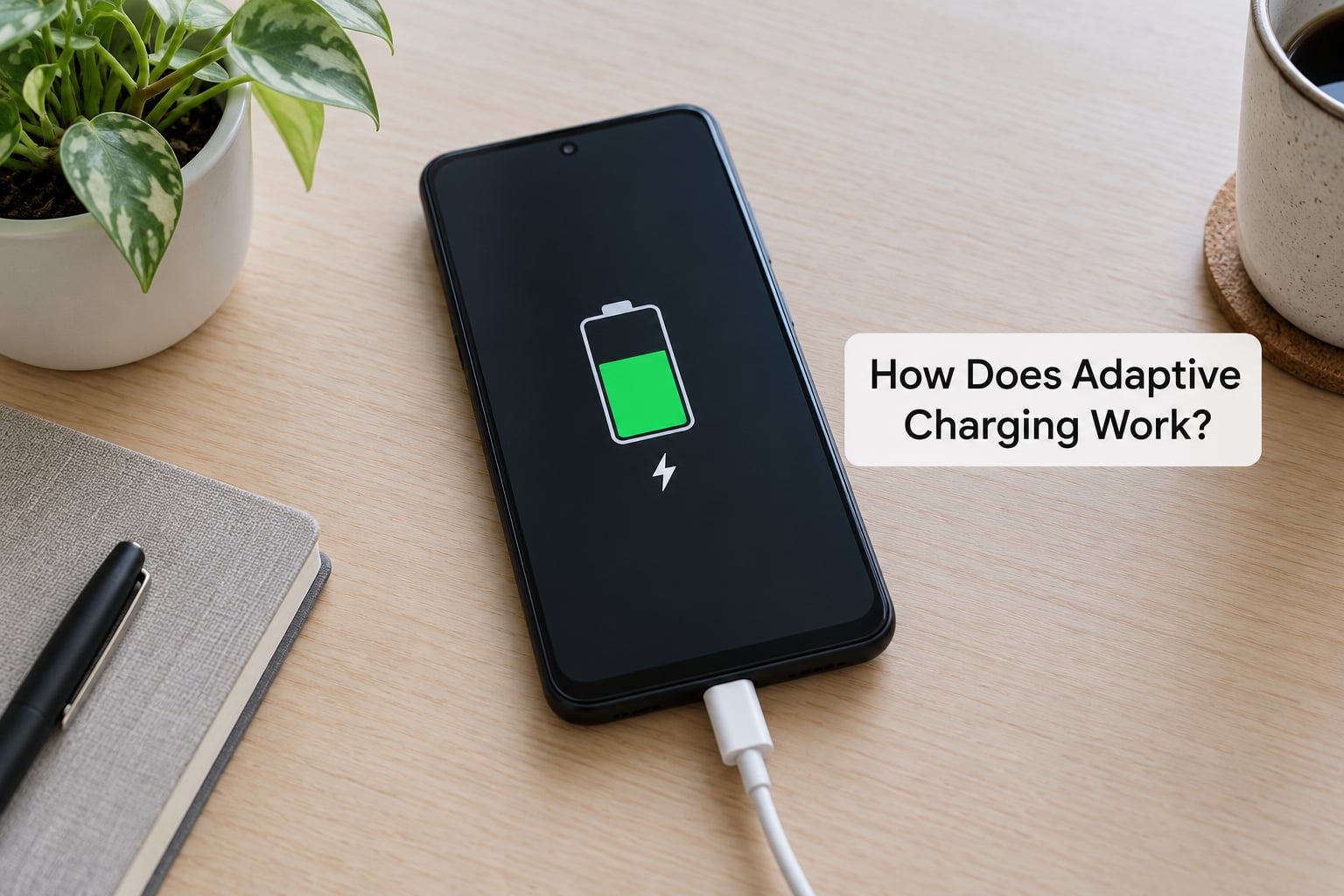
The feature runs an on-device algorithm that learns your routine. It watches when you typically connect the charger, how long you usually stay connected, and when you set your morning alarm. It never sends that data anywhere; the learning happens on the phone.
The three stages, in plain English
- Charge fast to about 80%. Plug in at 11pm and the phone behaves exactly like a normal fast charger for the first part of the night, reaching roughly 80% within the hour or so.
- Hold or trickle near full. Once it reaches that point, charging slows to a trickle or pauses entirely. Your battery gauge may sit at 80% or 81% for several hours and the phone may feel barely warm.
- Finish before your alarm. Some hours before the alarm you set, full charging resumes so the phone arrives at 100% right as you wake up, rather than sitting at 100% for the rest of the night.
If you see a notification saying something like “Charging complete” or “Fully charged,” that is the moment it decided you were going to bed, not the moment the battery hit 100%. The screen is telling you the adaptive part kicked in.
What makes it trigger, and what does not
This is the part most articles skip. Adaptive charging is tied to night-time charging and to an alarm on the phone. In the original Pixel implementation, an active alarm set between roughly 5:00 a.m. and 11:00 a.m. was required, and plenty of users still report that behaviour years later.
Practical consequences worth knowing before you go looking for the toggle:
- Plug in during the day at your desk and adaptive charging usually does nothing. There is no alarm to plan around.
- Never set an alarm, or set it for 4:30 a.m., and you may never see the feature activate at all.
- Change your schedule and the finish time can lag behind for a few days while the phone relearns.
- Shift workers with daytime alarms are effectively excluded. Forum threads from night-shift users make this frustration clear.
That limitation is the single biggest reason people conclude the feature is broken. Usually it is just running outside the conditions it was designed for.
Automatic optimisation versus scheduled charging
Some Android skins also offer a scheduled or optimised charge mode, where you type in a time window and the phone fills only during it. That is manual: you set the window. Adaptive charging is automatic: the phone decides, based on what it has learned about your nights.
Think of the scheduled version as picking a shift, and adaptive charging as letting the phone staff the night itself. The automatic one is easier to forget about, which is exactly why most people leave it on.
What Does Adaptive Charging Do for Battery Life?
The honest answer is that it reduces one specific kind of wear: time spent sitting at a high state of charge while the phone is warm. It does not stop ageing, and it will not rescue a battery that is already worn out.
Inside a lithium-ion cell, pushing toward full charge stresses the anode side of the cell most. Heat compounds it. And the classic overnight scenario is the worst case: 100% charge, phone face-down on a pillow, warm for eight hours. Adaptive charging removes the “100% for eight hours” part, which is the part you can actually control without changing your habits.
Why 80% is the number people keep quoting
Charge stress climbs steeply in the last fifth of the range. A rough way to picture it: imagine a room that holds ten people comfortably, and the eleventh person has to squeeze in. Around 80% the cell is in the comfortable zone; above it, the chemistry is working harder for every extra point. Holding at 80% for a whole night is the cheap win, and adaptive charging gives you the option without the daily top-up charge a permanent limit demands.
A hard 80% limit and adaptive charging are not equally convenient, and that is where most arguments go wrong. A hard limit means your phone says 80% at 8am and stays there until you top it up. Adaptive charging means your phone is at 100% when you wake. For most people the second option is the sensible one.
| Mode | Battery health over time | Daily convenience | Best for |
|---|---|---|---|
| Adaptive charging | Good: cuts hours at full charge | High, phone is full in the morning | Most overnight chargers |
| Limit to 80% | Best for the cell, closest to storage conditions | Lower, needs a top-up each day | People who keep a phone 4+ years |
| Bypass or charge-through mode | Neutral to good, power runs around the cell | Good, but only while plugged in | Gamers plugged in for hours |
| No limit at all | Worst, cell sits full and warm | Highest, always 100% fast | Phones replaced every year or two |
What you should realistically expect: this is a long game, not a visible fix. Nobody goes to bed and wakes up with a better battery. The gain shows up in two to four years, as slightly less capacity fade than you would have had, and it costs you nothing except the last 20% arriving later.
If you upgrade your phone every year or two, honestly, none of this matters much. If you keep the same phone for four, five, or seven years, or your device has a long support window, this is one of the cheapest battery protections available and it costs nothing to leave switched on.
Which Android Phones Support Adaptive Charging?
Support depends on four things: the model, the manufacturer’s software, the charger you plug in, and in some cases the Android version. No two brands ship it identically, and a feature can be absent on a cheap model while present on a pricier one in the same series.
Google Pixels are the reference implementation. It arrives on the phone and is the version most people mean when they say adaptive charging. Samsung ships an equivalent called Battery Protection inside its battery menu, and some models add stronger options that also slow the charge deliberately. Xiaomi and HyperOS phones have their own charging optimisation, and other Android brands generally have some form of charge limit or optimised charging, though naming and availability vary by region and by software version.
| Brand | What it is called | Where to look |
|---|---|---|
| Google Pixel | Adaptive charging (under Charging optimisation) | Settings > Battery > Charging optimisation |
| Samsung | Battery protection | Settings > Battery > Battery protection |
| Xiaomi / HyperOS | Charging optimisation | Settings > Battery > Charging optimisation |
| OnePlus and similar | Adaptive charging or charge limit | Settings > Battery > Charging settings |
| Stock Android | Varies by device maker | Search Settings for battery or charging |
Two caveats. Menus move between versions, so a path that was correct on last year’s build may sit one level deeper now. And a few markets ship features that are switched off by default or absent on specific variants, which is the usual reason a person says their phone does not have it.
If you cannot find it, the fastest fix is to use the search bar inside Settings and type battery, then look for anything with charging optimisation or battery protection in the name.
How to Turn Adaptive Charging On or Off
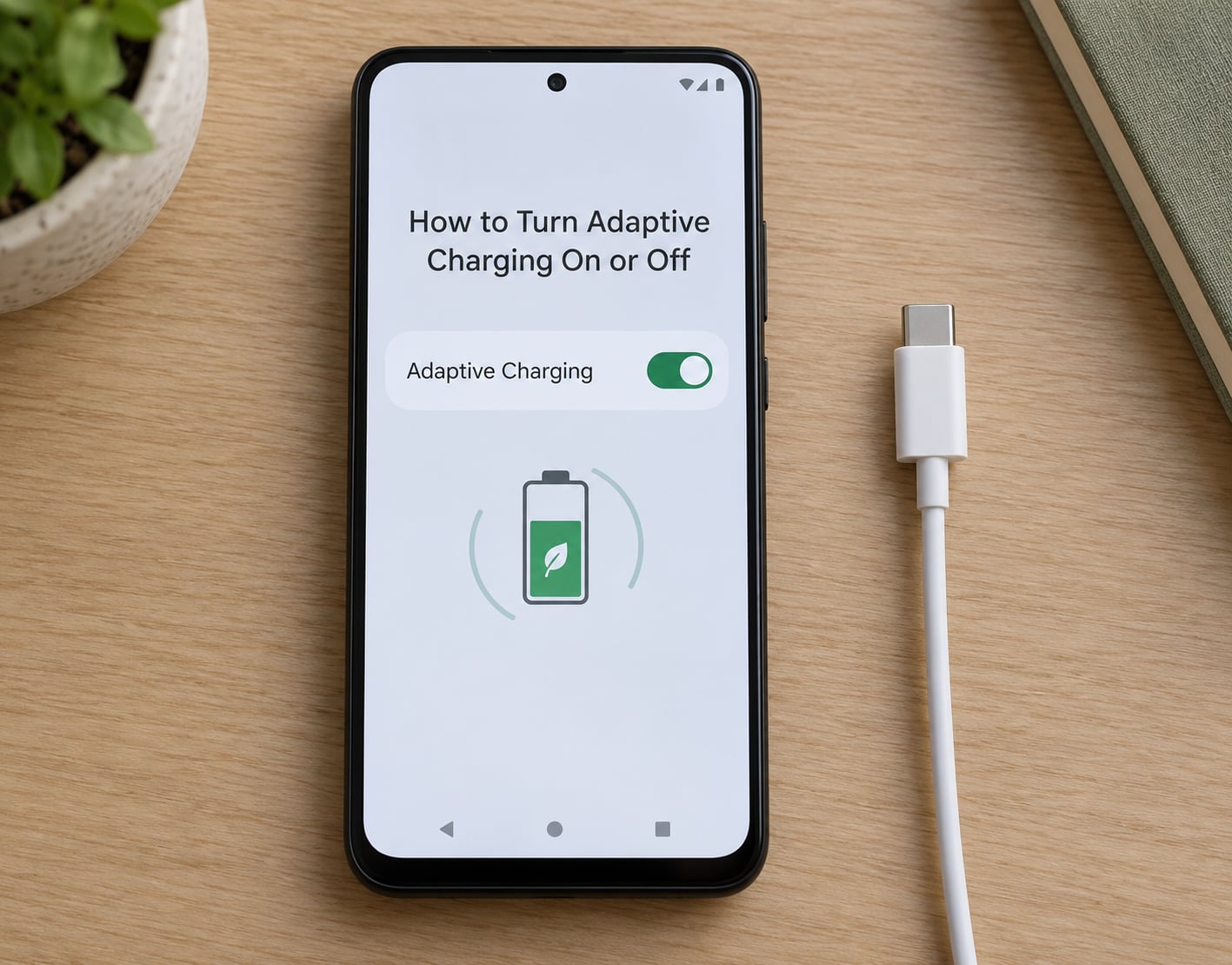
On most phones it takes about twenty seconds. Paths below cover the major brands, and labels shift between software versions, so go by the wording rather than the exact position.
On a Google Pixel
- Open Settings and tap Battery.
- Tap Charging optimisation.
- Turn Adaptive charging on (or off).
- To see it work, plug the phone in at night with an alarm set for a few hours later and watch it sit near 80% before it finishes.
Adaptive charging is on by default on Pixel phones, which is why most people never find this menu until they go looking.
On a Samsung phone
- Settings > Battery > Battery protection.
- Choose Basic for the adaptive-style behaviour, or Maximum for the stricter limit that keeps the battery lower for longer.
- Some Samsung models also offer a separate Protect battery while charging to 85% option, which is a different setting from adaptive charging.
Samsung users often ask which mode is best. Basic is the one that behaves like adaptive charging and still gives you a full battery in the morning. Maximum is closer to a permanent limit and suits a phone you intend to keep for years.
On Xiaomi and HyperOS phones
- Open Settings and search for battery or charging optimisation.
- Turn on charging optimisation, then set the time window you want it to protect.
- On some models the schedule is what activates the feature, so setting the window matters more than the toggle.
HyperOS moves this around depending on the model, and search inside Settings is faster than hunting through menus that differ between the current and previous generations.
Why adaptive charging is not kicking in
If the phone races to 100% and stays there, work through these in order. Most cases are the first two.
- No alarm set. The feature plans around a morning alarm. Without one, it has no finish line to aim at.
- Charging during the day. Desk charging almost never triggers it, which is the most common complaint in Pixel user forums.
- Alarm outside the early-morning window. Very early alarms have historically been outside the range the feature will use.
- It is still learning. After a change of routine it can take several nights to re-adapt.
- A recent update changed the behaviour. Google has confirmed at more than one point that charging more slowly to reach the limit is intentional, not a fault. It also changed settings after some software updates, so re-check that the toggle is still on.
- Charger not recognised. A basic or unbranded charger can prevent the feature engaging properly. Plug in with a known-good cable and adapter and see if the behaviour changes.
The wireless charging question comes up constantly: it generally works, but because wireless pads deliver lower power and more heat, many phones behave more conservatively there. Expect adaptive charging to engage less reliably, not to fail outright.
Adaptive Charging vs Fast Charging
These two run together, and confusing them causes most of the frustration. Fast charging is how quickly the phone accepts power in the first half hour. Adaptive charging is when the phone decides to slow down and finish charging overnight.
Think about a road trip. Fast charging is the motorway, adaptive charging is the cruise control that eases off as you approach the speed limit. You want both. Turn adaptive charging off and the motorway just runs you straight to 100% and parks the car there all night.
| Adaptive charging | Fast charging | Scheduled charging | |
|---|---|---|---|
| Main purpose | Protect long-term cell health | Fill the battery quickly | Restrict charging to set hours |
| Charging behaviour | Fast, then hold, then finish | High power, front-loaded | Charges only inside your window |
| Effect on speed | Slower in the final 20% | Fastest in the first 20-30% | Depends on the window |
| Effect on battery | Reduces time at full charge | More heat, faster early fill | Reduces time at full charge |
| Who sets it | The phone, from your routine | You, with the charger | You, with the schedule |
| Best for | Overnight charging, long ownership | Quick top-ups before leaving | Fixed routines, gaming on a desk |
One side effect worth planning for: on some recent Pixel builds, charging up to the limit is deliberately slower than it used to be, which is why people report the phone taking ages to get from 50% to 80%. That is a change in behaviour, not damage.
Is Adaptive Charging Safe for My Phone?
Yes. Leaving a modern phone plugged in overnight will not overcharge it, and adaptive charging makes that night even gentler rather than riskier.
The overcharging warning dates back to phones with removable batteries and cheap protection circuits. Today’s phones have a power management chip that stops pulling current when the cell is full. The battery is not sitting there being force-fed; the phone simply stops asking for more.
What heat does matter. A phone charging to full inside a pillow, in a hot car, or under a blanket is a phone held at high charge and high temperature at the same time, which is the combination worth avoiding. That is an argument for a hard limit, not against charging overnight.
A few practical rules keep it boring and safe:
- Use the charger and cable that came with the phone, or a reputable replacement with the right wattage and voltage.
- Avoid charging on soft surfaces while you sleep, and keep the phone uncovered.
- Do not use a phone that is swollen, hot without charging, or with a visibly bent screen, and get it looked at.
- Expect heat while fast charging, particularly in a case. Remove the case if the phone is too warm to hold comfortably.
- Long unattended charging in very high heat, such as a phone left in a sunlit car, is the one scenario to skip entirely.
Signs of an actual problem are unusual, and worth acting on: a phone that will not hold charge, a battery that empties suddenly when it was full this morning, a bulge in the screen, or a charging icon that will not go away. Those are hardware symptoms, not software settings.
On privacy, the routine learning happens on the device. The feature is not uploading your alarm times to a server as far as the published descriptions go, which is the concern that comes up in forums.
Frequently Asked Questions
Is it good to use adaptive charging?
For most people, yes. It reduces the hours your battery sits at 100% while warm, which is the part of overnight charging that causes the most wear. You still wake up with a full phone, so there is no real daily cost. If you replace your phone every year it makes almost no difference, but if you keep one for four years or longer it is close to free protection.
Is it better to use adaptive charging or limit charging to 80%?
Adaptive charging if you want a full battery every morning without thinking about it. A hard 80% limit is slightly better for the cell over many years, but you will need to top up during the day. Most people find the daily top-up annoying enough to switch the limit back off, which is why adaptive charging is the more common setting.
Can I turn off adaptive charging?
Yes, and it is a simple toggle. On a Pixel go to Settings, then Battery, then Charging optimisation, and switch adaptive charging off. Samsung users will find it under Battery protection, and Xiaomi and HyperOS devices put it under charging optimisation. Turning it off means your phone charges straight through to 100% at full speed.
Why is my adaptive charging not working?
The usual causes are that you have no alarm set, that you are charging during the day, or that your alarm falls outside the early-morning window the feature uses. If you changed your schedule recently, give it a few nights to relearn. After a software update it is also worth re-checking that the toggle is still switched on.
Should you limit phone charging to 80%?
It is the gentlest option for the cell and is worth it if you keep the same phone for years. The trade-off is convenience, because you have to top up during the day or carry a charger. Adaptive charging gives most of the benefit without that daily chore, which is why it is a sensible middle ground.
What is the best battery protection mode on a Samsung phone?
Basic mode is the closest to adaptive charging: it holds back near full and finishes before you wake. Maximum keeps the battery lower for longer, which protects the cell harder but means topping up more often. Pick Basic for everyday use and Maximum only if you are keeping the phone for four years or more.
What to Do First
Check that adaptive charging is switched on, set a morning alarm, and plug in tonight. That is the whole test: if the phone sits near 80% for a while and finishes before the alarm, the feature is working and you never need to touch it again.
Leave fast charging on for daytime top-ups, keep the phone off soft surfaces while it charges overnight, and forget about battery settings until it is time to replace the phone. Updated for 2026.