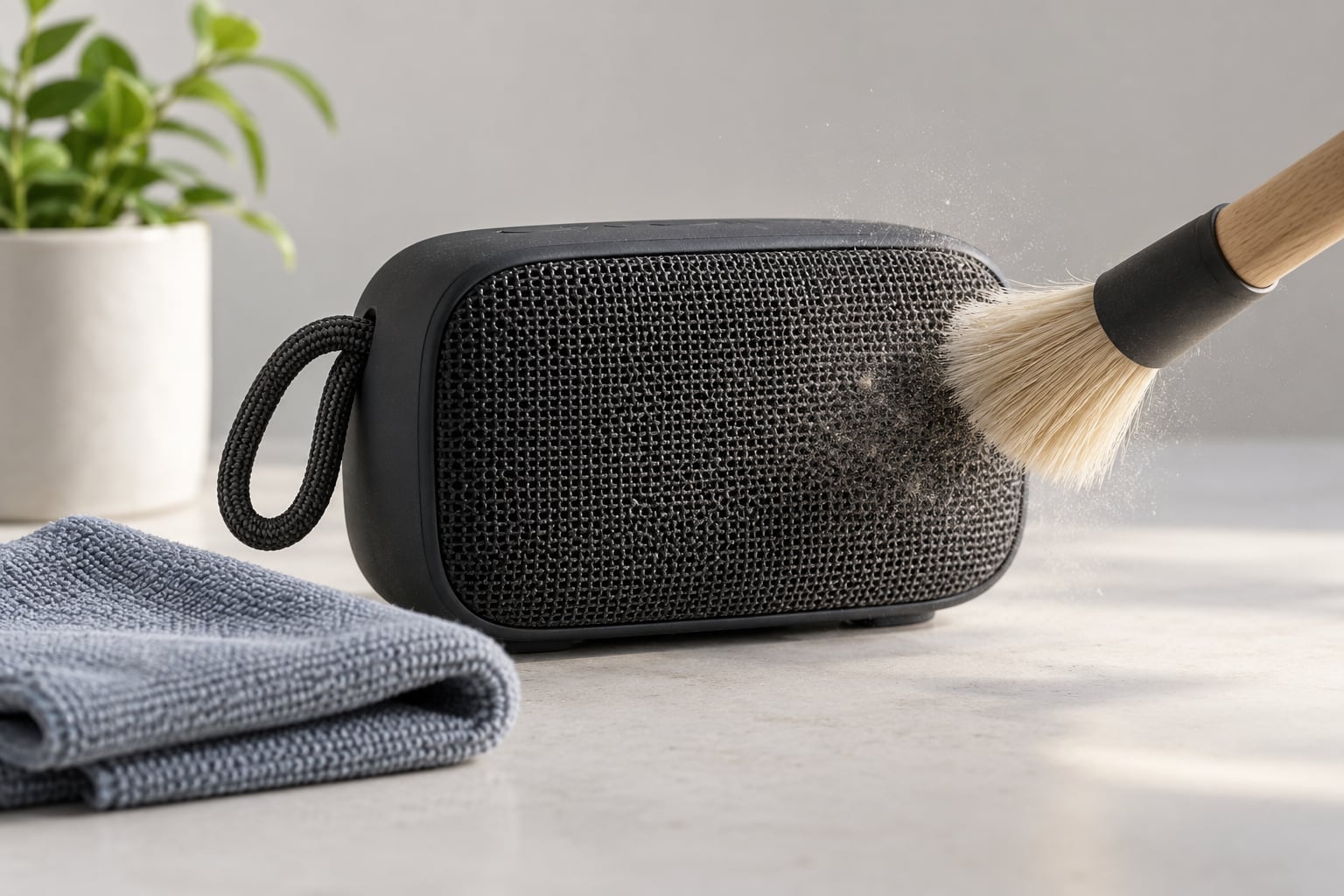
To clean a Bluetooth speaker grille: turn the speaker off, hold it grille-side down, and brush the cover lightly with a clean, dry, soft-bristled brush so dust falls away instead of deeper. Lift stubborn debris with low-tack tape or cleaning putty, keep liquids off the mesh, and give the speaker a full day to air out before you power it on.
That whole job takes about ten minutes for a desk speaker and closer to twenty for something that lives on a patio or in a car. It is the least glamorous maintenance in the world, and it is also the difference between a speaker that sounds like itself and one that sounds like it is talking through a pillow.
The grille (you will also see it spelled grill) is the outer cover over the drivers: perforated metal, perforated plastic, or stretched acoustic fabric. It is engineered to let sound out while keeping dust out, but the barrier only works one way. Sound passes; grit collects, packs down, and slowly damps the driver behind it.
Here is what I have found after cleaning the same handful of portable speakers over the years. The muffled sound people complain about is almost never a dead driver. It is a dust blanket sitting a millimetre from the cone, and a dry brush takes it off in seconds. The speakers that actually break are the ones where liquid went where liquid should never have gone.
One more thing worth knowing before you start: a dust problem and a water problem feel similar and behave completely differently. Cleaning fixes the first one. On the second one, cleaning is the wrong job entirely.
Table of Contents
- What You Need
- Step-by-Step
- 1. Identify the grille material and check the manual
- 2. Turn off and disconnect the speaker
- 3. Remove loose dust with a soft brush
- 4. Wipe the grille gently
- 5. Clean stubborn dirt between openings
- 6. Let the speaker dry completely
- Common Mistakes to Avoid When You Clean a Bluetooth Speaker Grille
- Why a damp cloth and a hard brush damage a Bluetooth speaker grille
- What Never to Use
- Should you remove the grille at all?
- How to tell dust from water damage
- Frequently Asked Questions
- Can I clean a Bluetooth speaker grille with compressed air?
- How do I clean a fabric speaker grille without ruining it?
- Should I remove the grille to clean it?
- What is speaker grille cloth made of?
- How long does a Bluetooth speaker need to dry after cleaning?
- Does a dusty speaker grille actually affect sound quality?
- Conclusion
What You Need
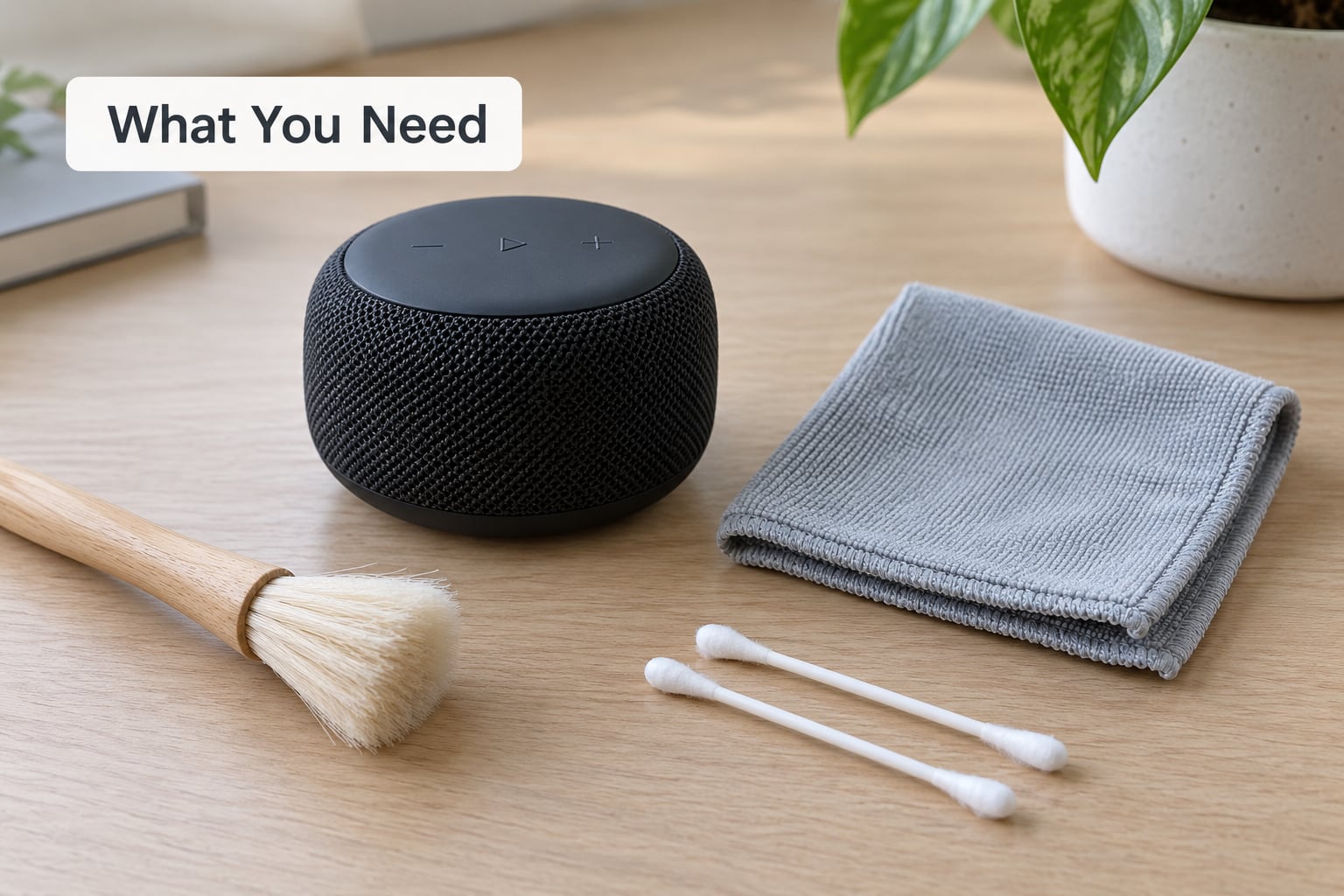
You need very little, and most of it you already own. The point of this list is that every item is safe on acoustic mesh, plastic and painted surfaces alike.
- A clean, dry, soft-bristled brush. A paint brush or a clean toothbrush works. The bristles need to be soft and the brush needs to be free of old paint, not a stiff dish brush.
- A microfiber cloth. One for the body of the speaker, ideally a second one that you will not touch again for dust work.
- Cotton swabs. Dry, for the narrow gaps around buttons and between the grille and the housing.
- Low-tack tape. Painter’s tape or Scotch tape lifts fine dust out of mesh openings better than any liquid. Press it on, leave it a few seconds, peel it away.
- Cleaning putty or sticky tape putty. Optional, but it is the single best tool for lint packed into fabric grilles. Press the putty against the grille and lift; it pulls the lint and leaves the weave behind.
- A brush-on vacuum or small handheld with a brush attachment. Only on the lowest suction, and never on a fabric grille that is not firmly attached.
- A flashlight. Held at a low angle across the grille, it turns a flat black mesh into a landscape of packed dust, which makes it obvious where the real work is.
- A dry towel and a ventilated, well-lit spot. Away from drinks, pets and children.
Compressed air is optional and has real downsides, which I cover in the steps and again in the mistakes section. I would rather you skip it entirely.
Step-by-Step
1. Identify the grille material and check the manual
Different covers need different methods, and using the wrong one is the most common way people damage a speaker. Spend a minute here.
| Grille type | How to spot it | Safe cleaning method |
|---|---|---|
| Perforated metal mesh | Round or slotted holes punched in metal, often painted or powder-coated | Dry brush, then tape or putty. A barely damp wipe is fine on the metal itself. |
| Perforated plastic | Molded holes in a thin plastic shell, often glossy | Dry brush and cotton swabs. Damp cloth on the shell, not through the holes. |
| Fabric or acoustic cloth | Woven or non-woven grille cloth, sometimes wrapped around a frame, stitched or glued at the edge | Dry methods only. Brush, tape, putty. No spray, no soaking, no steam. |
| Coated or rubberised grille | Soft-touch or painted finish, sometimes a sealed mesh behind a trim ring | Dry brush and a cloth barely dampened with plain water. Nothing abrasive. |
The manual matters more than people expect. Some manufacturers state a specific care method, and some of them warn against compressed air or specify a drying time after any moisture. Where the manual and this guide disagree, the manual wins. If your speaker has no care instructions at all, assume the grille is not designed to be removed and clean it in place.
2. Turn off and disconnect the speaker
Power the speaker off properly rather than just muting it, and unplug the charging cable if it is on charge. Working on a speaker that is still drawing power risks a stray drop of moisture or a dropped tool landing on a live circuit, and you get a much better grip on a speaker that is not plugged in.
Lay it on a stable, dry surface. If the speaker is warm, let it cool for a few minutes first.
Before you touch the grille, play a track for thirty seconds through your phone and listen. That ten-second baseline is the only way to know later whether the clean helped or whether you have a real fault.
3. Remove loose dust with a soft brush
Turn the speaker grille-side down. This is the single most useful habit in the whole process: dust falls out of the mesh instead of settling deeper, and it cannot drift onto the drivers you are trying to clean.
Work with light, short strokes from the outside inward, angling the brush so debris moves toward an opening rather than into the centre of the weave. Never jab straight in; you are guiding dust out, not driving it in.
You will see how well it worked the moment you turn the speaker over. A flashlight held low across the grille shows you where dust remains, and a beat of airflow from your own lungs across the mesh clears loose particles that are barely clinging on.
4. Wipe the grille gently
Only metal and coated grilles take moisture. Even then, keep it minimal.
For a metal mesh grille, dampen the corner of a microfiber cloth with plain water, wring it out until it is barely damp, and wipe the surface once. The cloth should leave no streak and no bead of water behind.
For perforated plastic, the same barely damp cloth is fine on the flat shell. Avoid letting moisture sit in the holes, because that water goes straight to the driver behind them.
For fabric or acoustic cloth, do not wipe. Dry brushing, tape and putty only. A damp cloth on fabric grille cloth can leave water marks, can wick liquid through the weave, and can shrink or stiffen the material.
Whatever the material, never spray cleaner directly onto the grille. Spray goes where you do not aim it, straight past the mesh and onto the driver surround.
5. Clean stubborn dirt between openings
Some grime will not brush off, and this is where most of the improvement comes from.
Press a piece of low-tack tape onto the grille, hold it a few seconds so it takes hold of the dust, then peel it away. Repeat across the surface. On fabric grilles, cleaning putty does the same job and is gentler on the weave.
A dry cotton swab works in the narrow channels around buttons, along trim seams and in the gap where the grille meets the housing. A soft toothbrush works on stubborn fabric lint, again with the grille facing down.
On metal and plastic grilles only, a vacuum with a brush attachment on its lowest setting will pull out what brushing loosens. Hold it a few centimetres away and never let the nozzle touch the cone, because suction on a driver is a fast way to damage one.
If you use a bulb of compressed air, hold the can upright, stay 20 centimetres or further back, and use short bursts. Keep the angle shallow so the airflow runs across the grille rather than into it. Air can also carry moisture and loose debris straight onto the woofer fabric behind the cover, which is exactly the failure owners report when a speaker starts buzzing after a canned-air clean.
On small two-way speakers, check the passive radiator and any port or vent on the back panel while the grille is exposed. The same brush and swab technique applies, and those openings are the ones owners almost always miss.
6. Let the speaker dry completely
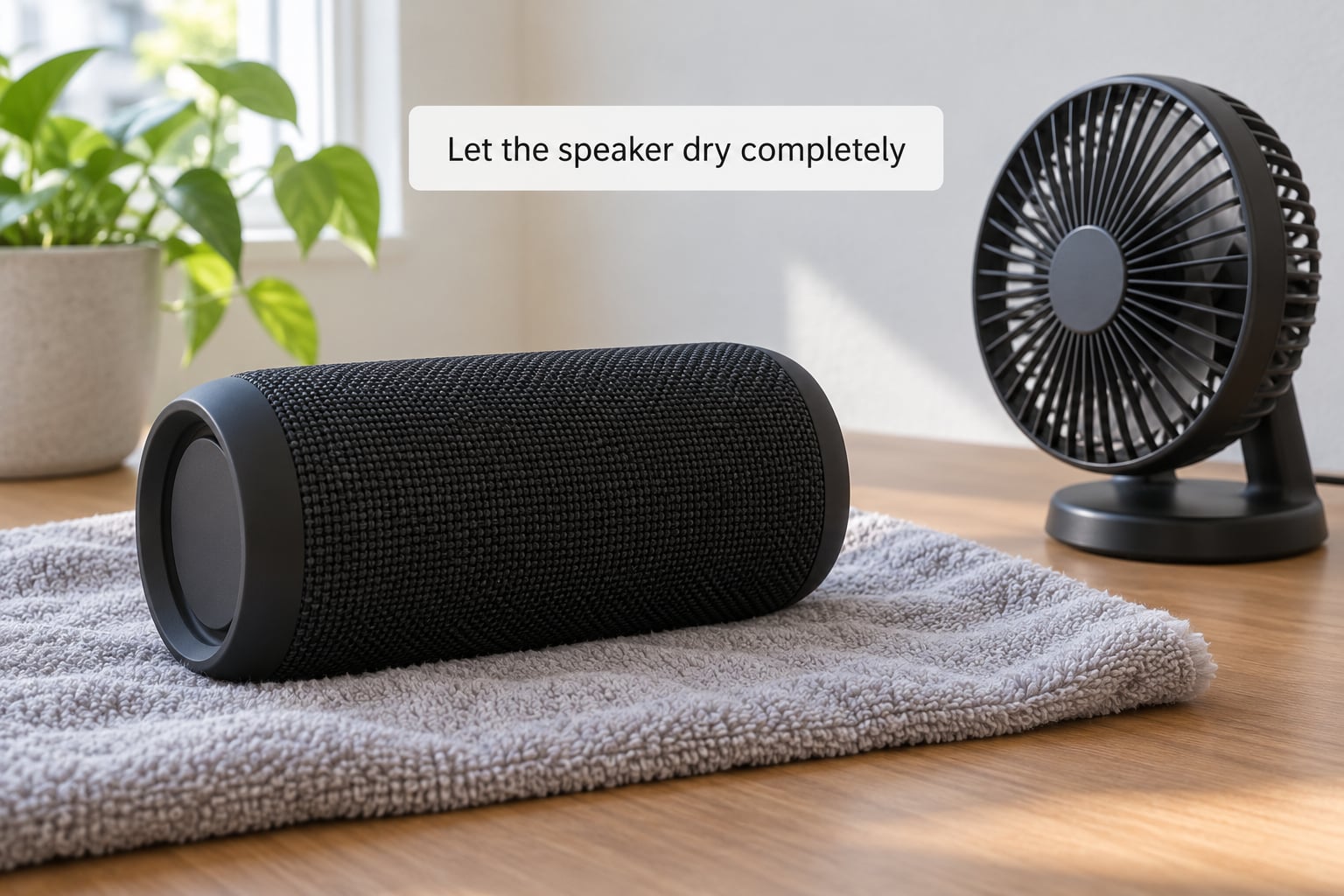
If the grille got damp, the speaker is not finished. Leave it unplugged in a ventilated, dry, room-temperature place for the time the manual specifies, and for at least 24 hours if the manual is silent.
Good airflow helps far more than a hairdryer. A fan on low or a steady draught across the grille will do the job without pushing moisture anywhere it does not belong. Heat is the risk here, not cold.
How do you know it is dry? Not by looking at the surface, which dries long before the inside. Tap the case and listen: a hollow, paper-thin tap usually means dry, while a dull, heavy sound means moisture is still in there. Wait another twelve hours if you are unsure.
Then power it on at low volume and play something with a full range of sound, ideally a sine sweep from about 500 Hz up to 10 kHz. A sweep shows you exactly where the muffling was: the range that was dull before should come back clear, and any rattle or buzz that appears is debris still touching the driver, which means another careful pass rather than more power.
Common Mistakes to Avoid When You Clean a Bluetooth Speaker Grille
Why a damp cloth and a hard brush damage a Bluetooth speaker grille
Two habits cause most grille damage. The first is soaking. A cloth that drips sends water through the openings to the driver, and water on a cone or a surround is not a cleaning problem, it is a replacement problem.
The second is stiffness. A stiff nylon toothbrush, a metal brush or a scouring pad on a fabric grille pulls fibres out of the weave and can leave permanent bald patches that let more dust in afterwards.
What Never to Use
- Pins, needles, toothpicks and paper clips. They do not clean anything; they compact dust and can puncture a driver or cut a power trace. The same goes for the metal tip of a tweezers.
- Sprayed liquid, including water, alcohol and glass cleaner. The grille is a hole into the enclosure, not a surface you can wet.
- Isopropyl alcohol or household cleaners unless the manual allows them. Alcohol strips coatings, dissolves adhesives and reaches the driver. Household cleaners leave a residue that keeps attracting dust.
- Toothpaste or abrasive cleaners. They polish a metal grill grate on a barbecue. On a speaker they leave a chalky film across the grille.
- Compressed air at close range or a vacuum on a fabric grille. Both push debris inward, and air moves what is loose while nothing removes what is packed.
- A wet speaker back on the charger. A charging port is a live connector. Dry first, plug in second.
- Pulling a bonded grille off to get at the driver. More on that below.
Should you remove the grille at all?
Usually no. Grilles on portable Bluetooth speakers are clipped, glued or fabric-bonded, and pulling on one can tear acoustic mesh or break a dust seal that then never closes properly. Repair guides do exist for lifting a glued grille on devices such as smart displays, carefully, with a spudger, but that is a technician operation on a device where no water seal is involved. On a speaker that carries an IP rating, a broken seal is a water-resistance rating you no longer have.
Check the manual for a removable grille. If it clips off without force and the manual sanctions it, clean the extra surface and the driver surround with a dry brush. If it does not, clean in place. Fixing dust behind a grille is worth ten minutes; replacing a torn mesh or a water-damaged driver is worth a lot more.
How to tell dust from water damage
The two feel similar from the couch, and they need opposite responses.
| Symptom | Likely cause | What to do |
|---|---|---|
| Quiet, dull, muffled sound that fades on bass | Dust packed in the grille | Brush, tape and putty. This fixes it in minutes. |
| Sound improves noticeably when you play something loud | Dust clearing itself as the cone moves | Same clean, then clean more often. |
| Rattling or buzzing that comes and goes | Loose debris touching the driver | Brush again, grille facing down, low volume only. |
| One driver silent, rattle at low volume, crackle on bass | Liquid reached the driver or surround | Stop. Do not charge it. Have it serviced. |
| Grille smells musty, discoloured, feels damp or stiff | Moisture inside the enclosure | Air for 24 hours. If sound stays dull, expect service. |
| Grille cloth stiff, wavy or pilling | Fabric got wet or was brushed too hard | Stop wetting it. Dry brushing only from here. |
Frequently Asked Questions
Can I clean a Bluetooth speaker grille with compressed air?
You can, with care. Hold the can upright, keep it at least 20 centimetres from the speaker, use short bursts, and angle the airflow across the grille rather than into it. Air moves loose dust well and packed dust not at all. The bigger risk is that a strong jet drives moisture and debris onto the woofer fabric behind the cover, which is where buzzing after a canned-air clean usually comes from. A brush and tape finish what the air starts.
How do I clean a fabric speaker grille without ruining it?
Use dry methods only: a soft dry brush for loose dust, low-tack tape or cleaning putty for lint stuck in the weave, and a dry toothbrush for stubborn patches. Never spray anything onto fabric grille cloth and never soak it, because water wicks straight through to the driver and can leave permanent marks or stiffening. Hold the grille facing down so debris falls away.
Should I remove the grille to clean it?
Only if the manual says it is removable. Grilles on portable speakers are commonly clipped, glued or fabric-bonded, and pulling on one can tear acoustic mesh or break the dust seal. On a speaker with an IP rating, a broken seal is water resistance you no longer have. Most dust sits on the surface and lifts out in place, so a careful in-place clean is the right first move.
What is speaker grille cloth made of?
Grille cloth is usually a woven or non-woven polyester or nylon mesh, sometimes acoustically transparent and sometimes a knit stretched over a frame and glued at the edge. Metal and perforated plastic covers are common on larger portable speakers. The material decides the method: fabric stays dry, while metal and plastic can take a barely damp cloth as long as no liquid reaches the openings.
How long does a Bluetooth speaker need to dry after cleaning?
Follow the manual when it gives a figure, and allow at least 24 hours in a ventilated, dry room when it does not. A fan on low airflow helps far more than heat. To check, tap the case: a hollow sound usually means dry, a dull heavy tap means moisture is still inside. Charging is the last step, not the first, because a live port and a damp enclosure are a bad combination.
Does a dusty speaker grille actually affect sound quality?
Yes, and it is one of the most common causes of muffled portable speaker sound. A dust layer on the mesh and on the driver behaves like a small acoustic blanket: it absorbs high frequencies first, so voices get dull and thin while bass is still there. Many owners assume the battery or the driver has failed. A dry brush and a piece of tape restore clarity in about ten minutes.
Conclusion
Start with the least aggressive method and stop as soon as the sound clears: grille facing down, soft dry brush, then tape or putty for whatever is packed in. Keep every liquid away from the mesh and the openings, never poke anything into a grille hole, and give a damp speaker a full day on air before it goes back on the charger. When the manufacturer publishes care or water-resistance instructions, follow those over anything you read online, including this.