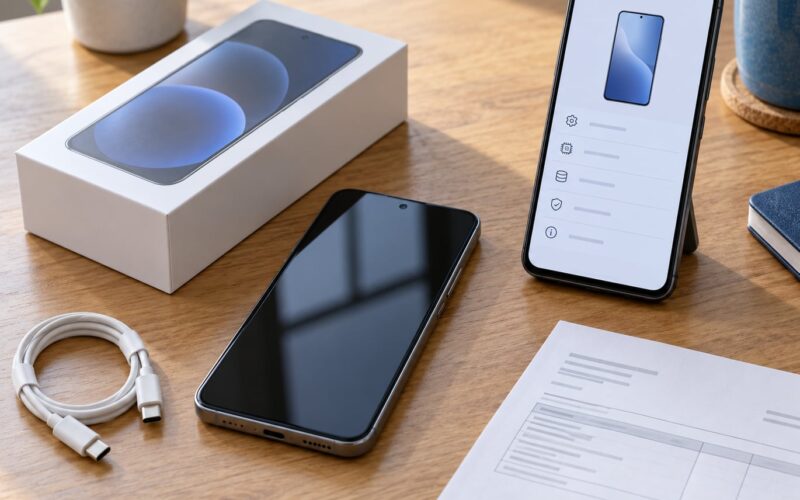
Picking a prepaid phone plan comes down to four things: whether the network works where you actually live and work, how much data you genuinely use, what your total monthly cost looks like after fees, and whether your current phone works on it. Get that order right and the choice takes about an hour. Get it wrong and you either pay for data you never touch or you end up with a cheap plan that stalls every evening when the local network gets busy.
This guide walks through the whole decision, including the parts prepaid marketing tends to skip. Rates, fees and taxes vary by state and change often, so treat any figure you see as a starting point rather than a fact to memorize.
Table of Contents
- What You Need
- How to check your data usage in under a minute
- The short preparation checklist
- Step-by-Step
- Step 1: Set a Monthly Budget
- Step 2: Estimate Your Data Needs
- Step 3: Check Coverage in Your Everyday Locations
- Step 4: Compare Plan Structure and Contract Terms
- Step 5: Review Network Quality and Phone Compatibility
- Step 6: Compare Extras and Fine Print
- Step 7: Test Before You Commit
- Common Mistakes
- Frequently Asked Questions
- Which prepaid carrier is best?
- How do I choose between two prepaid plans that look the same?
- Is unlimited data worth it on a prepaid plan?
- How do I check prepaid coverage before I buy?
- Is prepaid cheaper than a postpaid monthly plan?
- Can I keep my phone number when switching to a prepaid carrier?
- Should I buy a family or multi-line prepaid plan?
- Conclusion
What You Need

Gather seven things before you open a single plan page. Without them you are comparing plans on vibes.
- Your current phone, unlocked, and whether it takes a physical SIM or an eSIM.
- Your real monthly data use, taken from your phone’s own settings rather than a guess.
- Your calling and texting habits, including how many people still have landlines or use SMS heavily.
- Everywhere you need service: house, job, school, commute, gym, weekend spots.
- Your real budget, including the phone cost if you need a new device.
- How you like to pay: card, bank debit, prepaid refill, or cash gift card.
- Whether you need 5G, hotspot, or international roaming, and how much of each.
The two most skipped items are data usage and coverage locations. Both take about five minutes and both decide more than any feature list will.
How to check your data usage in under a minute
On iPhone, open Settings, tap Cellular, and read the figure at the top under Current Period. It shows data used since the billing cycle reset, and tapping the number gives a per-app breakdown.
On Android the path depends on the maker. On most Pixel and stock builds it is Settings, then Network and internet, then SIMs. On Samsung it is Settings, then Connections, then Data usage. Either way, look at total mobile data used, not Wi-Fi.
Check over a full cycle, not one busy weekend. A week of streaming at home on Wi-Fi tells you nothing about your mobile use.
The short preparation checklist
- Unlock your phone and note the model, then confirm whether it uses SIM or eSIM.
- Screenshot your data usage for a full billing cycle.
- Write down the three or four places where bad signal would actually hurt.
- Set your maximum monthly figure before you look at any plan.
- Decide if you are bringing a phone you already own or buying one with the plan.
Step-by-Step
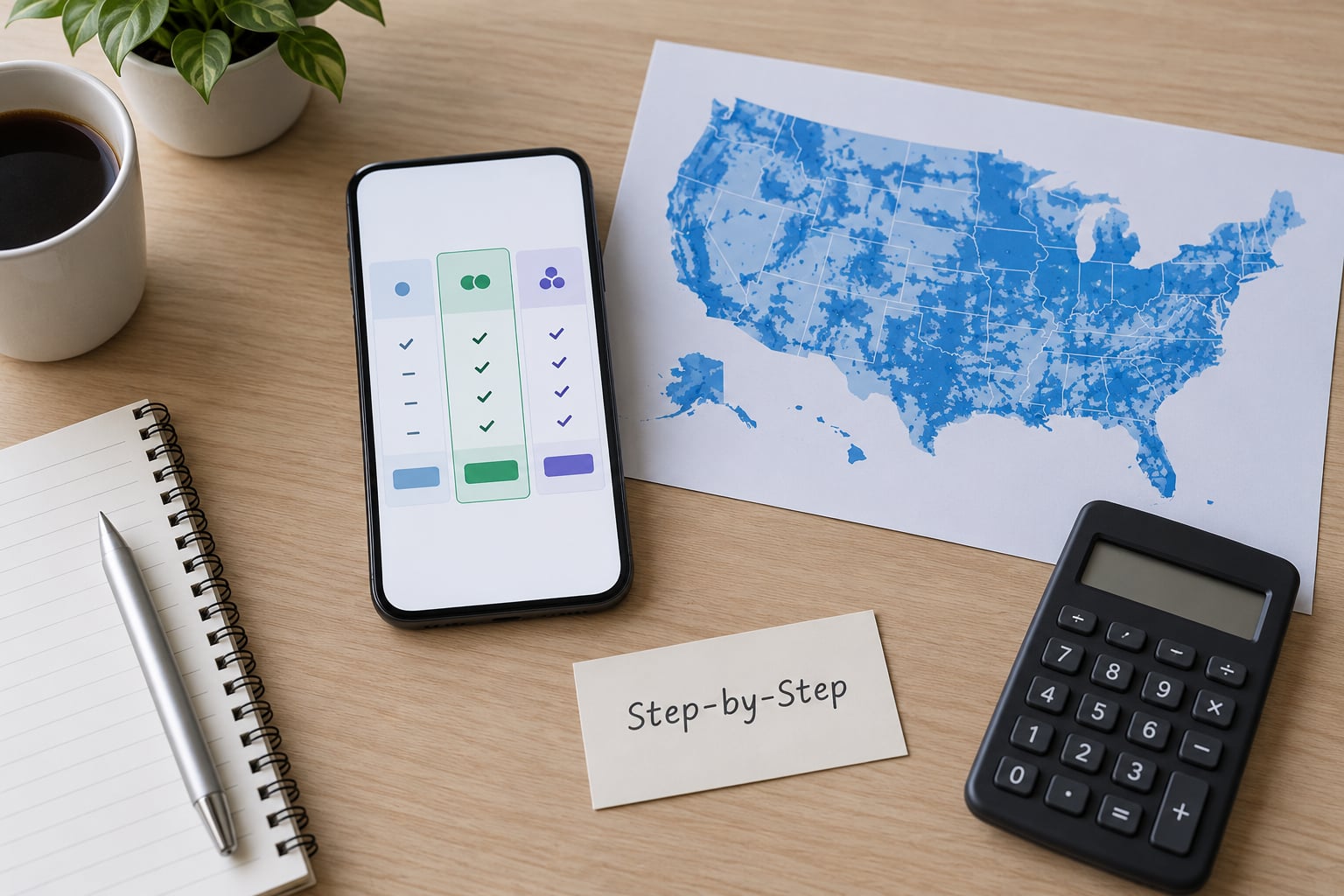
Work through these seven steps in order. Skipping ahead to price is the single most common way people end up on a plan that frustrates them within a month.
Step 1: Set a Monthly Budget
Start by separating the service cost from everything attached to it. A prepaid plan’s advertised rate is rarely the whole bill: local taxes, a one-time activation charge, optional insurance, and add-ons like international calling or extra hotspot data usually land on top.
Build the number yourself. Take the base rate, add the monthly taxes and fees for your state, add any recurring add-ons, and add the one-time activation cost spread across the first year. That gives you a real monthly figure you can compare against another carrier honestly.
A good result is a number that is still comfortable after a bad month. If the plan only works when nothing unexpected happens, it is too tight.
Build a second figure for the phone as well. If you are bringing a device you already own, that number is zero. If you need a new one, compare buying it outright against spreading the cost over the plan, and remember that financing usually adds interest and ties you to that carrier for the length of the agreement. Prepaid plans rarely finance phones, which is why most people who move to prepaid are bringing their own.
Budget for the first bill separately too. Activation charges land once, and a refundable device deposit may show up as a hold on your card rather than a charge. Both are easy to mistake for a bad deal if you only look at the monthly rate.
Now compare structures. Monthly plans give you flexibility at a higher per-month rate. Annual plans cost less per month but lock your money up for a year, and many auto-renew without asking. Dividing the annual total by twelve gives you the break-even comparison, and the honest question is whether you would have bailed in month three. If you probably would, pay monthly.
Step 2: Estimate Your Data Needs
Estimate from your phone’s own statistics, then add a cushion. Most light users sit somewhere between 2 GB and 10 GB a month, streaming-heavy users run 20 GB to 40 GB, and anyone tethering regularly or using the phone as a hotspot for a laptop runs far higher.
Here is roughly what drains an allowance, so you can sanity-check the number from your phone:
- Maps, email, browsing, and messaging: light, usually well under 1 GB a day.
- Music streaming and video calls: moderate, roughly 1 to 2 GB per hour of streaming.
- Standard-definition social video: moderate, a few GB across a week of scrolling.
- High-definition video streaming: heavy, easily 3 GB an hour or more.
- Hotspot tethering: the fastest way to burn through an allowance, often 5 to 10 GB in an afternoon.
Is 50 GB a lot? For one person who streams on the road and never uses the phone as a hotspot, it is generous. For a family hotspot plan, it is a couple of weekends.
A good result is choosing the smallest allowance that covers your peak month, not your average one. Check whether exceeding it is slowed or billed, because those two answers change the math entirely.
Step 3: Check Coverage in Your Everyday Locations
Coverage is not one thing. A carrier’s map shows where its signal is predicted to reach, but real service quality varies block by block, and indoors, underground, or on a highway shoulder it can drop to nothing.
Run two checks rather than one. Start with the carrier’s official map and enter your home address and workplace. Then cross-check with a crowdsourced coverage map and the FCC Mobile Deployment Map, which show reported experiences from other users and tower locations rather than marketing claims.
Pay attention to the places that would actually bother you: your apartment, your commute, your kid’s school, the gym basement, the road between home and work. A plan that is excellent everywhere except one spot you use daily is a bad fit for you, however good the headline map looks.
One important detail for anyone choosing a prepaid brand: most prepaid carriers rent towers from a major network. Visible runs on Verizon’s network, Mint Mobile on T-Mobile’s, Cricket on AT&T’s, and US Mobile on all three. Consumer Cellular uses AT&T and Verizon. That mapping is the reason a prepaid plan can cost much less while still using the same towers, and the reason you should compare prepaid brands by their host network rather than by logo.
A good result is at least one host network with strong coverage at every place on your list, and ideally a second so you have a fallback. If only one network reaches your area reliably, then coverage, not price, ends your decision.
Step 4: Compare Plan Structure and Contract Terms
Prepaid means you pay ahead, not that you are locked in forever. What you are locked into depends on the plan structure: monthly refill, annual prepay with auto-renew, or an installment plan that behaves like a postpaid contract.
Read the renewal language before you check out. Annual plans frequently auto-renew at the same rate or at a new one, and the renewal happens silently until you notice. Monthly plans usually just stop. If you cannot commit for twelve months, choose monthly even when the per-month rate looks worse.
Also confirm these five terms: whether autopay has a discount and how you turn it on, whether cancelling an annual plan refunds anything, whether you can pause a line instead of losing a number, whether upgrading to a new phone resets your balance, and whether the plan requires a credit check. Prepaid plans usually skip the credit check, which is one of the reasons people pick them.
Family and multi-line plans need their own arithmetic. Two lines on a shared allowance often cost less than two separate single lines, but shared data means one person’s streaming eats everyone else’s allowance. Add up the total for the household, not the per-line rate.
A good result is a plan you can leave without penalty in a month you regret the choice.
Step 5: Review Network Quality and Phone Compatibility
Compatibility decides whether you can keep the phone you already own, which is where a lot of the savings come from. Most prepaid carriers do not finance phones, so bringing your own device is the norm rather than an exception.
Before ordering, check three things:
- Unlock status. Your old phone needs to be carrier-unlocked if it came with a contract or installment plan. The carrier that sold it to you will usually unlock it once the device is paid off, usually after a few days of requests.
- Network bands. A phone sold for one major network generally works on another, but not always. Some models lack the bands a specific carrier relies on, which caps your speeds or kills 5G outright. Most prepaid brands publish a compatibility checker on their site; run your exact model number through it.
- SIM or eSIM. Newer phones in the US are increasingly eSIM-only, which rules out any prepaid carrier that only issues physical SIMs. Older budget phones are usually SIM-only, which rules out eSIM-only carriers.
Ask whether the plan supports Wi-Fi calling and VoLTE on your phone. Both help you hold calls indoors where cellular signal is weak, and both need the phone and the network to agree.
A good result is a written confirmation that your model number is supported, not a hopeful guess from a forum post.
Step 6: Compare Extras and Fine Print
Perks decide plans that look identical on price and data, so treat them as real criteria rather than freebies. The common ones are hotspot allowance, international calling, streaming bundles, cloud storage, and device discounts.
Read the conditions attached to each. A streaming benefit usually requires you to be on the highest-priced tier of that brand, bills the whole retail price of the service for a full year whether you watch it or not, and often costs you the discount on another line. Hotspot data frequently has its own cap, and on unlimited plans the hotspot portion is often deprioritized first.
That last point deserves plain language. Deprioritization means your data moves behind the traffic of other customers on the same network once a threshold is hit, and you may notice it most at busy hours and in crowded places. It is not throttling in the old sense, where service stops, but it can turn video and page loads sluggish on a plan that says unlimited.
Write down each perk with three notes: the real cost after your discount ends, whether it applies to every line, and the date it stops. Then decide whether any of it is worth paying for.
A good result is that you can name exactly which extras you chose and what each one costs you per month.
Step 7: Test Before You Commit
Order the plan in a way that lets you change your mind, then run a real test at the places that matter.
- Read the order summary line by line before payment: the rate, the taxes, the activation charge, the first bill date, and the renewal date.
- Save a screenshot of the confirmation email. Customer service will reference the terms in it.
- Walk through each key location and check signal bars and a data page load, not just the icon.
- Make and receive a test call indoors, and place a Wi-Fi calling call if the plan claims support.
- Time the switch so you are not paying for unused days on your old plan. Porting usually takes one to two business days, so start it a few days before your old cycle ends rather than the morning of.
- Write down every answer customer service gives you, including the representative’s name.
Then watch real behaviour over the first full cycle, especially during the evening peak. If you signed up for a higher-priority tier, this is the window where you will see whether it was worth the extra cost.
Common Mistakes
Choosing on the headline rate alone. The cheapest plan is often the cheapest because of something that shows up later: fewer priority data hours, a smaller hotspot cap, or a single host network that struggles where you are. Correct approach: compare your true monthly cost against what you actually use, not against the number in the ad.
Trusting the carrier’s coverage map by itself. Advertised maps show predicted coverage, and predicted is doing a lot of work in that sentence. Correct approach: cross-check with a crowdsourced map and the FCC map, then check the specific locations that would annoy you.
Reading unlimited as unlimited. Unlimited usually means no data cap, not equal treatment on a busy network. Deprioritization is the part most people learn about after a bad evening of buffering video. Correct approach: find the threshold, learn whether your plan is deprioritized, and check whether hotspot counts separately.
Ignoring taxes, fees, and the renewal jump. A low advertised rate with added fees and a higher renewal rate is more expensive than it looks. Correct approach: total the first year, then the second, and compare the two figures rather than the sticker.
Buying far more data than you use. People on plans built for streaming often use a fraction of the allowance. Correct approach: check a full cycle of real usage, then buy the tier above it and stop there.
Checking device compatibility late. An unsupported band or an eSIM-only phone on a SIM-only carrier means starting over. Correct approach: run your exact model number through the carrier’s checker before you pay for anything.
Assuming perks are unrestricted. Streaming bundles are frequently tied to the priciest tier, billed annually, and can remove discounts on other lines. Correct approach: price each perk on its own and count only what you would buy anyway.
Waiting until the last day of a billing cycle to switch. That wastes days you have already paid for, and ports sometimes take longer than expected. Correct approach: start the port a few days early and let the new service activate on your old cycle’s end date.
One habit worth adopting: review your plan once a year, and immediately if you move, change jobs, or notice a coverage complaint. Phone service problems are usually about location and time of day, so the fix is almost always a network change rather than a support call.
Frequently Asked Questions
Which prepaid carrier is best?
There is no single best prepaid carrier, because the right answer depends on which host network works at your home, work, and commute. Most prepaid brands rent towers from Verizon, AT and T, or T-Mobile, so identify the network that performs well where you are, then compare plans that run on it. Check a crowdsourced coverage map before choosing, since it reflects reported experience rather than advertised coverage.
How do I choose between two prepaid plans that look the same?
When two prepaid plans look identical on price, compare four things: the host network, the data amount, whether data is deprioritized after a threshold, and the hotspot cap. A cheaper plan with more data can still be worse if its traffic sits behind other customers at peak hours. Pick the plan that matches the network you tested and the data you measured, not the larger number.
Is unlimited data worth it on a prepaid plan?
It is worth it if you routinely exceed a smaller allowance or use the phone as a hotspot for a laptop or tablet. If your measured use sits well under a capped plan, unlimited costs you more for data you never touch. Read the deprioritization rules closely, because unlimited plans often reduce hotspot speeds or move your data behind other traffic first, which matters most at busy hours.
How do I check prepaid coverage before I buy?
Enter your home and work addresses into the carrier’s official coverage map, then cross-check the same addresses on a crowdsourced coverage map and the FCC Mobile Deployment Map. Look specifically at indoor signal, your commute, and any rural or basement locations you use. Coverage predictions are broad; real reports from nearby users are usually the better guide, especially between prepaid brands that share a host network.
Is prepaid cheaper than a postpaid monthly plan?
Prepaid is usually cheaper for a single person who brings their own phone, because you avoid device financing and long-term contract costs. Postpaid monthly can work out cheaper over several years if you would have bought an expensive phone anyway, and it usually offers stronger priority data and better customer service options. Total both sides including phone cost, taxes, and fees before deciding.
Can I keep my phone number when switching to a prepaid carrier?
Yes, in nearly every case. You port the number by providing your current carrier’s account number and transfer PIN during the new carrier’s checkout, and the move usually finishes within one to two business days. Request the transfer PIN before you start so you are not waiting on the old carrier. Start the port a few days before your old cycle ends so you are not paying for unused days.
Should I buy a family or multi-line prepaid plan?
A multi-line plan saves money when several lines share one data pool, usually because the per-line rate drops. The trade-off is shared data, so one person’s streaming or hotspot use can eat the rest of the allowance. Run separate measurements for each heavy user first. If two lines stay well under a capped allowance and rarely share data, two single lines can be the safer choice.
Conclusion
Before you compare anything, write down three things: your maximum monthly figure, your measured monthly data use, and the specific locations where bad signal would ruin your day. Use those three to narrow the field to two or three plans, then compare the true first-year cost, the host network, and the renewal terms.
That order keeps price in its proper place. It is the last decision, not the first, because a cheap plan on a network that fails in your building or on your commute is not saving you anything.