Projector throw distance is the gap between the lens and the screen, and throw ratio is that gap divided by the width of the image. Multiply the image width by the ratio and you have the distance you need. That single line of maths is projector throw distance explained, and it decides whether the projector you like can actually fill the wall you have.
Most first-time buyers get it backwards: they pick a projector on brightness and picture quality, then discover the room is too shallow for the screen they imagined. Work the numbers first and the shopping gets much quieter.
Table of Contents
- What Is Projector Throw Distance?
- How to Calculate the Throw Distance You Need
- What Throw Ratio Do Different Projector Types Use?
- How Do Room Size and Screen Placement Affect the Result?
- Should You Choose a Short-Throw Projector?
- How to Choose a Projector for Your Room
- How to Set the Throw Distance Correctly
- Projector throw distance explained as a setup routine
- Frequently Asked Questions
- What is the 4 6 8 rule for projectors?
- What is a 1.0:1 throw ratio for a projector?
- How far away does a projector need to be for a 72 inch screen?
- How far away does a short throw projector need to be for a 120 inch screen?
- Are short throw or long throw projectors better?
- Does throw distance affect image quality?
- Conclusion
What Is Projector Throw Distance?
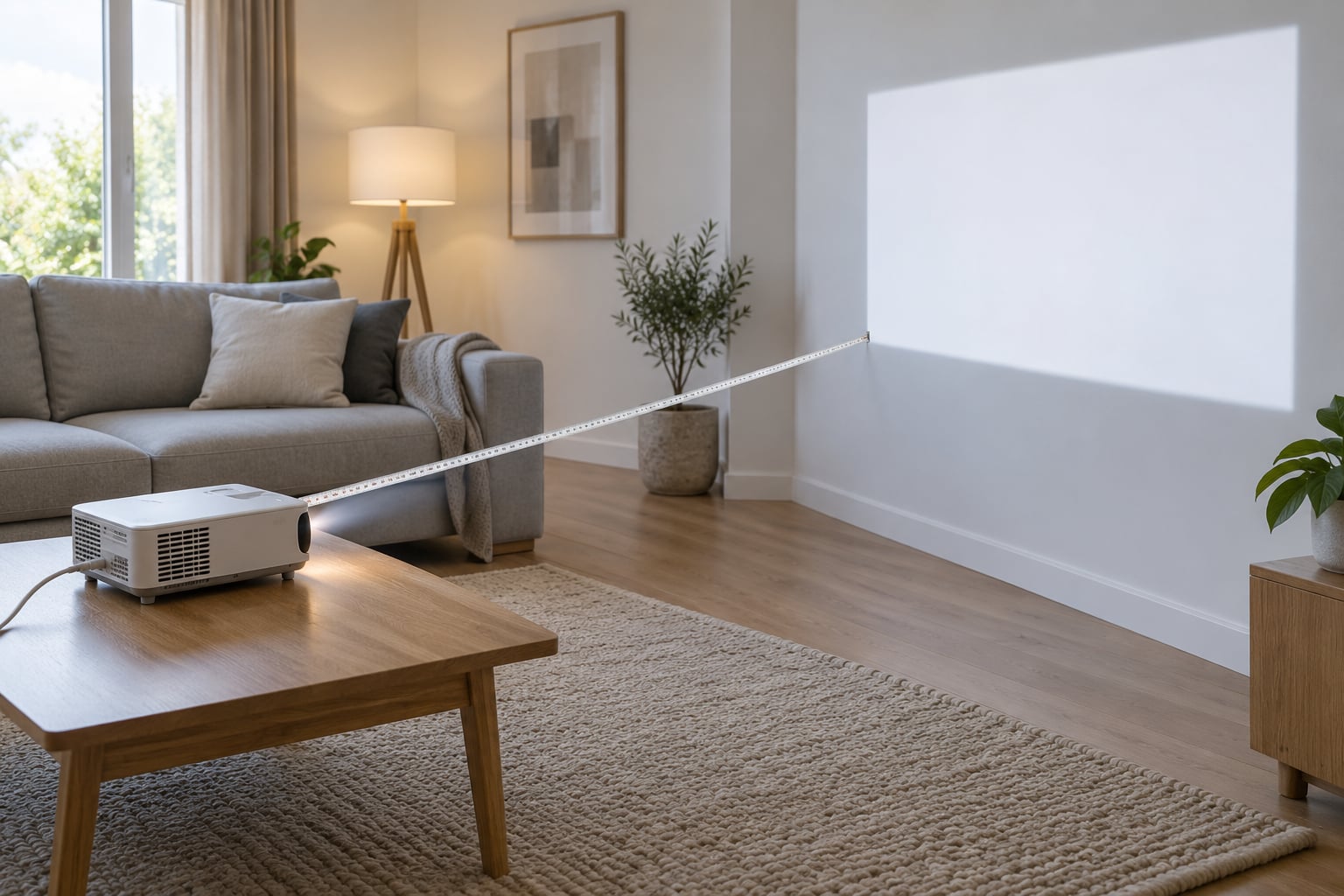
Throw distance is measured from the front element of the lens to the surface of the screen. It is not the distance from the back of the projector to the wall, and it is not the size of the picture.
The throw ratio is throw distance divided by image width, written as a single number: 1.2:1, 0.8:1, 2.5:1. A projector with a 1.2:1 ratio sits 1.2 times the image width away from the screen. One with 1.0:1 sits exactly one image width away.
Why it matters: the ratio sets the image size your room can produce. Too high a ratio and the picture is small no matter how bright the projector is. Too low and the image overshoots the wall, and there is no zoom to pull it back.
How to Calculate the Throw Distance You Need
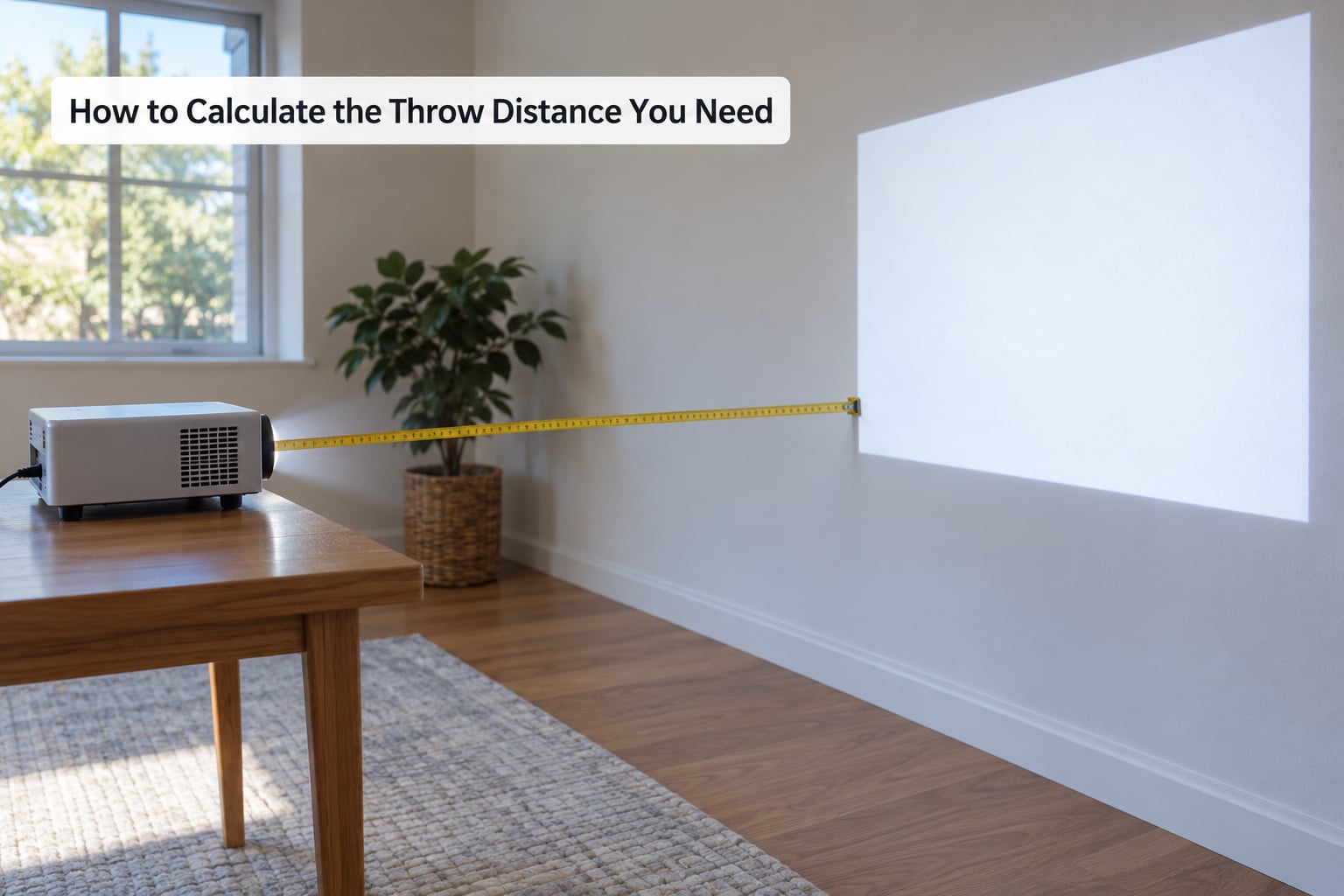
The formula works in both directions, which is handy because sometimes you know the width and sometimes you know the room.
- Distance from width: throw distance = image width × throw ratio
- Ratio from distance: throw ratio = throw distance ÷ image width
- Width from distance: image width = throw distance ÷ throw ratio
One warning before you start: the formula uses image width, not diagonal. Screen sizes are advertised as diagonal inches, so a “100-inch screen” is really about 87 inches wide in 16:9. Using the diagonal number inflates every distance you calculate by about 15 percent.
Here is the 100-inch case worked out. A 100-inch 16:9 image is 87.2 inches wide, which is 7 feet 3 inches.
- At 1.2:1 → 87.2 × 1.2 = 104.6 inches, about 8 feet 9 inches
- At 1.5:1 → 87.2 × 1.5 = 130.8 inches, about 10 feet 11 inches
- At 0.8:1 → 87.2 × 0.8 = 69.8 inches, about 5 feet 10 inches
Same screen, same projector, three very different rooms. That is why the ratio, not the screen size, is the spec that decides whether a projector fits.
Before you calculate anything, convert your target diagonal into a width. These are the real image dimensions:
| Diagonal | 16:9 width × height | 4:3 width × height | 21:9 width × height |
|---|---|---|---|
| 72 inch | 62.8 × 35.3 in | 57.6 × 43.2 in | 66.2 × 28.4 in |
| 86 inch | 74.9 × 42.2 in | 68.8 × 51.6 in | 79.1 × 33.9 in |
| 100 inch | 87.2 × 49.0 in | 80.0 × 60.0 in | 91.9 × 39.4 in |
| 120 inch | 104.6 × 58.8 in | 96.0 × 72.0 in | 110.3 × 47.3 in |
| 135 inch | 117.7 × 66.2 in | 108.0 × 81.0 in | 124.1 × 53.2 in |
| 150 inch | 130.7 × 73.5 in | 120.0 × 90.0 in | 137.9 × 59.1 in |
| 200 inch | 174.3 × 98.1 in | 160.0 × 120.0 in | 183.8 × 78.8 in |
Once you have a width, the distance table is just multiplication:
| Target image | Image width | 0.5:1 | 0.8:1 | 1.2:1 | 1.8:1 |
|---|---|---|---|---|---|
| 72 inch 16:9 | 62.8 in | 31.4 in | 50.2 in | 75.4 in | 113.0 in |
| 100 inch 16:9 | 87.2 in | 43.6 in | 69.8 in | 104.6 in | 157.0 in |
| 120 inch 16:9 | 104.6 in | 52.3 in | 83.7 in | 125.5 in | 188.3 in |
| 150 inch 16:9 | 130.7 in | 65.4 in | 104.6 in | 156.9 in | 235.3 in |
In a 16:9 image the width is always about 87 percent of the diagonal. Anyone quoting you a distance based on the diagonal number is guessing.
What Throw Ratio Do Different Projector Types Use?
Categories are just ranges of the same number. Manufacturers and forums generally draw the lines at 1.0 on the low side and 2.5 on the high side, and r/projectors users tend to sanity-check any figure above 2.5 as genuinely long throw.
| Type | Typical ratio | Distance for a 100-inch 16:9 image | Where it fits |
|---|---|---|---|
| Ultra short throw | 0.2:1 to 0.4:1 | 17 to 35 in | Flat panel to wall, laser TV style |
| Short throw | 0.4:1 to 1.0:1 | 35 to 87 in | Bedroom, small apartment, cluttered rooms |
| Standard throw | 1.2:1 to 2.0:1 | 105 to 174 in | Most living rooms and offices |
| Long throw | 2.0:1 and above | 174 in and up | Large rooms, back rows, simulators |
A lower ratio means a bigger image from a shorter distance. That is the entire relationship, and once you see it the categories stop feeling arbitrary.
Then there is the rule enthusiasts actually use, which sits at the top of the People Also Ask results: the 4-6-8 rule. Place the projector roughly 4, 6 or 8 feet from the screen, and expect a picture around 50, 75 or 100 inches wide in 16:9. It lines up closely with standard throw ratios of about 1.2:1, and it is a decent sanity check.
Just a sanity check. It assumes standard throw and nothing else, so treat it as a starting point rather than a spec.
How Do Room Size and Screen Placement Affect the Result?
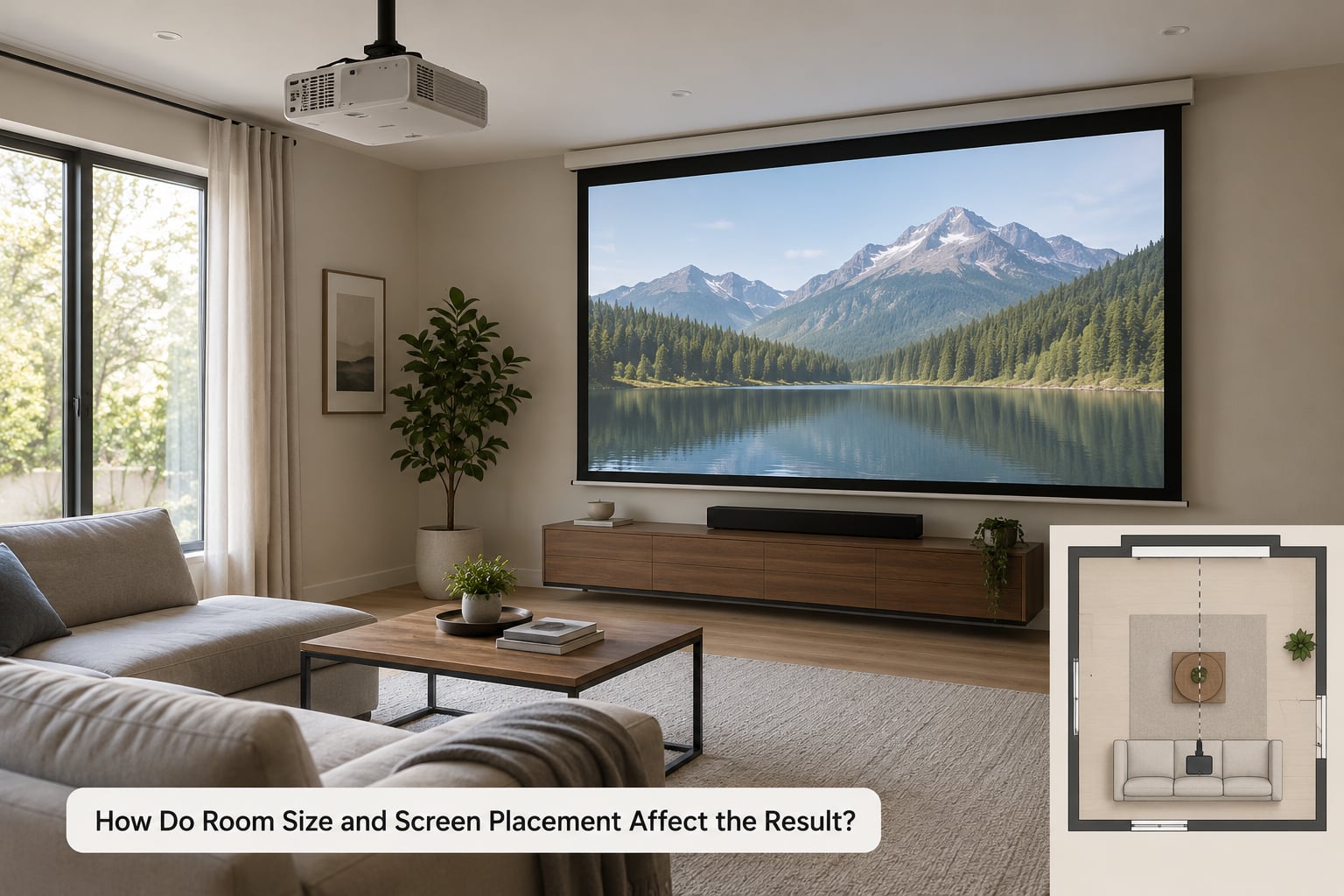
Room depth is the biggest variable, and it is not the same number as throw distance. Your wall-to-wall measurement includes the projector’s body depth, the mount hardware, and the air the projector needs for ventilation. Subtract those and you get usable throw distance.
Three minutes is enough to measure it properly. Tape the wall at the exact spot you want to mount, then subtract the projector depth plus its clearance plus the mount drop. For a ceiling mount, add the drop back into the gap between lens and screen rather than the wall gap.
Furniture is the other trap. A projector on a media console sits 12 to 16 inches back from the front edge, and a coffee table between you and the wall can force it further. If a low table would block the beam from a ceiling height, short throw or a ceiling mount solves it in a way that craning the projector up on a shelf does not.
Viewing distance sets the ceiling on screen size more often than throw distance sets the floor. For 4K content, the Society of Motion Picture and Television Engineers guidance is roughly 1.5 to 2.5 times the screen width for comfortable viewing, and mixed-use rooms with a sofa back often sit much further than that.
Take a typical living room: 16 feet wall to wall, projector wall-mounted at the back. Usable throw distance works out near 14 feet. Divide 14 feet by a 1.2:1 ratio and you get an image about 11.7 feet wide, which is roughly 140 inches diagonal. That is well past what most people actually want, which is how a room ends up with a picture too big to enjoy.
Should You Choose a Short-Throw Projector?
Short throw earns its place in a shallow room, a small bedroom, or anywhere furniture will not let the projector sit far enough back. A 0.8:1 model puts a 100-inch image just under 6 feet from the screen, which fits rooms where a standard-throw unit would only reach 70 inches.
There is a catch that spec sheets bury: many short throw lenses are fixed. A projector with a fixed 0.52 lens can only make the image size that ratio allows, and it cannot shrink it. Forum questions about shrinking a short throw image come up constantly for exactly this reason, and the answer is usually that the lens cannot be changed.
Zoom range is the spec to check. A 1.2:1 to 1.8:1 zoom lens gives you an adjustable window; a fixed lens gives you a single number. On a real installation, one zoom lens has been measured producing a usable range from roughly 14 feet 8 inches to 30 feet 11 inches.
Placement tolerance is the other trade-off. Short throw lenses are wide, and the image grows fast as you move back, so small position changes shift the image a lot. Ultra short throw goes further and needs a dedicated ALR screen to avoid a hotspot and ambient light washout.
Finally, check lens shift before you buy anything. Vertical lens shift lets you place the image correctly without tilting the body or using digital correction.
How to Choose a Projector for Your Room
Start from the room, not the spec sheet. Here is the checklist I would work through in order:
- Measure usable throw distance lens to screen, after clearance is deducted.
- Pick a target image width based on viewing distance and couch position, then convert it from diagonal.
- Derive the ratio you need by dividing that distance by the image width.
- Match the ratio to a model whose range covers your number, not just a single point.
- Check brightness in ANSI lumens against ambient light, not against a bulb rating.
- Confirm lens shift if the projector cannot sit centred on the screen.
- Verify HDMI and connectivity for the sources you actually own.
A projector does not need a specific throw ratio if your room can live with the distance that ratio produces. Plenty of people own a standard 1.2:1 unit on a media console with no ceiling mount and no complaints.
How to Set the Throw Distance Correctly
Physical placement first, digital correction last. That order is not a preference; keystone correction resamples the image and costs you sharpness and contrast, which is exactly what forum users report losing when they lean on it.
Projector throw distance explained as a setup routine
- Measure the room. Lens position to screen position, with clearance subtracted.
- Choose the image width you want and convert the diagonal to a width.
- Calculate the distance by multiplying width by the projector’s ratio.
- Position the projector at that distance, centred on the lens axis if you can.
- Adjust with lens shift and zoom rather than tilting the body.
- Focus last, once the image size is final.
To verify, look for the image edges inside the screen frame before you fine-tune anything else. If the image overruns the frame, zoom down or move the unit back; if it sits short, zoom up or move it forward within the manufacturer’s stated range.
One last habit: read the exact model’s spec sheet before finalising. Ratios vary per lens, and some models ship with fixed lenses while others offer a zoom range.
Frequently Asked Questions
What is the 4 6 8 rule for projectors?
The 4-6-8 rule is a rough placement shortcut: sit the projector about 4, 6 or 8 feet from the screen and expect roughly a 50, 75 or 100 inch wide image in 16:9. It lines up with standard throw ratios near 1.2:1. It is a sanity check rather than a specification, and it breaks down for short throw and ultra short throw units, which produce far larger images from the same distance.
What is a 1.0:1 throw ratio for a projector?
A 1.0:1 throw ratio means the projector sits exactly one image width away from the screen. A 120 inch 16:9 image is about 104.6 inches wide, so a 1.0:1 projector would need roughly 105 inches, just under 9 feet, of lens-to-screen distance. It sits on the boundary between short throw and standard throw in most manufacturers’ categorisation.
How far away does a projector need to be for a 72 inch screen?
A 72 inch 16:9 image is about 62.8 inches wide. Multiply that by the throw ratio: at 1.2:1 you need 75.4 inches, roughly 6 feet 3 inches. At 1.5:1 it is 94 inches, about 7 feet 11 inches. At 0.8:1 it drops to 50.2 inches. The ratio decides the room, not the screen size on its own.
How far away does a short throw projector need to be for a 120 inch screen?
A 120 inch 16:9 image measures about 104.6 inches wide. At a short throw ratio of 0.8:1, the projector sits about 84 inches, or 7 feet, from the screen. At 0.6:1 it needs about 63 inches. At 1.0:1 it needs 105 inches, which is really standard throw territory.
Are short throw or long throw projectors better?
Neither is better in general. Short throw suits shallow rooms, bedrooms and setups where furniture blocks the beam, and its downside is limited placement tolerance plus fixed lenses that cannot shrink the image. Long throw suits deep rooms, back-row seating and large screens, and needs more distance for the same picture. Pick the one whose ratio matches your measured room.
Does throw distance affect image quality?
Distance itself does not change brightness or sharpness, because light intensity is a lens specification rather than a distance-dependent one. What changes with distance is placement method. Tilting the projector or using keystone correction to force an image reduces sharpness and contrast, so a projector that fits the room without correction looks better than a closer unit forced into place digitally.
Conclusion
Tape measure first, shopping second. Measure your usable lens-to-screen distance, choose the image width you actually want to sit in front of, divide one by the other, and you have the throw ratio your room demands.
Then check the exact model spec sheet, because lens ratios and zoom ranges differ between units. That is projector throw distance explained in full: one measurement, one division, and no guessing about whether the picture will fit.